
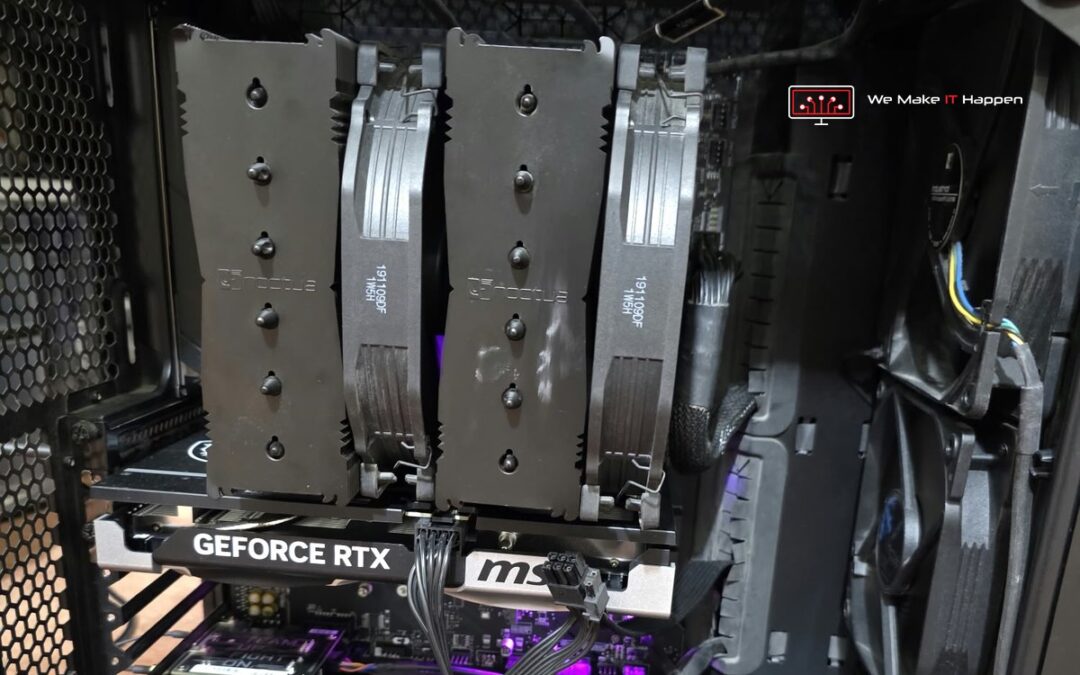
On a Saturday morning a WhatsApp message came in from a gamer in Cambridge with a brand-new graphics card and a very reasonable theory. The photo at the top of this post is how that PC left us five days later: running again, on a better motherboard than the one it came in with.
It sounds blunt, but it is the most useful thing we can say to anyone whose PC will not start. The RTX 5060 Ti was the newest part, the PC started with the old card and not with the new one, so the new card had to be faulty. That is exactly how most of us would reason. In this case it was wrong, and only testing the whole machine could show it.
What arrived at the workshop
The PC was dropped at our Cambridge workshop by appointment on Sunday morning: an AMD Ryzen 5 3600X with 32 GB of memory, the new RTX 5060 Ti, a Corsair TX850M power supply and an MSI A520M-A PRO motherboard. By then it had changed. It no longer started with any graphics card. It did not power on at all.
The owner was honest about it straight away: they had tested, swapped parts and tried to fix it at home before bringing it in. We see this almost every week, and nobody should feel bad about it. But every extra power-up, card swap and cable change on a PC with a fault can turn one problem into two.
Advanced diagnostics: test every part on its own
A PC that is dead is never diagnosed by guessing. Our hardware technician took the processor, the memory and the RTX 5060 Ti out and tested each of them on another motherboard. By Sunday afternoon the answer was clear:
- Processor: working.
- All 32 GB of memory: working.
- The RTX 5060 Ti: working. The part everyone suspected was fine.
- The motherboard: dead. That was the fault.
A motherboard that is starting to fail does not always die in one go. It can still start with one graphics card and fail with another, especially a newer card that asks more of the slot and the power around it. From the outside that looks exactly like a faulty graphics card. Swap enough parts on a board in that state and it can stop starting altogether.
The second problem: a graphics card cable that did not belong
While the PC was apart, our technician spotted something else. The cable feeding power from the Corsair power supply to the graphics card was not the one that came with that power supply. It was a replacement of poor quality, and it did not sit properly in the plug.
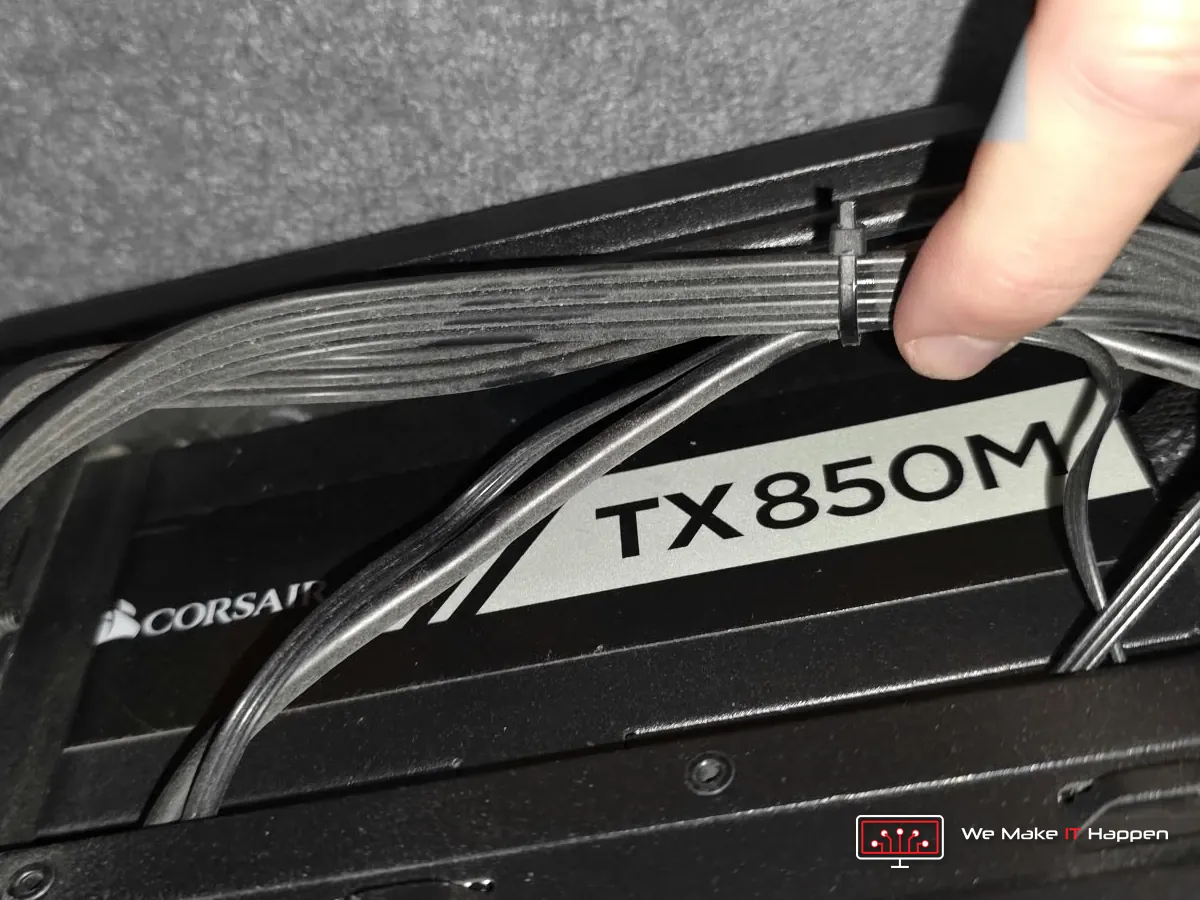
This matters more than it looks. The graphics card takes more power than anything else in a gaming PC. A cable that is not made for the power supply, or a plug that is not fully home, can overheat, melt the connector, and cause crashes, shut-downs and start-up problems, and it can damage the card itself.
There is a catch most people do not know about: the cables of a modular power supply are not standard. The plug at the graphics card end is the same everywhere, but the pins at the power supply end are wired differently from maker to maker, and sometimes between models of the same make. A cable from another power supply can fit and still put the wrong voltage on the wrong wire. So we told the owner straight away and put it in writing in the offer: use the original cable that came with this exact power supply. They found it at home and dropped it off at our Mill Road workshop the next morning, and that is the cable on the graphics card in the photo at the top.
A new motherboard, one class up
A dead board has to be replaced, so we made sure the replacement was an improvement. Instead of another entry-level A520, the owner got a brand-new MSI MPG B550 GAMING PLUS, with the manufacturer’s warranty. The processor, memory and graphics card all went straight onto it.
- Twice the bandwidth for the graphics card. The RTX 5060 Ti talks to the PC over 8 lanes instead of the usual 16. On the A520 board those lanes run at PCIe 3.0 speed. On the B550 they run at PCIe 4.0, twice as fast, which helps most in big modern games that stream a lot of textures.
- Room to grow: four memory slots instead of two, and two M.2 SSD slots instead of one, one of them PCIe 4.0.
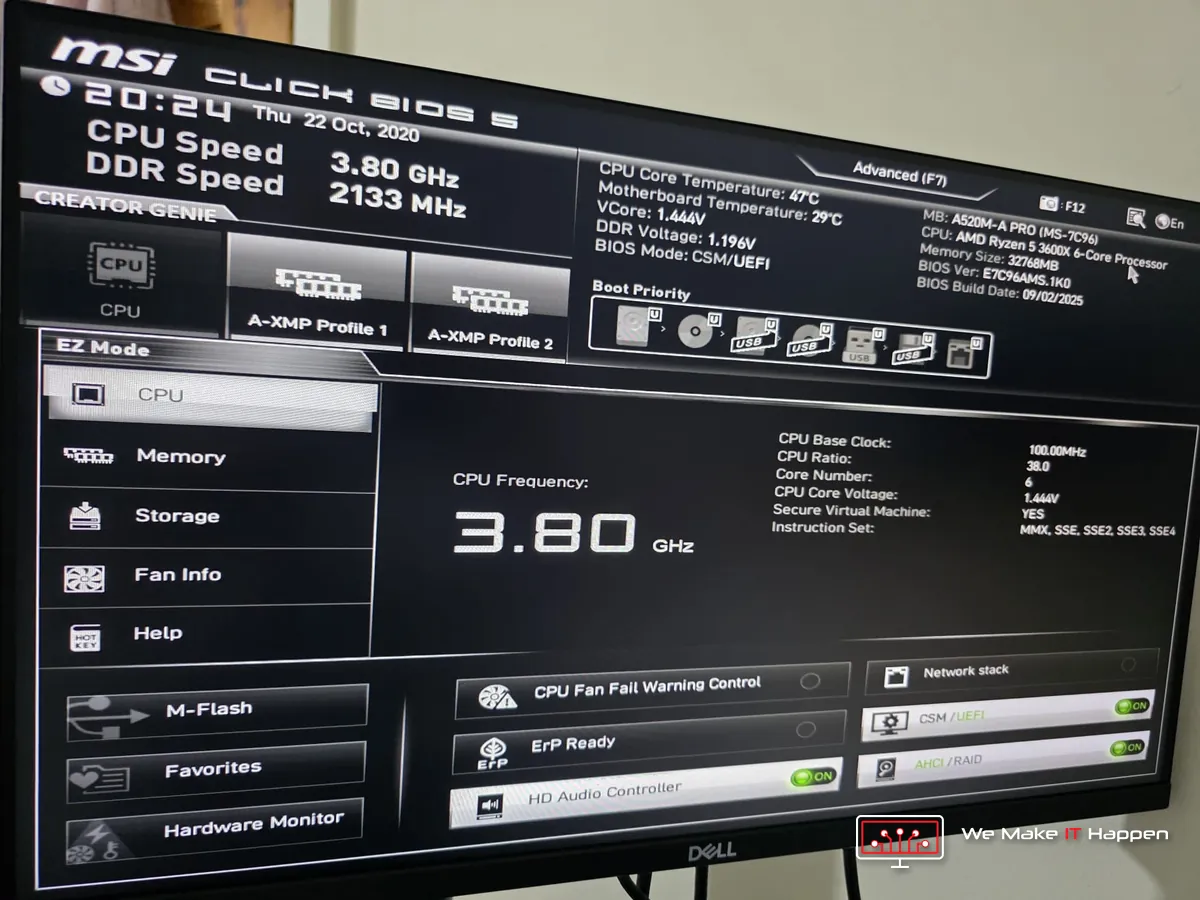
- Memory at its proper speed. The old board’s BIOS showed the 32 GB running at 2133 MHz, the basic fallback speed, because the memory’s speed profile (XMP) had never been switched on. Ryzen processors like fast memory, so it is one of the settings we check when we fit a new board.
The fix, and the timeline
The owner had a written offer with photos on Monday, with the cash price, the card price and Klarna pay in 3 at 0%, and said go ahead the same afternoon. The board was ordered that day. It arrived on Wednesday evening, a day later than we first hoped because the supplier did not ship it on the day it was ordered, and the PC was ready on Thursday morning.
- Advanced diagnostics: every main part tested on its own.
- Full strip-down, the old board out, case and cooler cleaned.
- All the old thermal paste removed and fresh paste on the processor under the big Noctua cooler.
- The new MSI B550 GAMING PLUS fitted and set up, and everything rebuilt.
- The graphics card powered by the original cable for its Corsair power supply.
- Tested after the repair, with a report, and our workshop warranty on the job.
It was collected from our Mill Road workshop on Thursday, and the owner left happy: the PC that would not even power on went home running, on a faster board, with the right cable on the graphics card. And the brand-new RTX 5060 Ti that started the whole story was never faulty.
What to do when your PC will not start
- Stop after the first test. If it does not start, do not keep switching it on and off, and do not start swapping parts between PCs. Every attempt on a faulty board can make things worse.
- Do not trust the newest part to be the guilty one. A new graphics card often only shows a fault that was already there in the board or the power.
- Use only the cables that came with your power supply. Modular cables are not standard, even between models of the same make. If you have lost them, ask us before you buy any.
- Push power plugs fully home. No gap at the graphics card’s plug, ever.
- Tell us about your data first. A new motherboard can trigger BitLocker on Windows 11. If you need your files, say so before any work starts and have your 48-digit recovery key ready.
- Send us a photo and a short video, then bring the whole PC, not just the part you suspect.
Frequently asked questions
My PC starts with my old graphics card but not with the new one. Is the new card faulty?
Not necessarily. In this job the new RTX 5060 Ti worked perfectly on another motherboard: the old motherboard was failing. A weak board or power supply, a poor power cable or a plug not fully in can all look like a faulty card. Testing each part on its own is the only way to know.
Can I use a graphics card cable from a different power supply?
No. Modular power supply cables are not standard at the power supply end, even between models of the same brand. The wrong cable can fit and still put the wrong voltage on a wire, which can damage the graphics card or other parts. Use the cables that came with your power supply.
Is it worth replacing a dead motherboard?
Usually, yes, when the processor, memory and graphics card are fine, as they were here. It is also a good moment to move up a class: a B550 board gave this PC PCIe 4.0 for its graphics card and more room to upgrade.
How long do advanced diagnostics take?
Usually two to six hours, sometimes longer for difficult faults. You get written findings with photos and a fixed price before any repair starts, and nothing is done until you say go ahead.
Gaming PC repair and upgrades in Cambridge and Dagenham
PC that will not start, no picture, a graphics card you think has died: see our motherboard repair, custom built PCs and computer and laptop repairs pages, book an appointment, or message us on WhatsApp 0749 792 5760 with a photo and a short video. Every job comes with photos of the work and our workshop warranty.
Related: “it’s only the cables”, another gaming PC where the fault was not what it looked like from the chair.