
Remote Help
Most computer problems fixed over the internet with AnyDesk – one fixed price, agreed before we start – Cambridge, Dagenham & anywhere in the UK
Remote computer help with AnyDesk
If your computer switches on and connects to the internet, we can probably fix it without you leaving the house. You download AnyDesk, give us the code it shows (9 or 10 digits), and our engineer works on your screen while you watch. No dropping off, no waiting for a slot, no second trip to collect.
- Windows and Mac laptops and desktops
- One fixed price for the whole job, agreed before we connect
- You watch every step and can end the session at any time
- Usually sorted the same day
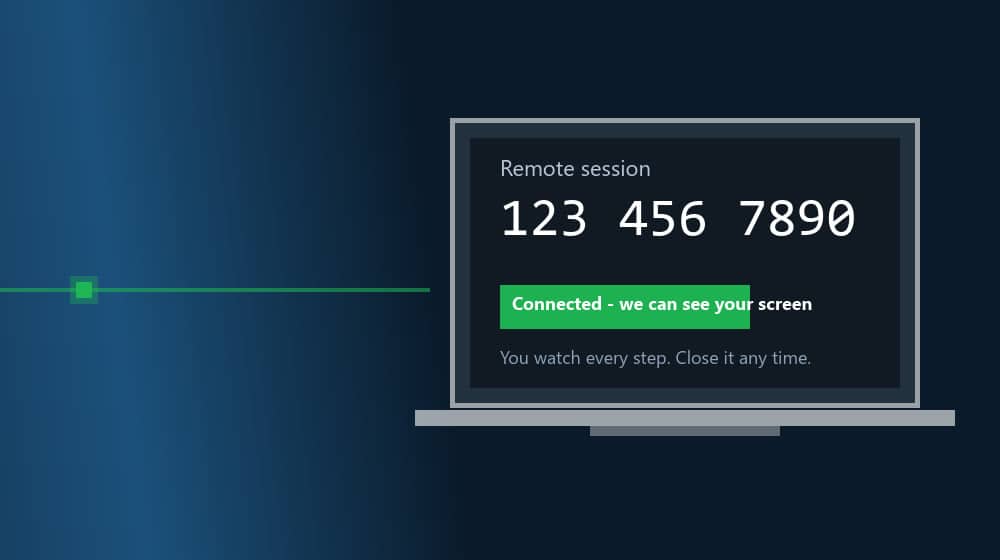
One price for the whole job, agreed first
We do not run an hourly meter. Tell us what the computer is doing, we give you one price for fixing it, and that is what you pay, whether it takes one hour or three. You know the cost before we connect, so there are no surprises and no hassle.
Remote help is for problems that can be fixed in software. If it turns out to be hardware, we tell you straight away and you can book a workshop visit in Cambridge or Dagenham.
What is AnyDesk?
The remote desktop tool we use to see your screen and fix the problem, with you watching.
A small program, nothing to install
AnyDesk is a remote desktop tool made in Germany and used by IT departments all over the world. For you it is free: no account, no sign-up. You download one small file (a few megabytes) from anydesk.com, run it, and it shows your AnyDesk code (9 or 10 digits). When we are done you can simply delete it.
You stay in control
Nothing happens until you click Accept on the connection request. You see every click we make on your screen in real time, you can talk to us on the phone or WhatsApp while we work, and you can end the session with one click. When we disconnect, that is it: we have no access to your computer afterwards.
Encrypted, like online banking
The connection between your computer and ours is encrypted (TLS 1.2 with 256-bit AES encryption). Nobody else can see the session, and we never ask for your bank details or passwords. If something needs a login, you type it in yourself.
Not the “Microsoft is calling” kind
Scammers use remote tools too, so here is the difference: you contact us, we agree a price first, you watch what we do, and we are a real workshop you can walk into in Cambridge or Dagenham. If anyone phones you out of the blue asking you to install AnyDesk, hang up.
What we can fix remotely
If the computer starts and gets online, most software problems can be sorted over AnyDesk.
Slow or freezing computer
Start-up clean-up, bloatware and junk removal, performance tune-up and the settings that make an older laptop feel quick again.
Viruses, pop-ups and scam warnings
Malware and adware removal, browser hijackers, fake “your PC is infected” pages and the leftovers after a scam call. Virus and malware protection
Windows problems
Updates stuck or failing, error messages, drivers, printer and scanner setup, settings that changed by themselves, and Windows 11 setup.
Email and Office
Outlook and Gmail setup, Microsoft 365 or Office installation and activation, a mailbox that is full, OneDrive sync and sign-in problems.
Wi-Fi and network
Wi-Fi that keeps dropping, no internet after an update, a printer that cannot be found on the network, VPN and home-office setup.
Software installs and setup
Any program installed and set up, licences activated, settings moved to a new computer, and the apps you actually use put where you can find them.
Backups and your data
Cloud or external-drive backup set up and tested, files moved or organised, and recovery of files that went missing. Backup services
Security and accounts
Windows security checked and set up properly, account recovery, two-step verification, password manager and parental controls.
When remote help will not work
AnyDesk needs a computer that starts and connects to the internet. These are workshop jobs instead.
It will not switch on
No power, no lights, or it stops before Windows loads. Nothing to connect to. Motherboard repair
Broken screen, hinge or keyboard
Physical damage needs parts and tools. Laptop and computer repairs
Liquid spilled on it
Switch it off and do not try to use it. It needs cleaning on the bench, quickly. What to do after a spill
No internet at all
If the computer cannot get online, we cannot reach it. If it is only the Wi-Fi playing up, try a cable or your phone’s hotspot first and we can often fix the Wi-Fi remotely.
How remote help works
Five steps, and you only do the first four.
1. Message or call us
WhatsApp or call 07497 925760 and tell us what the computer is doing. A photo of the error message saves time.
2. Agree the price
We give you one fixed price for the whole job. One hour or three, the price stays the same. Nothing starts until you say yes.
3. Download AnyDesk
Get it from anydesk.com and run it. No installation, no account. It opens in a few seconds.
4. Send us your AnyDesk code
AnyDesk shows a 9 or 10-digit code like 123 456 7890 under “Your Address” or “This Desk”. Send it to us on WhatsApp and click Accept when our request pops up.
5. Watch us fix it
Sit back and watch, or go and make a tea. Ask anything on the phone or in the AnyDesk chat while we work. When we are done we disconnect, tell you what we did and what to keep an eye on, and you are back to normal without ever leaving the house.
Why customers like it
- No trip to drop off, no trip to collect
- Same engineers and same standards as our Cambridge and Dagenham workshops
- One price, agreed first, no hourly meter
- Works anywhere in the UK, and for businesses with several PCs
Remote help questions
Straight answers to what customers ask us most.
How much does remote help cost?
One fixed price for the whole job, agreed before we start. It is based on what needs doing, not on how long it takes, so it does not go up if the job takes three hours instead of one. Message us with the problem and we will give you the price.
Is AnyDesk safe?
Yes. AnyDesk is a professional remote desktop tool made in Germany and used by IT departments worldwide. The connection is encrypted (TLS 1.2 with 256-bit AES), nothing happens until you accept the connection, you see everything we do on your screen, and you can end the session with one click. Once the session ends we have no access to your computer.
Do I need to install anything?
No. Download AnyDesk from anydesk.com and run the file. It opens straight away without installing. When we are done you can delete it, or keep it for next time.
Can you see my files and passwords?
During the session we see what is on your screen, the same as if we were sitting next to you. We do not go through your personal files unless the fix needs it, and we never ask for bank details or passwords. If you need to log in to something, you type it yourself. You can end the session at any time.
Does remote help work on a Mac?
Yes. AnyDesk works on Windows, macOS and Linux. On a Mac you will be asked to allow screen recording and accessibility permissions for AnyDesk, and we talk you through it.
What if the computer will not switch on or has no internet?
Then remote help is not possible, because AnyDesk needs a working computer and an internet connection. That is a workshop job: book a diagnostic check at our Cambridge or Dagenham workshop and we will look at it there.
What if it turns out to be a hardware fault?
If we find during the session that the problem is hardware, for example a failing drive or a faulty screen, we tell you straight away and explain what it needs. You can then book a workshop visit in Cambridge or Dagenham.
Do I have to be in Cambridge or Dagenham?
No. Remote help works anywhere with an internet connection, in the UK or abroad. Most of our remote customers are in Cambridge, Dagenham and East London, but the fix is the same wherever you are.
How long does a remote session take?
Many jobs take under an hour. Bigger jobs, such as a full malware clean-up or repairing Windows, can take two to three hours. The price you agreed stays the same either way.
Prefer to bring it in?
Our workshops work by appointment, so please call or message us first.
Fulbourn, Cambridge
CamLife 4, Capital Park, Fulbourn, CB21 5XE
Monday to Friday 7am to 7pm
Weekends 7am to 7pm
Mill Road, Cambridge
163-167 Mill Road, CB1 3AN
Monday to Friday 9am to 9pm
Weekends 10am to 8pm
Dagenham
48 Northfield Road, RM9 5UR
Every day 7am to 9pm
Weekends and bank holidays 8am to 9pm
Computer playing up? Let us fix it from here.
Message us with the problem and we will give you one fixed price for the whole job.
Related:
Virus and malware removal
Laptop and computer repairs
Upgrades
Data recovery
All services