
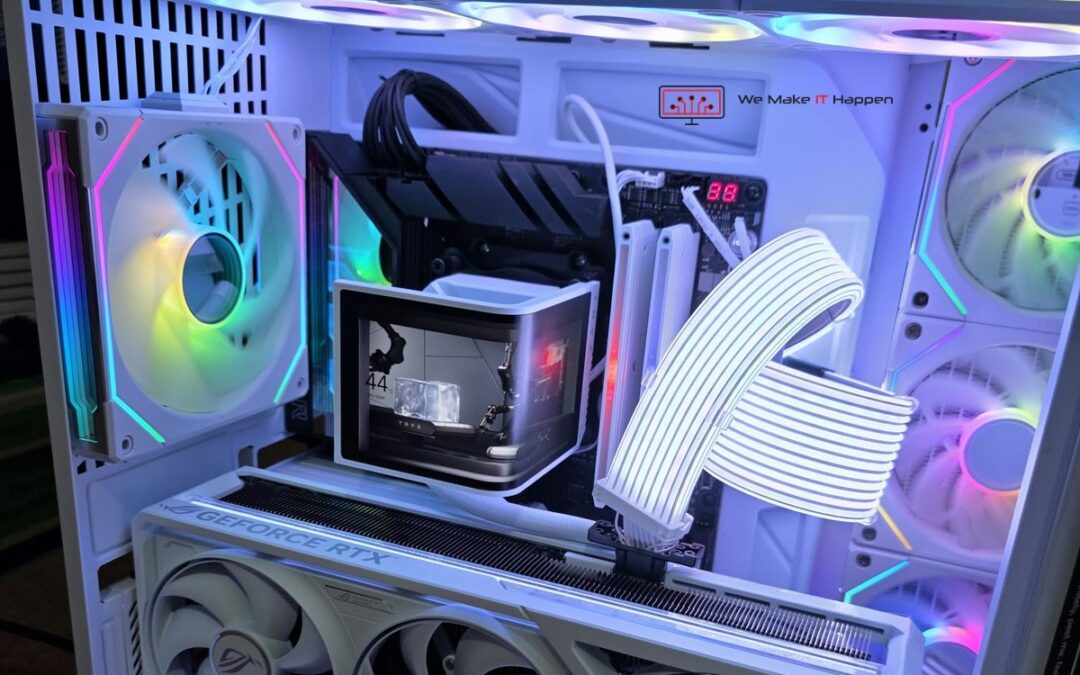
On a Sunday afternoon a WhatsApp message came in with a five-second video of a brand-new gaming PC: lights on, numbers flashing on the motherboard, nothing on the monitor. The owner was sure what the problem was.
That last line is the one that matters. A PC with untidy cables that works does not need a workshop. A PC that shows codes on the board and will not start is a different job, whatever it looks like from the outside. It was dropped at our Cambridge workshop that same evening, and it is a perfect example of something we see every week in gaming PC repair: the fault is almost never what the owner thinks it is. Not because people are careless, but because from the chair ten different faults look exactly the same.
The machine: one of the best builds we have had on the bench
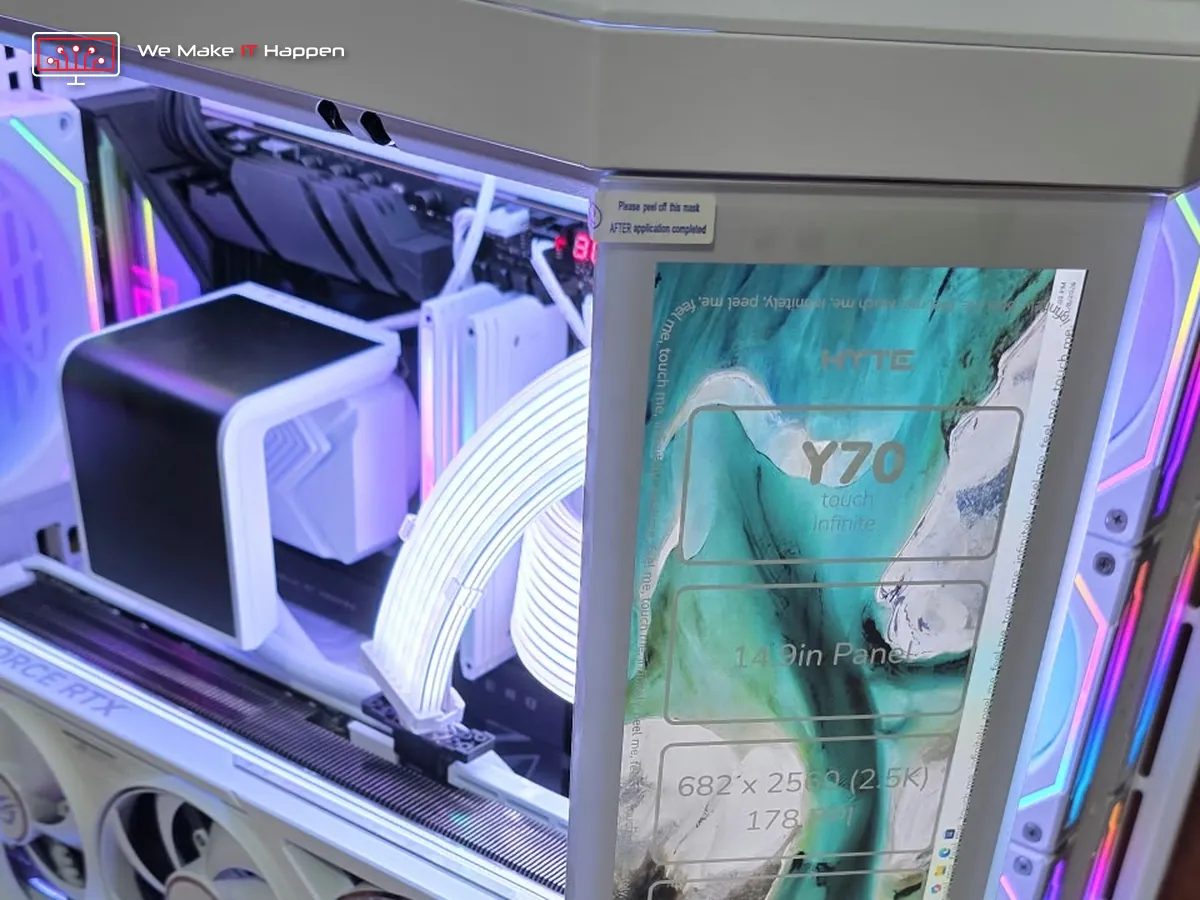
This was not a budget PC. A HYTE Y70 Touch Infinite case with a 14.9-inch touch screen built into the glass corner, an ASUS ROG Crosshair X870E Hero motherboard, a 16-core AMD Ryzen 9 9950X3D2, 64 GB of DDR5-6600 memory, a 4 TB Samsung 990 PRO, a white ASUS ROG GeForce RTX graphics card and a TRYX liquid cooler with its own screen. Thousands of pounds of brand-new parts, every one of them well chosen.
That is exactly why guessing is the wrong way to deal with it. On a build like this, one lead on the wrong header is enough to stop it starting, and one connector not pushed fully home can damage a very expensive part.
What “only cables” turned out to be
Our hardware technician opened it up and sent a short note: graphics card in a box, vertical mount handed over with the screws, PC freezing and not getting into the BIOS, cooler screen not working, case screen not working, and all the wiring at the back to be taken out and done again. Then we checked each point properly:
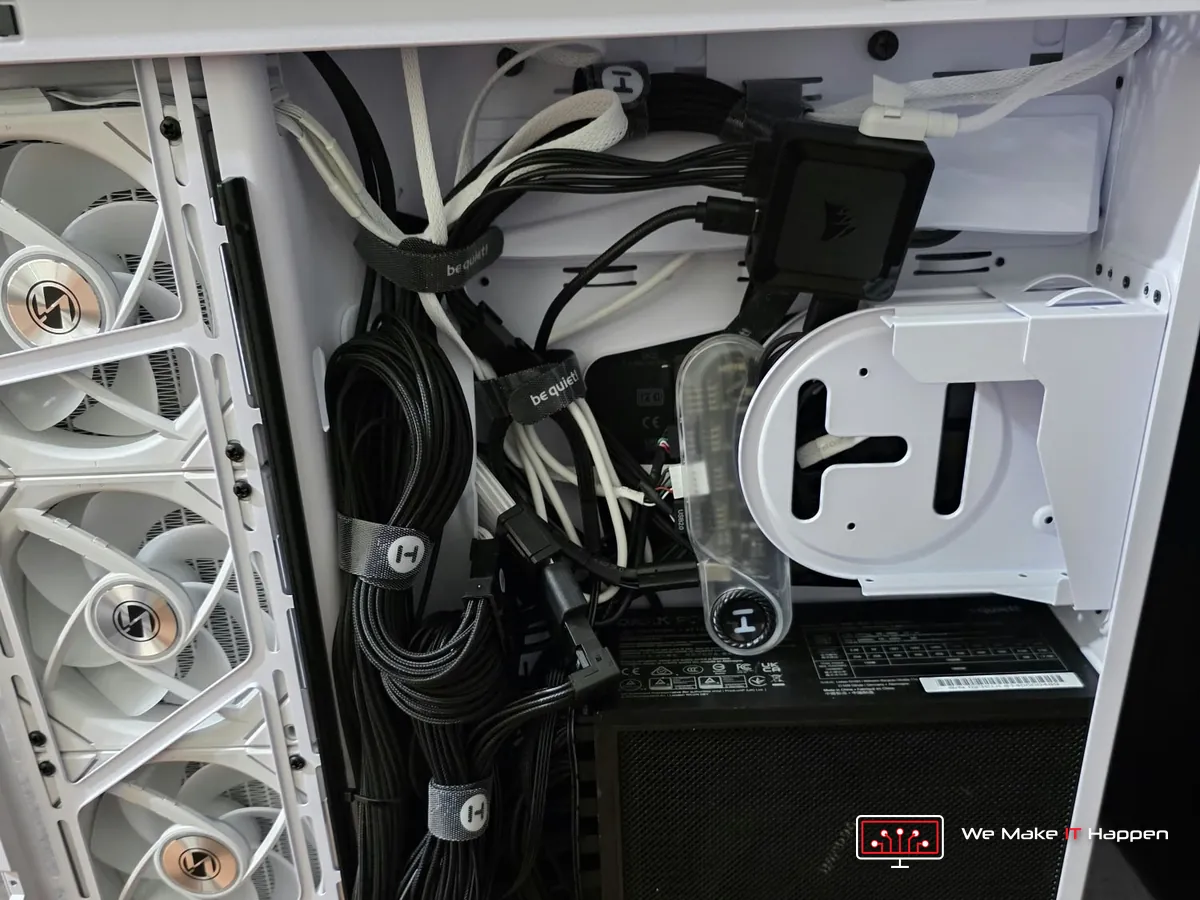
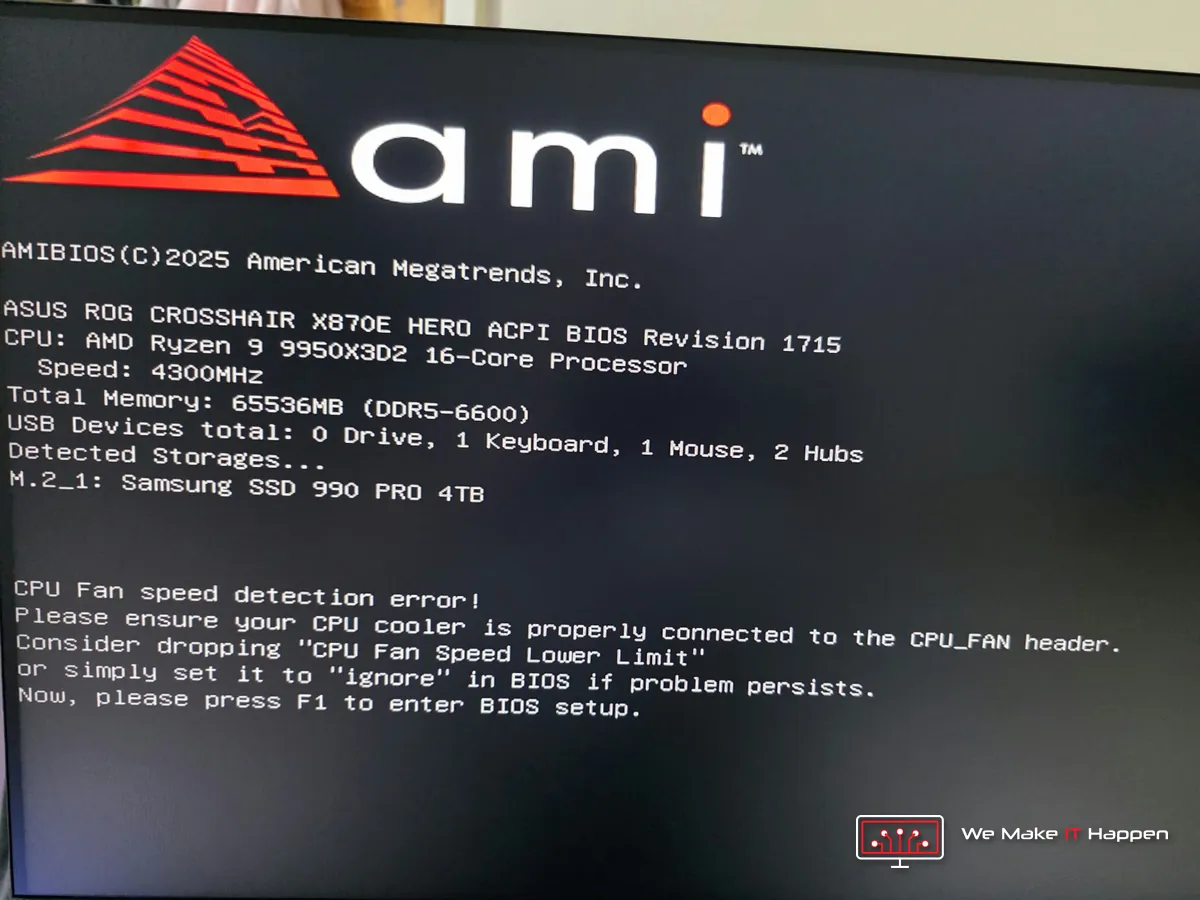
- The motherboard stopped at every start. The screen said “CPU Fan speed detection error” and asked for F1. The liquid cooler’s pump and fans were not on the headers the board watches, so the board could not see any cooling on a 16-core processor and refused to carry on. From the chair, that looks like “it freezes before the BIOS”.
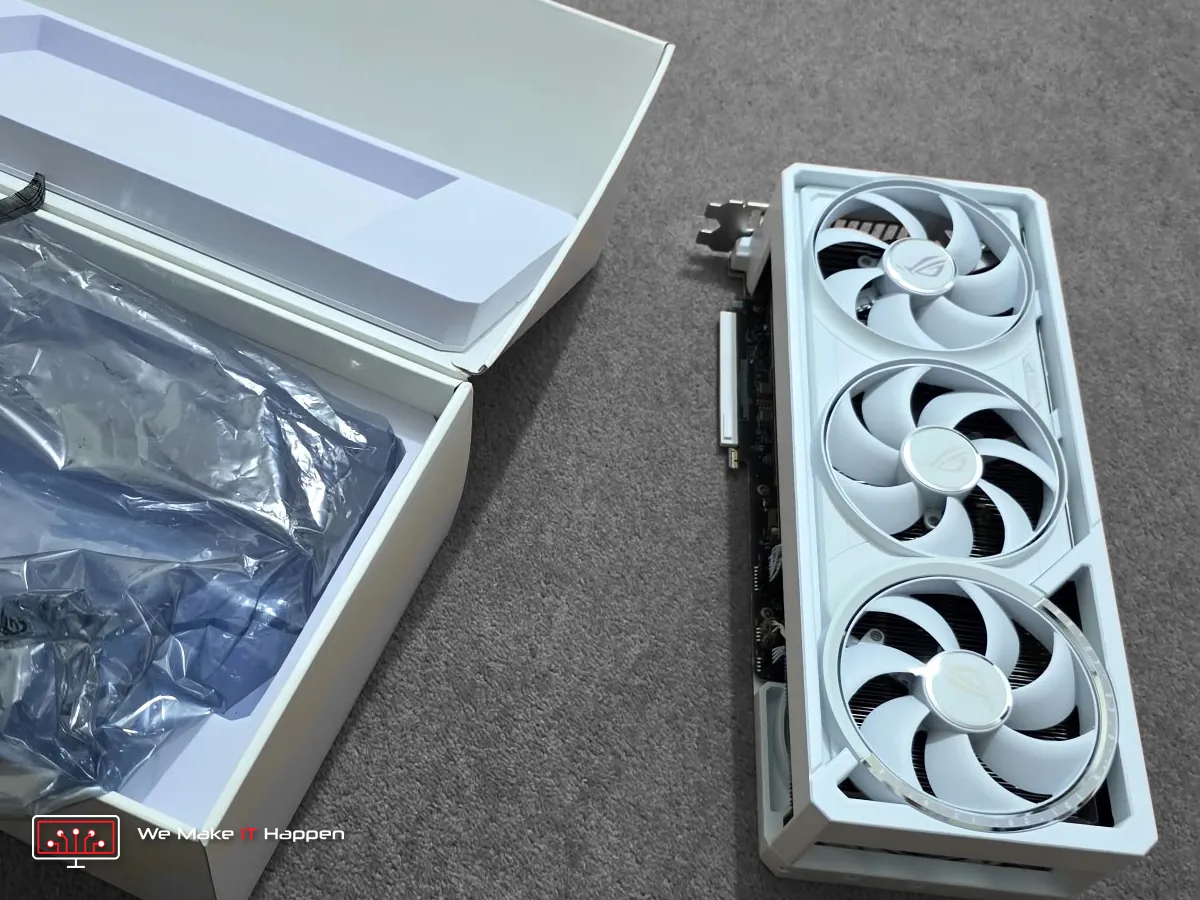
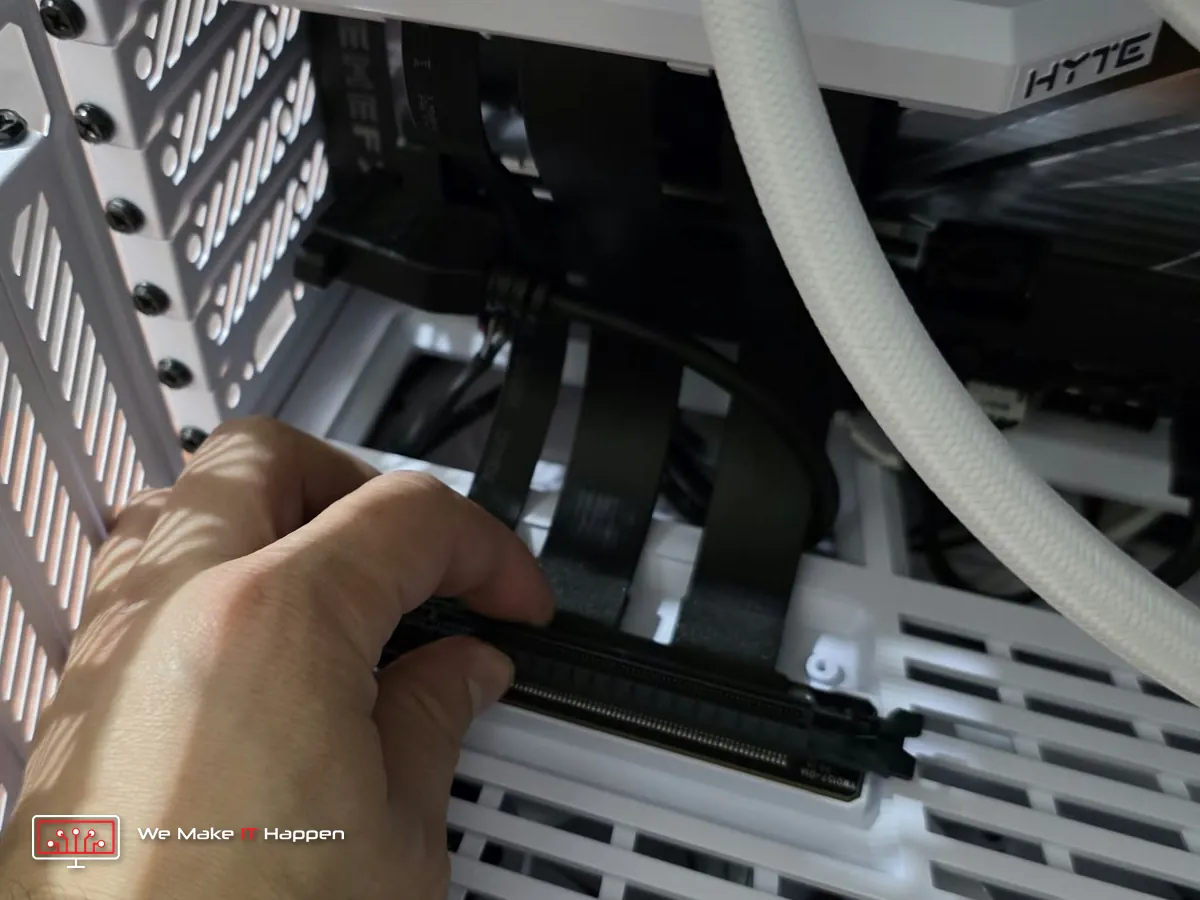
- The graphics card was not fitted. It was still in its box, with the vertical mount and its screws in a bag.
- Fans and lighting were on the wrong headers and hub ports, so nothing was controlling their speed.
- The cooler’s screen was dark. It needs its own power and USB connection, and it had neither in the right place.
- The case touch screen was dark. It needs a video lead from the graphics card, plus USB and power. With the card in a box, it had no chance.
- The wiring at the back was in loose bundles with leads crossed over each other.
- What was fine: the processor, all 64 GB of memory and the SSD were detected correctly. No faulty parts.
So the owner was right about one important thing: nothing was broken. But “cable management” means tidying leads on a PC that works. This was a PC that could not start, with a cooler the board could not see, two screens with no signal and its graphics card still in the packaging. That is not tidying. That is finishing and rewiring the build.
What we did, in under a day
The owner had a written report on Monday morning, with photos, the findings above in plain English and the options. They said go ahead before lunch, and this is what was done:
- All the wiring at the back taken out and done again from scratch, routed and tied.
- The cooler’s pump and radiator fans moved to the correct motherboard headers, and the case fans and lighting to the correct hub ports.
- The graphics card fitted on the vertical mount with its riser cable, and its power lead pushed fully home.
- The cooler screen and the case touch screen connected: power, USB and video.
- The start-up error cleared. The PC now starts without stopping to ask for F1.
There was one more catch. All the parts were new, so the SSD was empty: no Windows, and the owner wanted to install it themselves. A PC without Windows cannot show you that its screens, lighting and graphics card really work. So we fitted one of our own NVMe drives, ran a complete Windows set-up and all the updates on it, checked that every part was detected and every screen and light worked, and then took our drive back out.
The timeline: first message on Sunday afternoon, dropped off by appointment that evening, written findings on Monday morning, ready on Monday afternoon and collected the same evening. Less than 24 hours from “I think it is just cables” to “it is ready”.
Three things that look like faults and are not
After we sent the photos of the finished build, the owner asked two very good questions. We hear them on almost every high-end build, so here are the answers, plus a third one that catches people out.
- “Are the digits supposed to show?” Yes. The small red display on the motherboard is a status readout for builders. During start-up it runs through codes while the board checks the processor, the memory and the graphics card. Changing codes mean it is working through its list. It only tells you about a fault when it stops on one code and you get no picture.
- “The graphics card fans are not spinning.” Also normal. Modern cards stop their fans completely when they are cool, so the PC stays silent on the desktop. They start as soon as a game warms the card up.
- The case screen stays dark on a PC with no Windows. A screen built into a case is a second monitor. It needs Windows, the graphics driver and the maker’s software before it shows anything useful. It worked in our test, and it comes back the moment Windows is on the owner’s own drive.
Why we never quote from a message
Our rule of thumb after more than 15 years at the bench: it is almost never what it looks like from the chair. “It will not start and there are numbers on the board” can be a cooler on the wrong header, memory not pushed in, a graphics card power lead half seated, a riser cable, a BIOS setting or a dead motherboard. Six causes, one symptom, and very different bills.
That is why a PC that is dead, will not start or shows no picture gets advanced diagnostics first. It usually takes two to six hours, and it ends with written findings, photos and a fixed price before any work starts. If we had quoted this job from the WhatsApp message as “tidy the cables”, the owner would have collected a PC that still could not start. And if it really had been only cables on a PC that works, we would have told them to keep their money, which is exactly what the message above says.
Building your own PC? Check these before you panic
- Cooler: the pump lead goes on the AIO_PUMP header and the radiator fans on CPU_FAN. The board must see a fan on CPU_FAN, or it stops at start-up.
- Graphics card power: push the lead in until it clicks and there is no gap at the plug. A half-seated lead on a powerful card gets hot.
- Monitor cable: into the graphics card, not into the motherboard, once the card is fitted.
- Memory: in the slots the manual says, usually the second and fourth from the processor, pressed until both ends click.
- Screens on the case or the cooler: they need their own power, USB and often a video lead, and their software in Windows.
- Codes on the board: changing during start-up is normal. Stuck on one code with no picture: write the code down and send it to us with a photo.
- If it will not start: stop there. Do not keep switching it on and off, and do not start swapping parts. Send us a photo and a short video.
Frequently asked questions
What does “CPU Fan speed detection error” mean?
The motherboard cannot see a fan turning on its CPU_FAN header, so it stops at start-up and asks for F1 to protect the processor. On a new build the usual cause is the cooler’s fan or pump lead on a different header, or on a hub that does not report speed. The cure is to connect the cooler correctly. Only switch the warning off if you are certain the cooling works.
Are the numbers on my motherboard an error?
Not on their own. Boards with a two-digit display run through codes on every start. It points at a fault only when the PC stays on one code and gives no picture. Tell us the code and we know where to start looking.
Why are my graphics card fans not spinning?
Most current cards stop their fans when the card is cool. On the desktop that is normal. If the fans still do not move with a game running and the card getting hot, bring it in.
Can you finish or fix a PC that I built myself?
Yes, by appointment. Bring every part and all the spare leads, brackets and screws that came in the boxes. We check it, send you written findings with photos and a fixed price, and nothing is done until you say go ahead.
Gaming PC repair and custom builds in Cambridge and Dagenham
New build that will not start, a PC that freezes, an upgrade you would rather not risk yourself: see our custom built PCs and computer and laptop repairs pages, book an appointment, or message us on WhatsApp 0749 792 5760 with a photo and a short video. Every job comes with photos of the work and our workshop warranty.
Related: how our custom PC build service works, and an Xbox that kicked its owner out of every game, another fault that needed diagnostics before anyone could name it.