
This Lenovo Legion Pro 5 (16ARX8: AMD Ryzen 7 7745HX, NVIDIA GeForce RTX 4070, 32 GB) came into our Mill Road workshop in Cambridge overheating, and the owner asked one more thing: is the processor OK, or is it just the cooling? Here is what caused the Lenovo Legion Pro 5 overheating, what we did about it and the before-and-after numbers from the same test. About 5 hours after drop-off it was cleaned, re-pasted and tested, with a full report for the owner. The same evening it passed 8 hours of OCCT System Gold stress tests with zero errors.
What Lenovo Legion Pro 5 overheating looked like in our tests
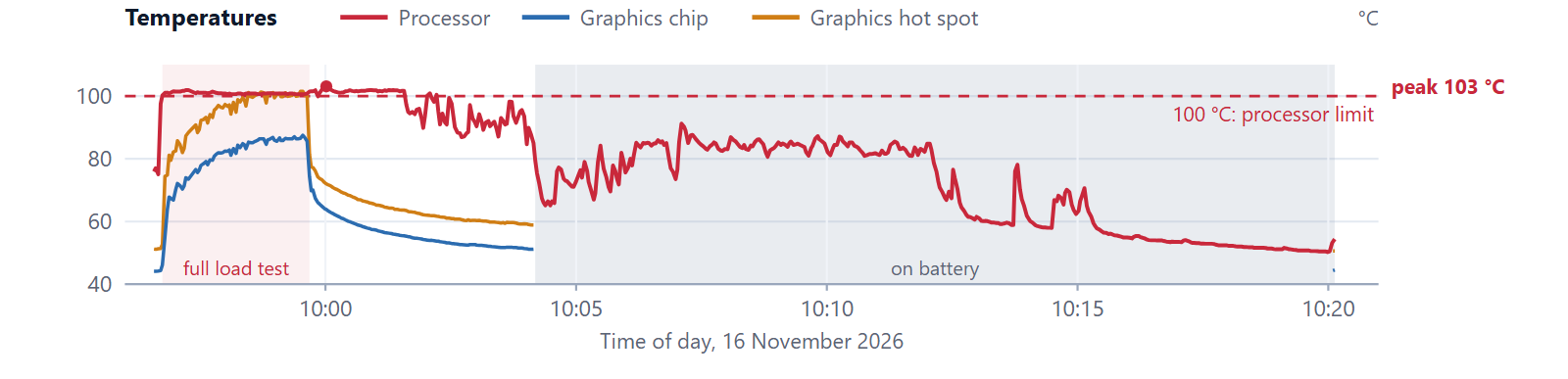
Before touching anything we logged every sensor with HWiNFO for 24 minutes (704 readings) while OCCT loaded the processor and the graphics card together, on the charger.
- The processor hit 100 °C, its limit, within seconds and stayed at 100–102 °C for the whole test.
- To hold that temperature it cut its own power from 60 W to about 44 W, and its speed fell from about 4,000 MHz to 3,300 MHz in three minutes.
- Even after the test stopped, at about 11% load, it still read 86–103 °C for four more minutes.
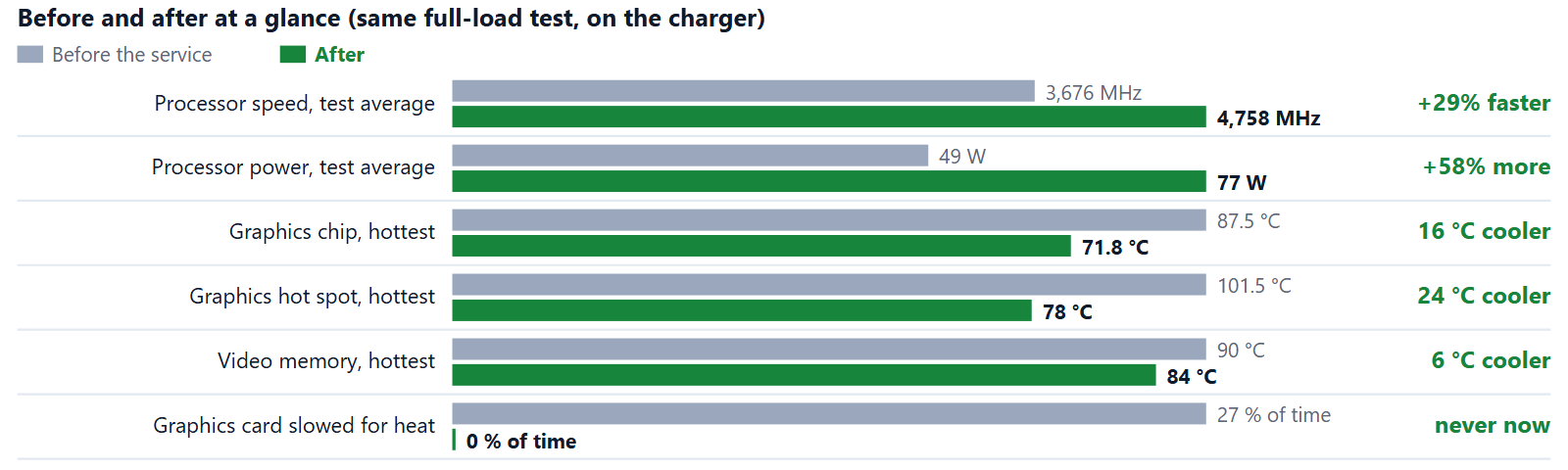
- The RTX 4070 climbed to 87.5 °C, its own 87 °C limit, and slowed itself down for heat in 27% of its loaded readings. Its hot spot reached 101.5 °C.
Is the processor OK? Yes
The owner suspected the cooling but asked us to check the processor just in case. Every one of its 8 cores reached its full rated 5.1 GHz, the voltages were normal, it never hit its power or current limits, its safety systems worked as designed and Windows logged no hardware errors (WHEA: 0). The Ryzen 7 7745HX was healthy. It was being held back by a cooling system that could not get the heat out.
What we found inside
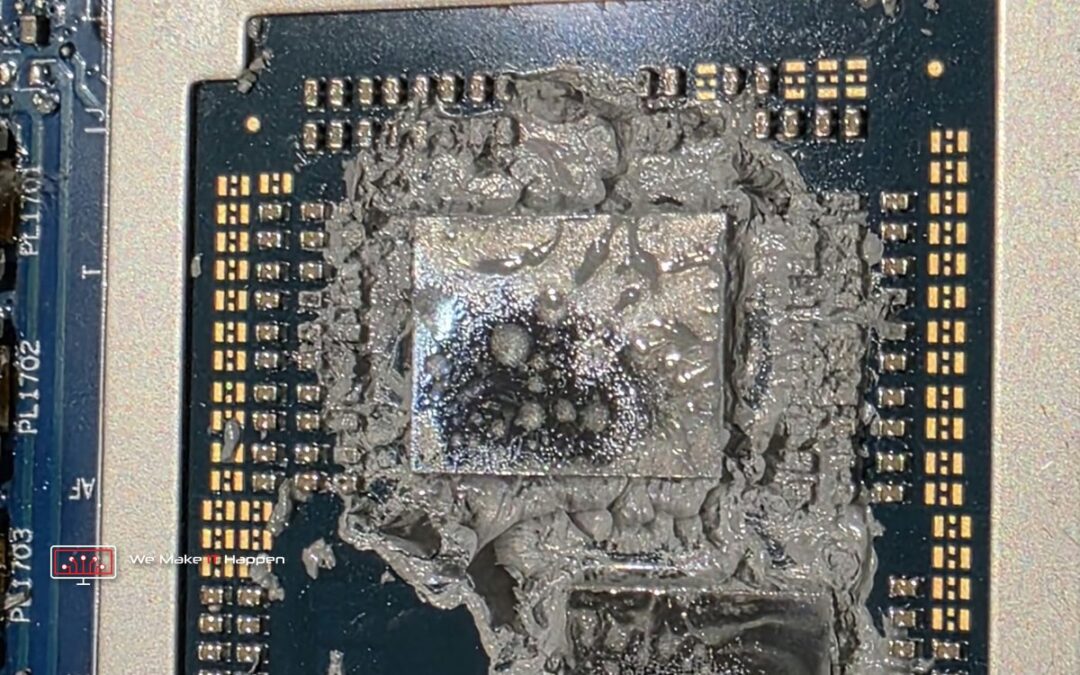
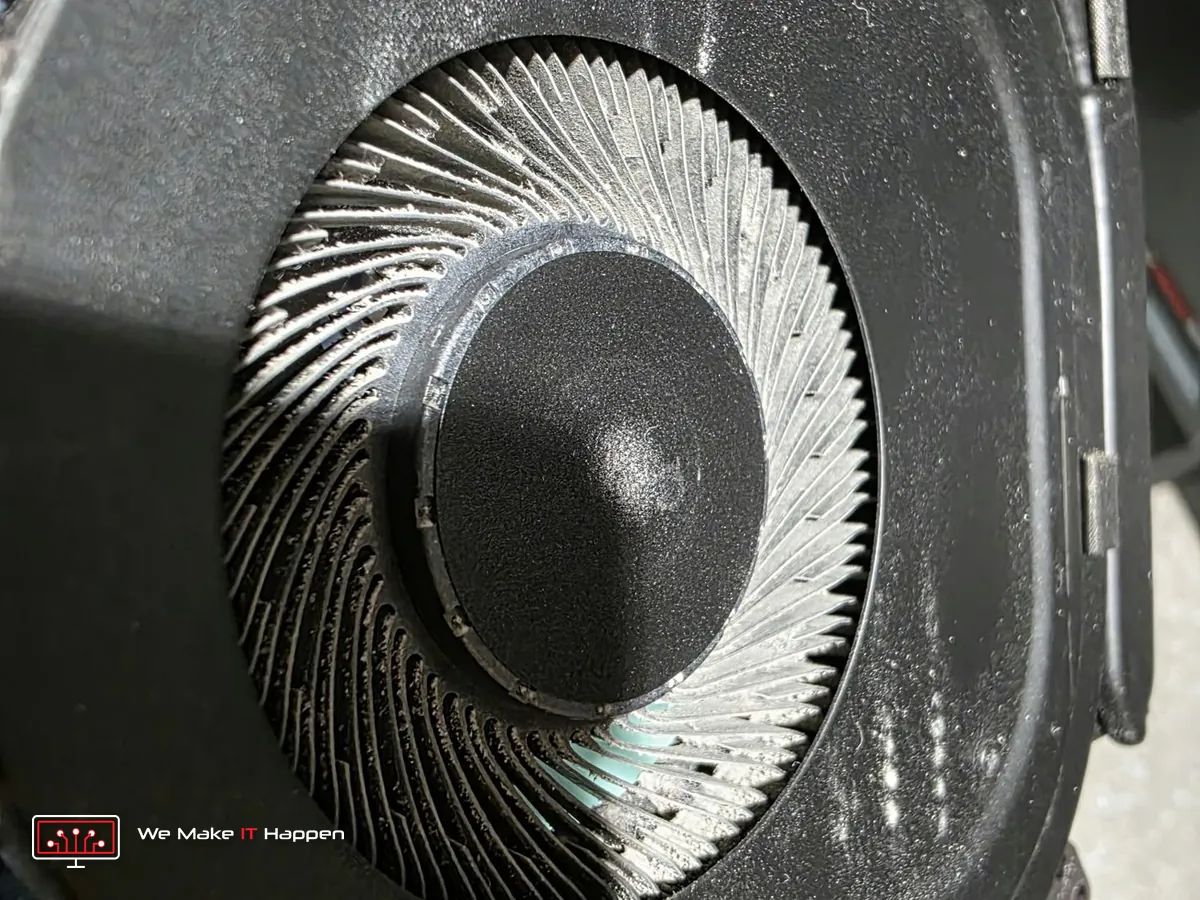
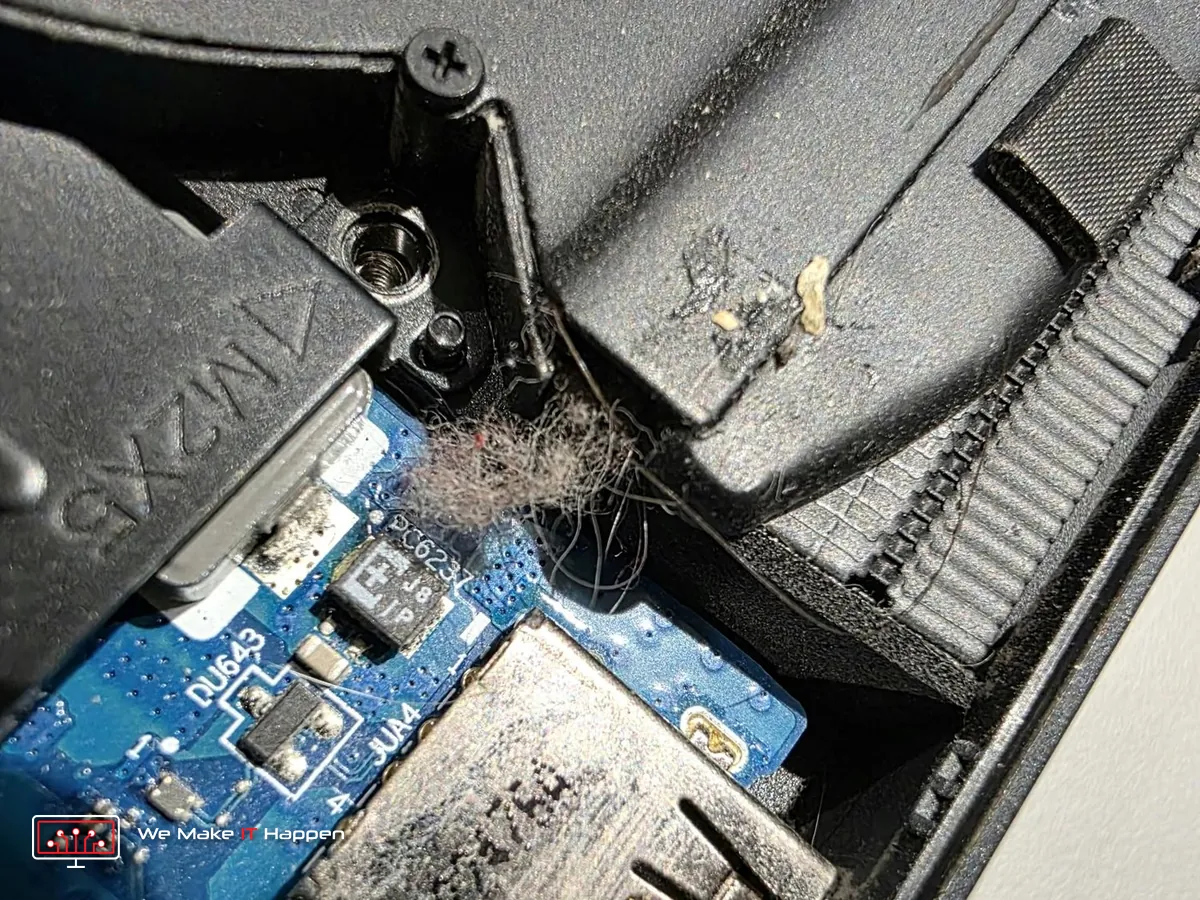
Dust packed into the fans, fluff caught at the exhaust fins, and the old thermal paste on the processor and the graphics chip dried out and spread across the chips. Dried paste no longer carries the heat from the chip into the heatsink, so the chips run hot.
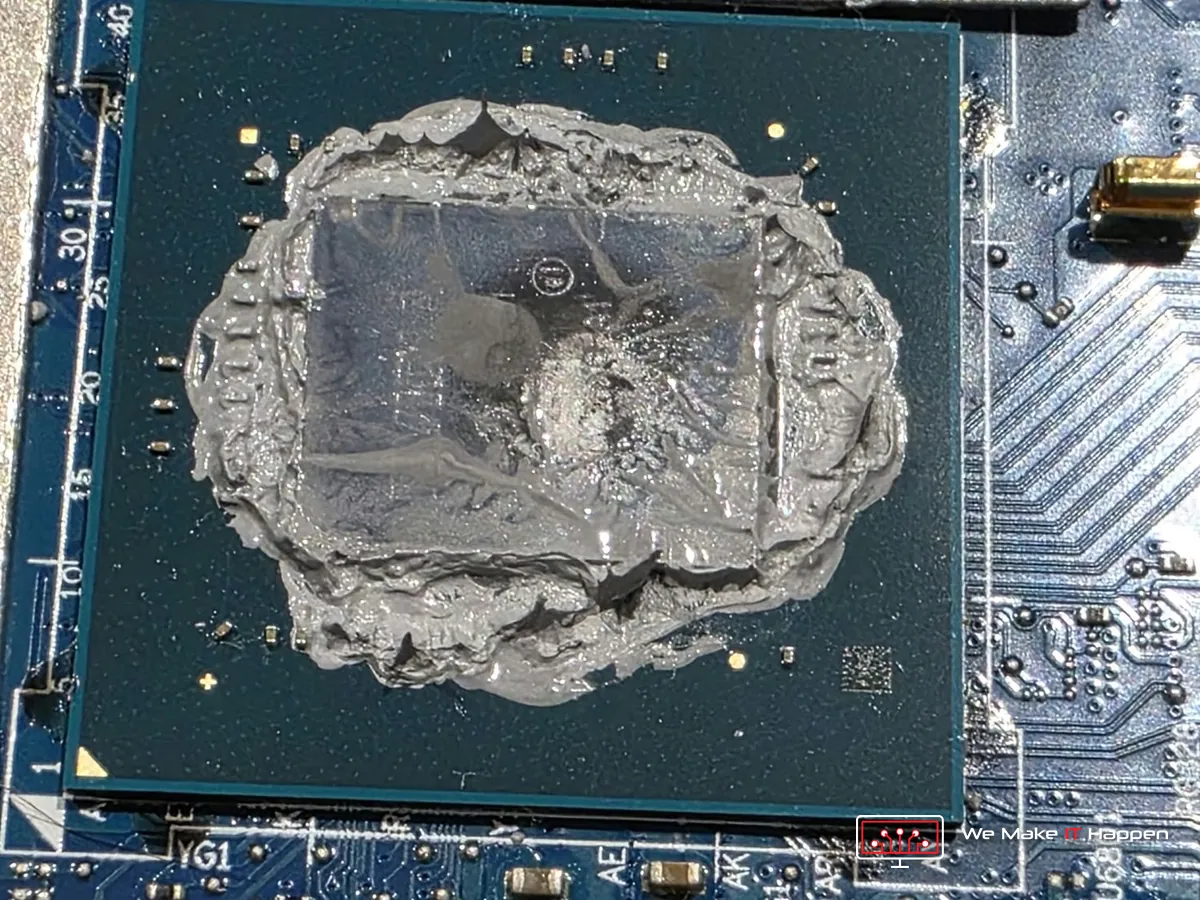
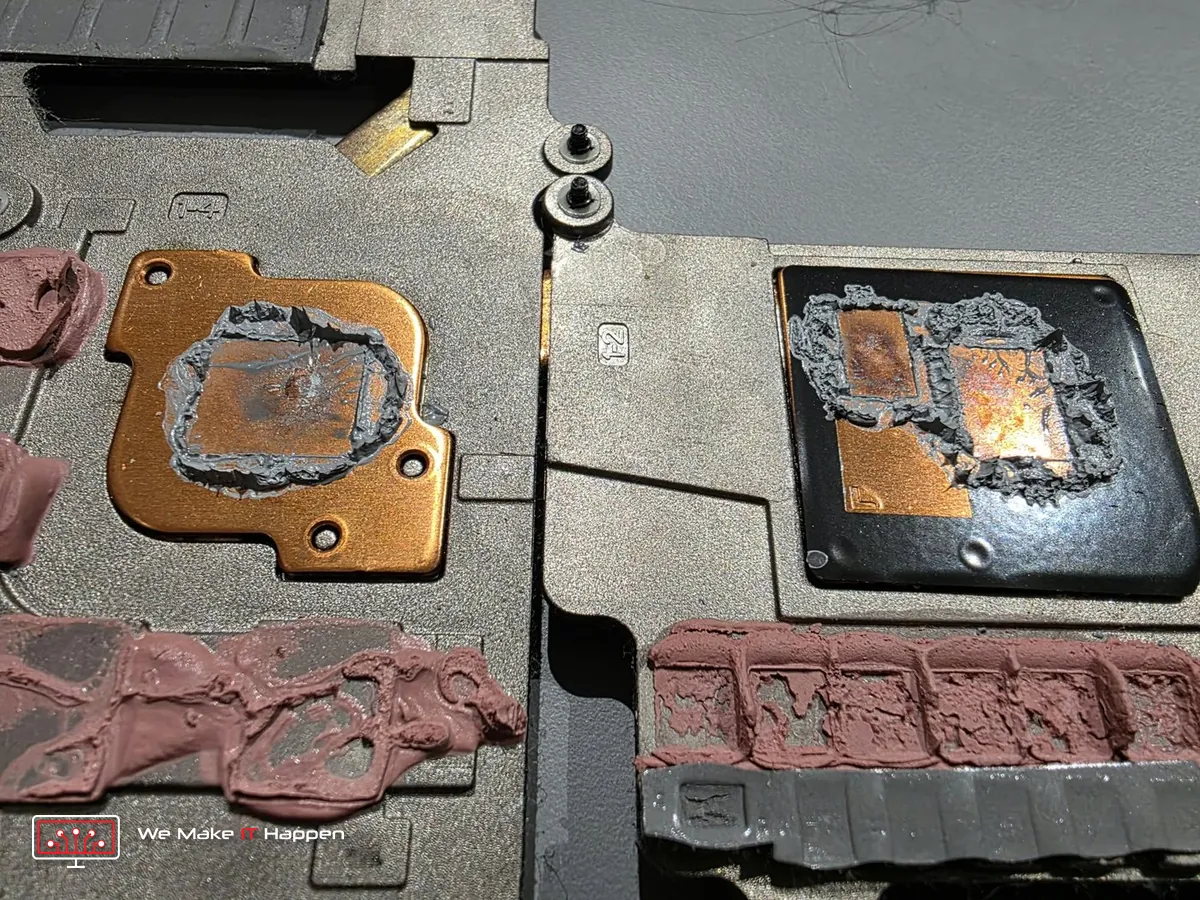
It looks alarming, but it was not dangerous: thermal paste like this does not conduct electricity, so even where it had spread it could not short anything. Liquid metal, which some laptops use, is the conductive one. The real problem was that the paste had dried out.
BitLocker first: we always check it before we open a laptop
A thermal paste change, a deep clean or any repair inside a laptop starts with disconnecting the battery. If the drive is encrypted (BitLocker, called Device encryption on Windows 11 Home, and Windows 11 often switches it on by itself) and nobody checks first, Windows can lock itself on the next start and ask for a 48-digit recovery key. Without that key nobody can open the files, ever: the drive has to be wiped and everything on it is lost for good, photos and documents included.
So before we disconnect anything, we check the encryption ourselves. If it is on and you need your files, we decrypt the drive first and only then open the laptop. It adds 2–4 hours to the job, and it is the difference between a cooler laptop and a laptop with nothing left on it. We never skip it.
On this Legion the drive was encrypted and the owner needed the files, so we logged in with the owner’s permission and fully decrypted the drive before we disconnected anything (2–4 hours on a 1 TB drive). Nothing was deleted or changed: files, apps and Windows were exactly as they were.
What we did
- Full tests and sensor logs before the job.
- BitLocker checked first, as on every laptop we open, and the drive decrypted before the battery was disconnected.
- Full strip-down and deep clean: both fans, the heatsink fins, the exhaust and the inside of the case.
- The old dried paste cleaned off the processor, the graphics chip and the heatsink, and fresh Arctic MX-7 applied.
- The same test again, to compare like with like.
- OCCT System Gold stability certificate: 8 hours 1 minute of stress tests.
Before and after: the same test
| Full load, on the charger | Before | After |
|---|---|---|
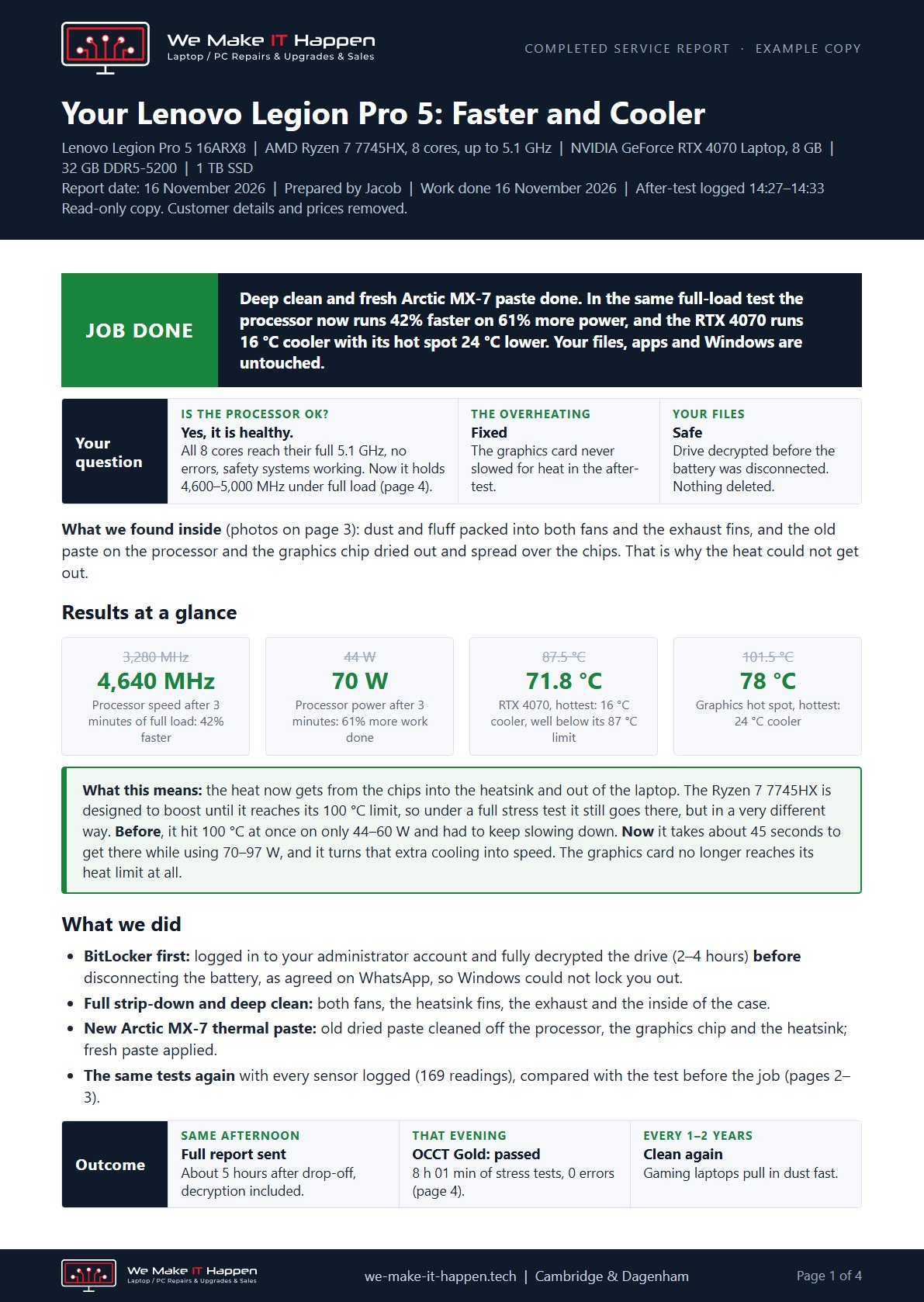
| Processor speed after 3 minutes | about 3,300 MHz | about 4,650 MHz (+42%) |
| Processor power after 3 minutes | 44 W | 70 W (+61%) |
| Time before the processor reached 100 °C | straight away | about 45 seconds |
| RTX 4070, hottest | 87.5 °C | 71.8 °C |
| Graphics hot spot, hottest | 101.5 °C | 78 °C |
| Graphics card slowed for heat | 27% of readings | never |
| Video memory, hottest | 90 °C | 84 °C |
Why does the processor still reach 100 °C? The Ryzen 7 7745HX is designed to boost until it reaches its 100 °C limit, so a full stress test will always take it there. The difference is what it gets for it. Before the service it hit 100 °C at once on only 44–60 W and kept slowing down. Now it takes about 45 seconds to get there while using 70–97 W, and it holds 4,640–5,010 MHz across all 8 cores. In the same test the graphics card no longer reaches its heat limit at all.
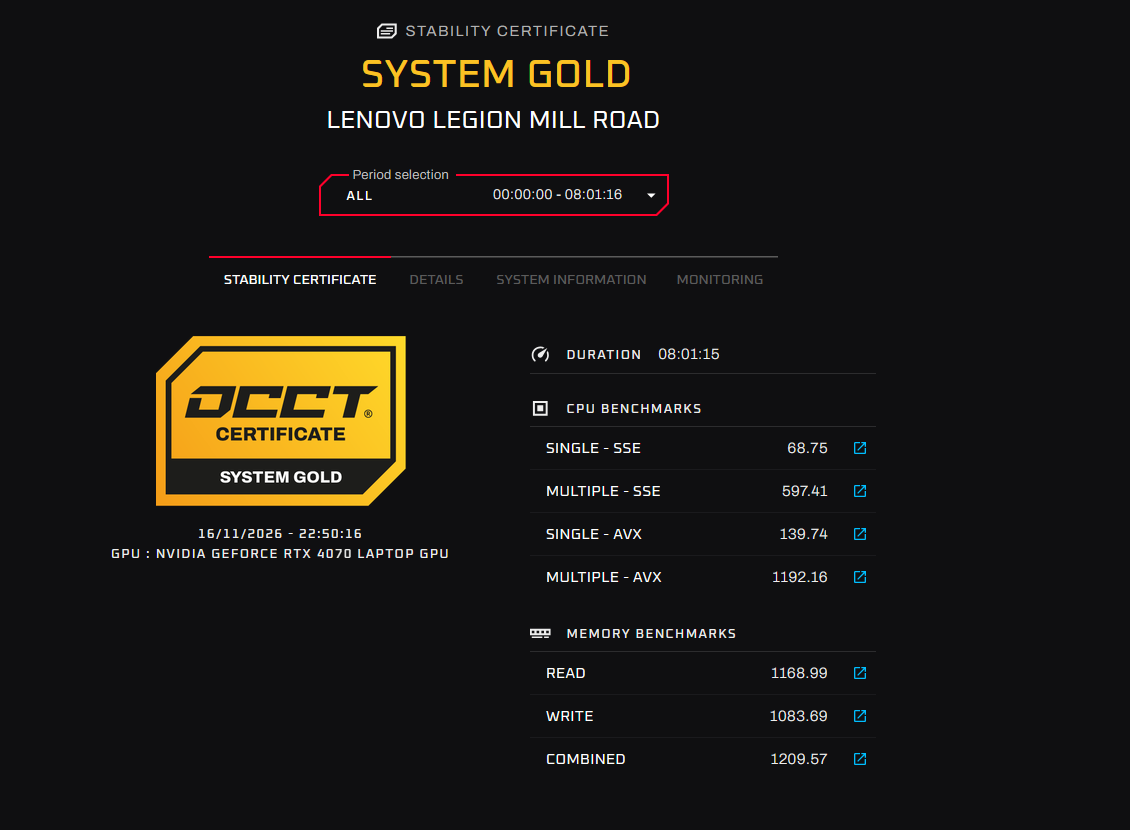
OCCT Gold: 8 hours of stress tests, 0 errors
After the job we left the laptop on OCCT’s System Gold stability certificate, the toughest schedule OCCT offers. It ran for 8 hours 1 minute without a break (16 November, 14:48–22:50): the processor and memory together for 3 hours, the processor on its own for 1 hour, Linpack for 1 hour, the memory for 1 hour 30 minutes, 3D graphics for 45 minutes, the video memory for 15 minutes and a 30-minute power test with the processor and graphics card loaded at once. Every test finished with 0 errors and 0 hardware (WHEA) errors. In the graphics and power tests the RTX 4070 drew up to 129 W, far more than in our combined test, and peaked at 87.7 °C, its normal limit at that power, without a single error.
The full report
Every customer gets a written report with the before-and-after numbers, the graphs and the photos. Here is this one (read-only copy: customer details and prices removed).
Is your gaming laptop overheating?
Signs worth acting on: games that start smooth and then slow down, fans that never calm down, a laptop too hot to touch above the keyboard, or shutdowns under load. We test first, show you the numbers, check BitLocker so your files are safe, and only then open it. See our thermal paste and deep clean service, read how an ASUS ROG Strix that shut down in games got on, or book a visit: call 07497 925760. Our Mill Road workshop is at 163 Mill Road, Cambridge CB1 3AN, by appointment.
Frequently asked questions
Is it normal for a Ryzen 7 7745HX to reach 100 °C?
Yes, under a full stress test: it is designed to boost until it reaches its 100 °C limit. What matters is how much power and speed it holds there. Before the service it hit 100 °C at once on 44-60 W; after it took about 45 seconds and held 70-97 W.
Can dried thermal paste short-circuit a laptop?
No. Thermal paste like this does not conduct electricity, so even where it spreads it cannot short anything. Liquid metal is the conductive one. The problem with dried paste is that it no longer carries the heat into the heatsink.
Why decrypt BitLocker before a laptop service?
Disconnecting the battery can make Windows lock itself and ask for the 48-digit recovery key; without the key the files are lost. Decrypting first (2-4 hours on a 1 TB drive) keeps the files safe.
How long does a gaming laptop thermal service take?
This one took about 5 hours from drop-off to the finished report, including 2-4 hours for the drive to decrypt; the 8-hour OCCT Gold certificate ran the same evening.