
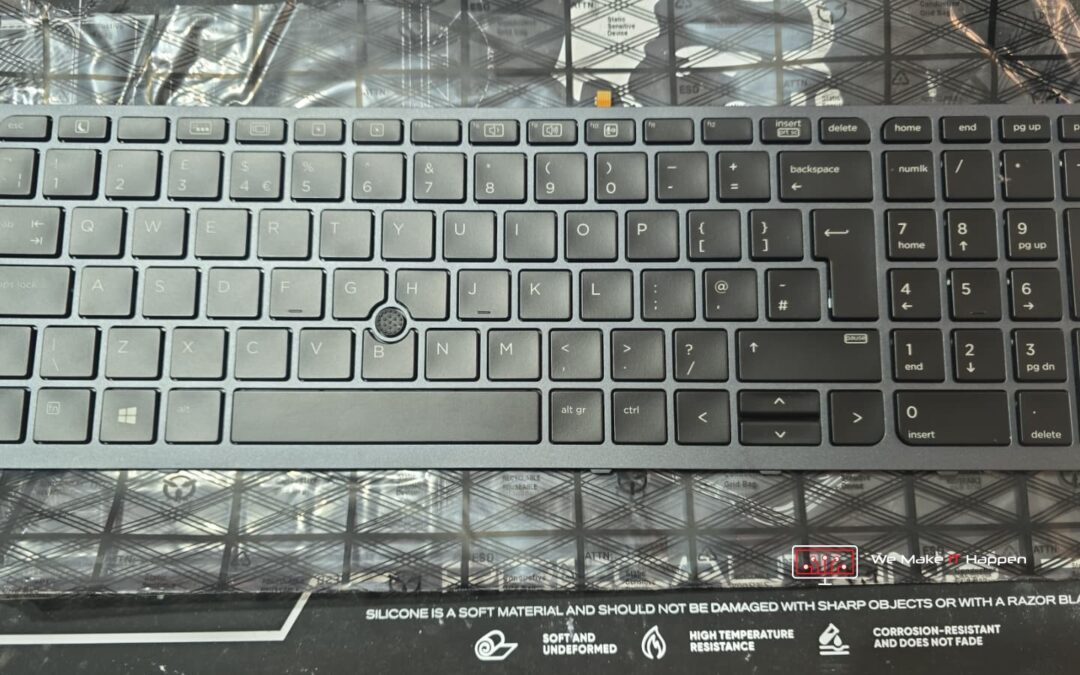
Some keys on this HP ZBook 15 G3 had stopped working. Then we read the label on the back of the keyboard: Language: ITA. An Italian layout. The laptop belongs to a returning customer in Cambridge, so we already knew it well. On 19 November 2026 we fitted a brand-new UK keyboard, tested every key and ran the whole laptop at full load for 20 minutes.
If the same keys stay dead outside Windows too, for example in the BIOS, the fault is in the keyboard or its cable, not in Windows. Most of the time the fix is a new keyboard, matched to your exact laptop model.
Some keys dead, and the keyboard was Italian
This ZBook 15 G3 is a mobile workstation with an Intel Core i7-6820HQ, an NVIDIA Quadro M1000M, 16 GB of memory and a 1 TB NVMe SSD. It came back to us because some keys had stopped working.
The keyboard had a surprise of its own. The label on its back said Language: ITA (HP part 848311-061): an Italian layout, with accented letters such as è and ò, and the @ and # tucked away on other keys. So the old keyboard came out, and a brand-new UK one went in.
A returning customer
We know this laptop. A few months ago it came in for a full deep clean, because the fans were badly blocked, and we fitted a new battery. This time it was the keyboard’s turn.
Laptop keyboard replacement: what we did
- Took the laptop apart: bottom cover off and the battery disconnected first.
- Took out the old Italian keyboard (HP 848311-061).
- Fitted a brand-new UK keyboard (HP 848311-031 type): backlit, with the pointer stick and the number pad.
- Connected the keyboard, backlight and pointer stick cables, and put the laptop back together.
- Tested every key one by one, the backlight and the pointer stick.
Now the @ and # have their own UK keys again, and the Enter key is the tall UK one.
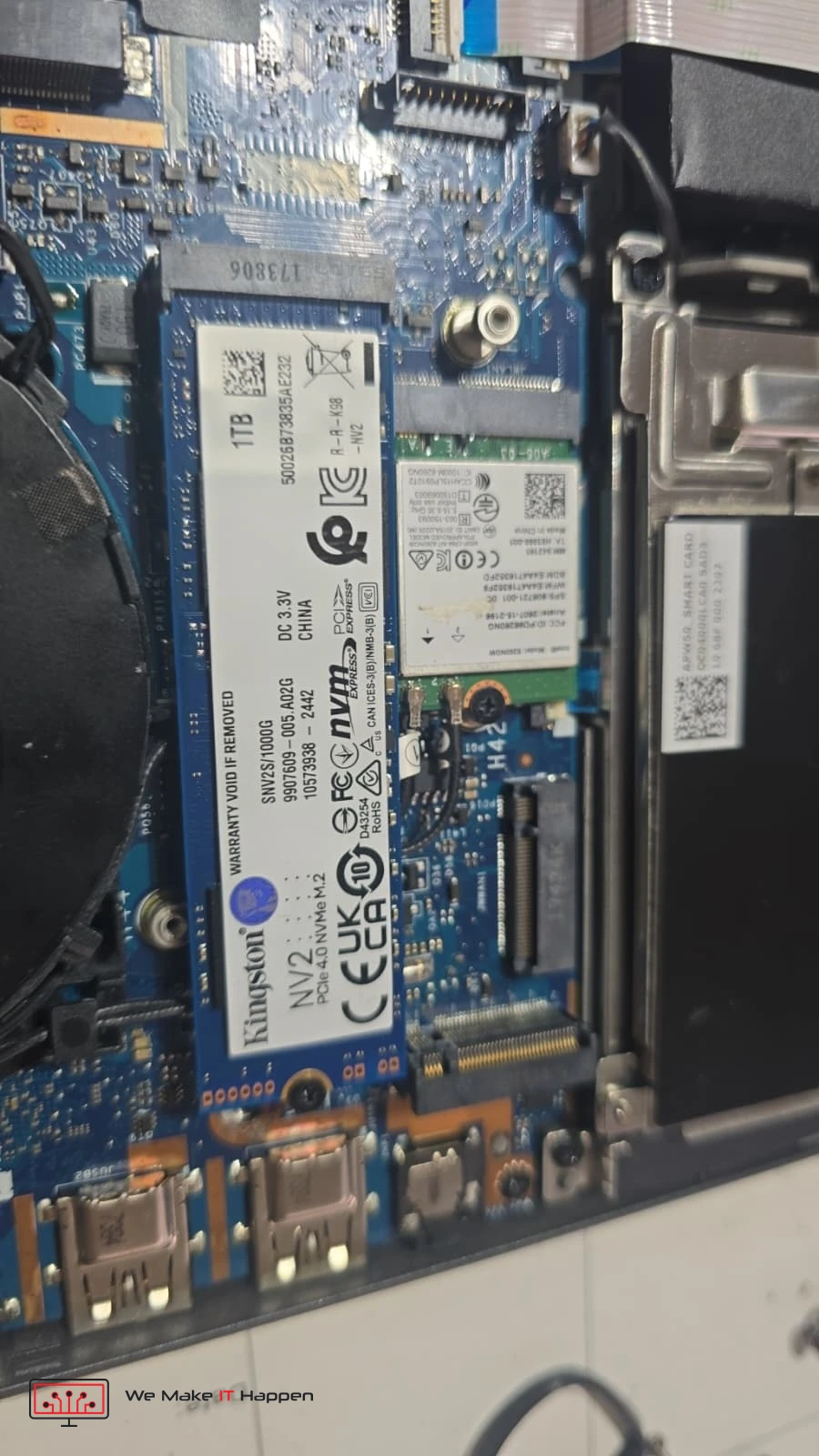
Then 20 minutes at full load
A new keyboard is only half the job. Before the laptop went back, we logged every sensor with HWiNFO for 20 minutes, with the processor at full load and the graphics working too: 616 readings in all.
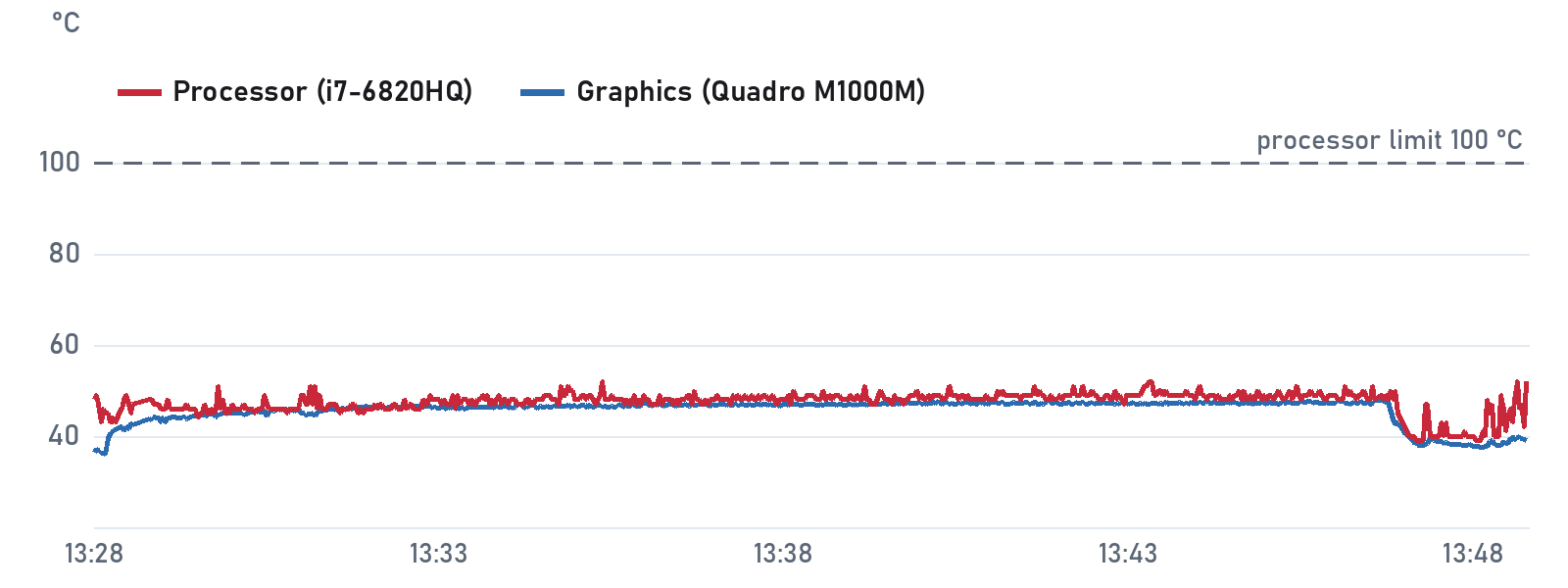
- Processor: 39–52 °C at full load (the hottest core touched 53 °C). Its limit is 100 °C.
- Throttling: none. Thermal throttling, PROCHOT and thermal events: 0 in all 616 readings.
- Graphics: the Quadro M1000M at up to 82% load, 48 °C at most (hot spot 57 °C).
- SSD: no failure or warning flags, 25–54 °C.
- Charging: the battery charged from 77% to 100% while the processor worked at full load.
Cool numbers for a laptop working flat out, a few months after its deep clean. One tip from our repair report that applies to every laptop: keep at least 10% of the drive free, because a nearly full drive slows Windows down and updates can fail.
- The right keyboard for your exact model, in the layout you need.
- Every key tested one by one, plus the backlight and pointer stick if your laptop has them.
- Full tests before you collect it, and a completion report.
- Our workshop warranty on the job and the new keyboard.
Laptop keys not working: your questions
Why do only some keys on my laptop stop working?
Most often the keyboard itself has failed. The keys sit on thin layers with printed tracks, and one damaged track can take out several keys at once. A loose or damaged keyboard cable can do the same, and spilled drinks make both more likely. If the same keys also fail in the BIOS, it is not Windows.
Can you fit a UK keyboard to a laptop bought abroad?
Usually, yes, if a UK keyboard is made for that model. On this HP ZBook 15 G3 the Italian keyboard (848311-061) came out and a UK one (848311-031 type) went in, with the backlight and the pointer stick, just like the original.
How long does a laptop keyboard replacement take?
It depends mostly on the part. On this ZBook, the new keyboard came by next-day delivery, and the fitting and the full-load test were both done on 19 November 2026.
Keys not working on your laptop? See our laptop keyboard replacement service and our laptop repairs, book online or call us on 07497 925760. Another keyboard job: only 3 keys were not working on this MSI GF65. We work by appointment in Cambridge and Dagenham, and every job comes with our workshop warranty.