
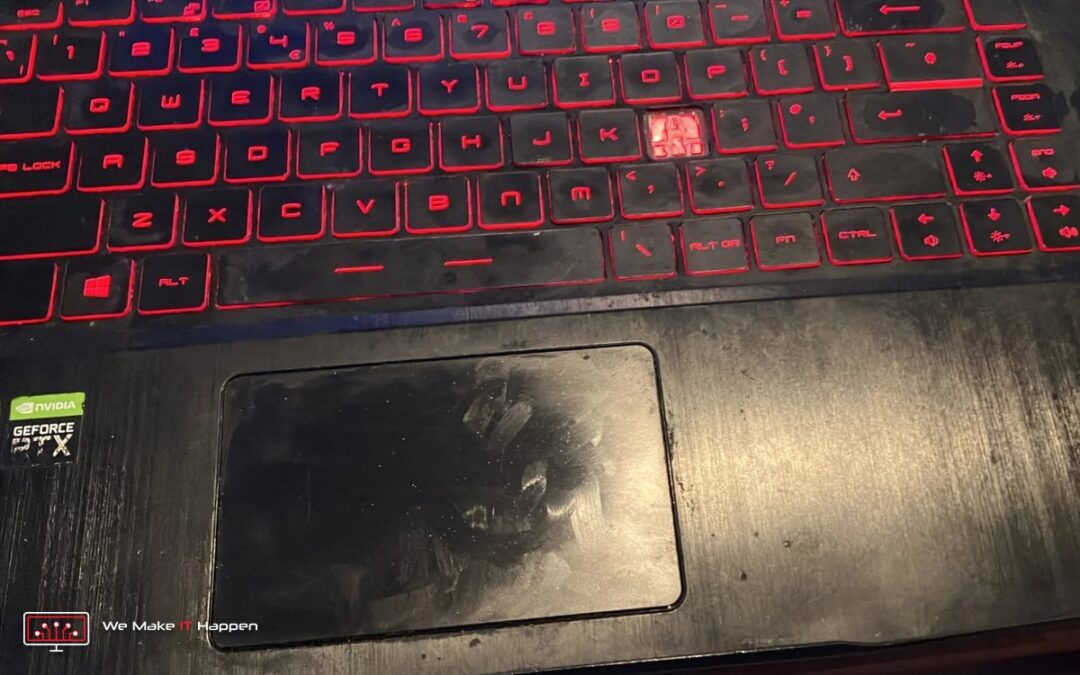
Only three keys were not working. That was the whole problem when this MSI GF65 Thin gaming laptop came in: three dead keys, one of them, the L, missing completely (you can see the backlight shining through the gap in the photo above), plus a fan that had got loud. The owner booked a deep clean with new thermal paste for the fan and asked us to look at the keys.
We said what we always say: we need to open it before we can promise anything. It was a very good thing we did.
Six years old and never opened
The laptop is an MSI GF65 Thin (model MS-16W1), a 15.6-inch gaming laptop with NVIDIA GeForce RTX graphics, sold in 2019 and 2020. The factory warranty seal over one of the bottom screws was still intact: in about six years it had never been opened or cleaned. Our rule for a gaming laptop is a clean every two years at most, because it depends completely on its two small fans and the thin cooling fins behind its vents. A loud fan is usually the first sign that they are struggling.
So before we opened it, we agreed a deep clean with new thermal paste and thermal pads, with tests and photos. The keys we would check once it was apart.
“It looks like a proper disaster”
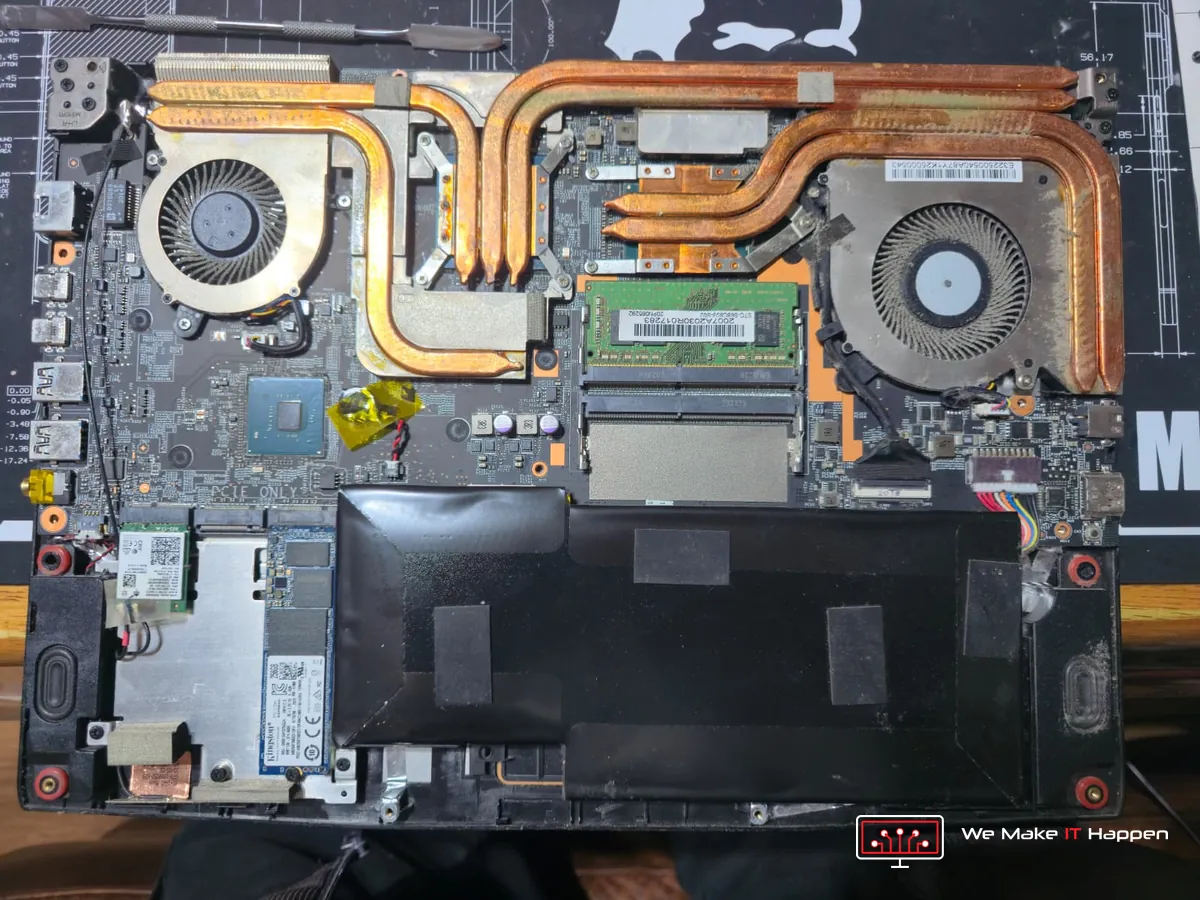
That was the first WhatsApp from our technician on Tuesday evening, with the photos. Three things stood out.
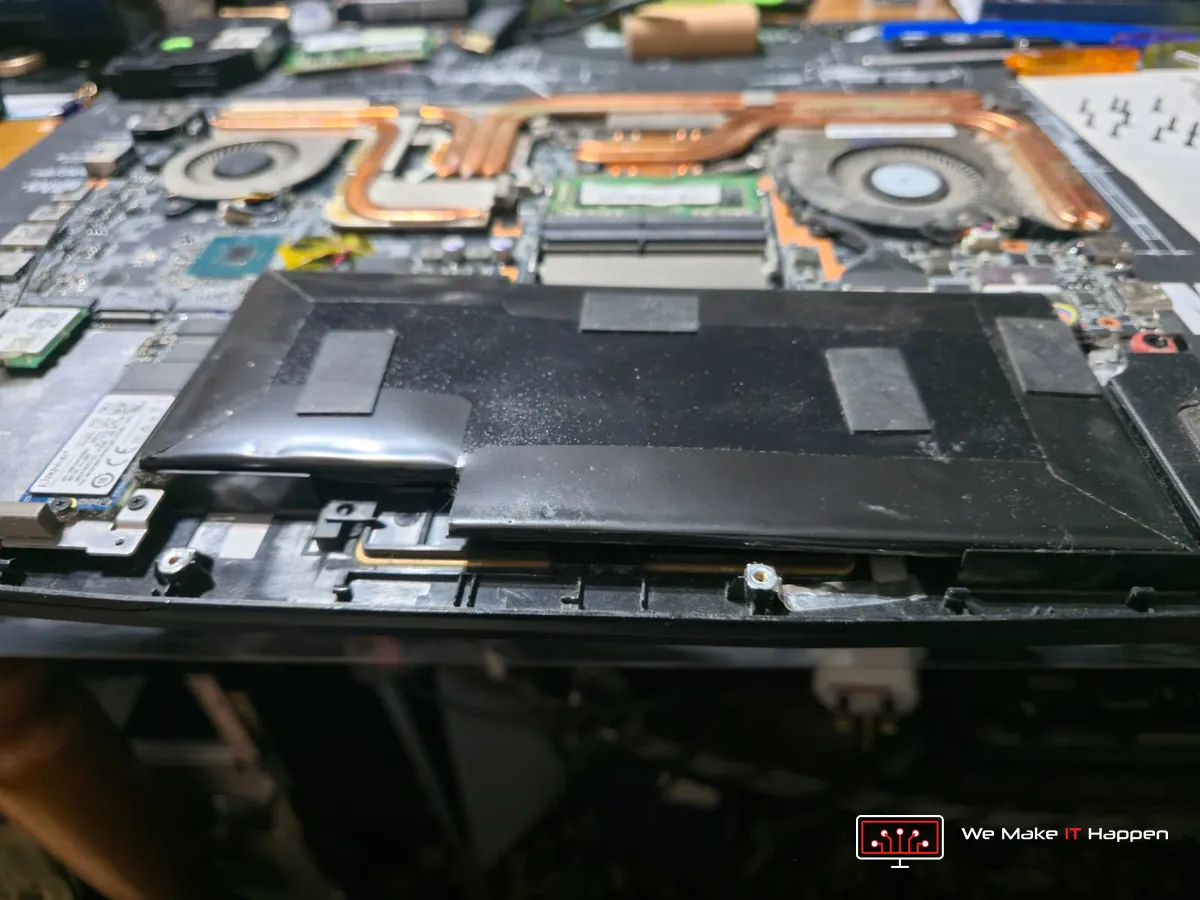
- The battery had swollen so much that it had lifted out of its place, right under where your hands rest when you type.
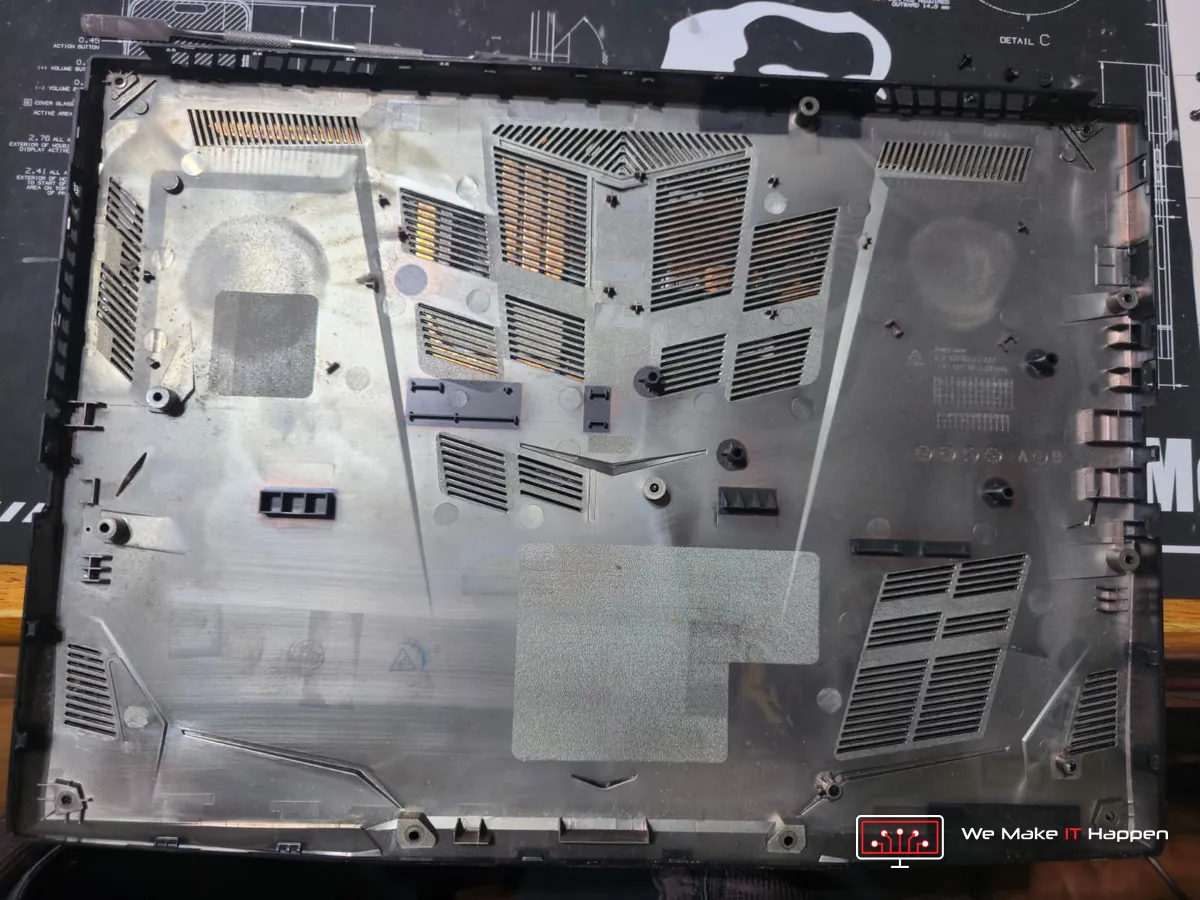
- Six years of dust in both fans, the cooling fins and the vents.
- Only one 8 GB memory stick, with the second memory slot empty.
Why a swollen battery cannot wait
A laptop battery is a flat lithium pack sealed in a thin foil pouch. As it ages, the cells slowly break down and give off gas, and heat speeds that up, so a laptop that has never been cleaned and runs hot for years is a prime candidate. The gas has nowhere to go, so the pouch swells.
A swollen battery never goes back to normal and cannot be repaired. The gas inside is flammable, and if the pouch splits, or is pierced by a screw or the metal frame, the battery can short inside, heat up within seconds and catch fire. It often starts while the laptop is charging. The swelling also pushes the palm rest, touchpad and keyboard up from underneath. We disconnected it first and told the owner not to use or charge the laptop with that battery in it again. We caught it in time.
Why three keys meant a whole new palm rest
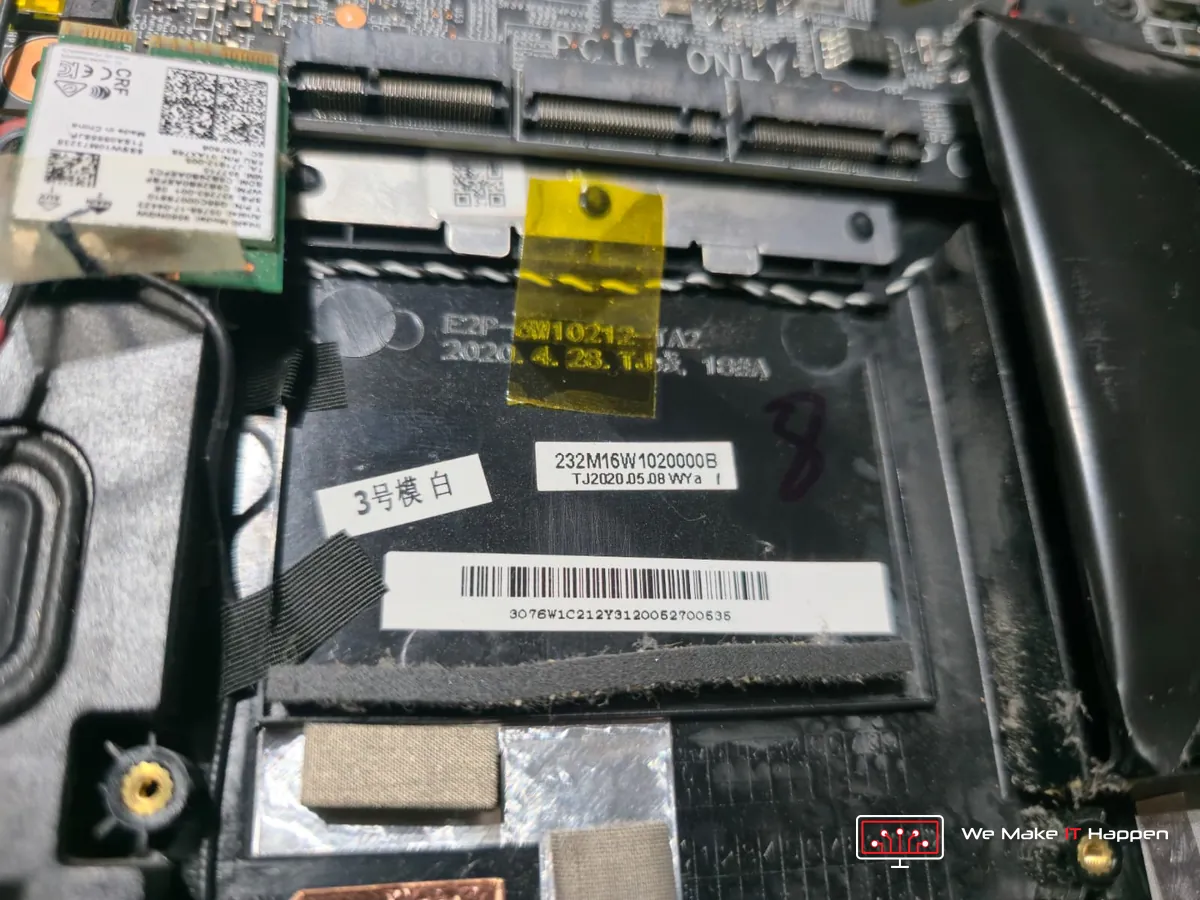
On this MSI the keyboard is not a separate part. At the factory it is fixed into the palm rest with a metal plate and dozens of melted plastic pegs. Single key caps in the right UK layout and MSI style are not sold on their own, and if the tiny clips under a key are broken, a new cap will not stay on anyway. The proper repair is a palm rest with the keyboard already fitted, and it replaces the worn palm rest at the same time.
It has to match exactly. We read the part number from the label inside the laptop, 307-6W1C212-Y31, and checked every listing against it: several palm rests sold as “GF63 / GF65” are really the GF63 part and do not fit. New palm rests for this model are only made with a US keyboard, which has no £ sign and the @ and " keys swapped. So we found a used, genuine MSI palm rest in excellent condition with the same part number, the UK keyboard, the red backlight and the touchpad, for a fraction of the price of a new one.
The palm rest we ordered: genuine MSI, used but in excellent condition, with the UK keyboard, the touchpad and the same part number. Tap a photo to see it large.
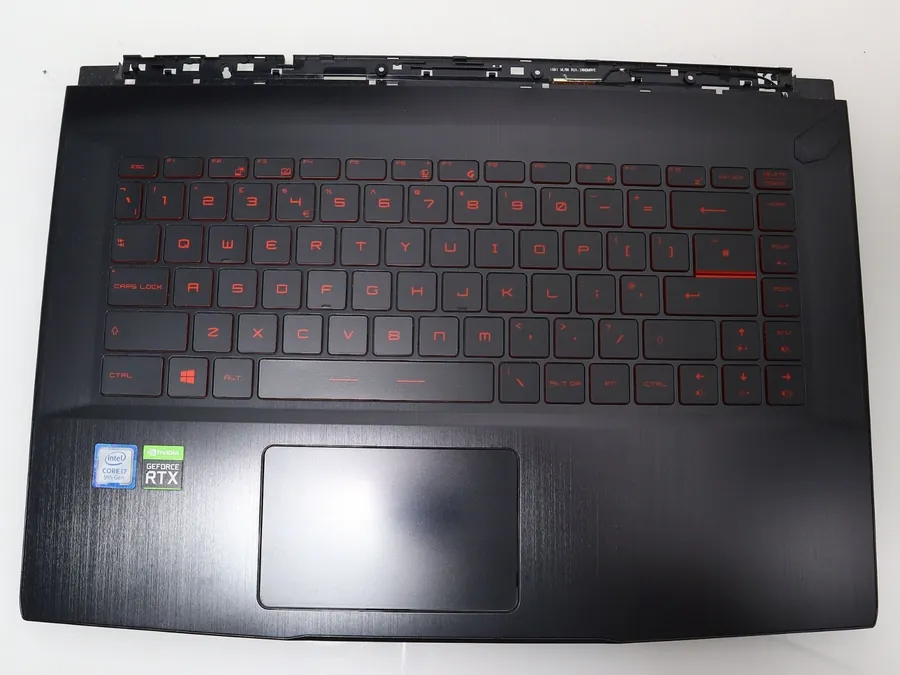
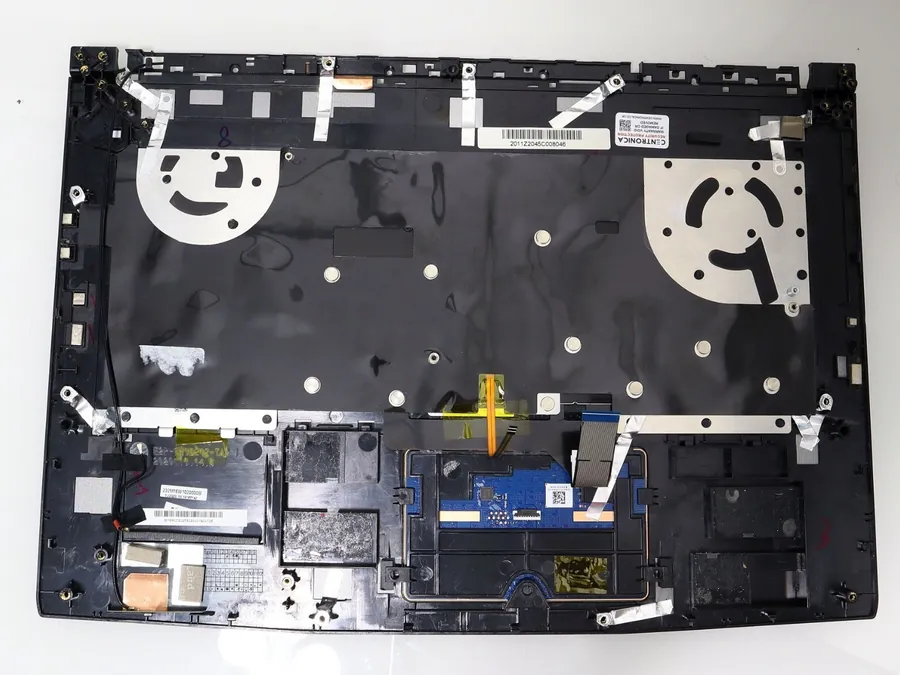
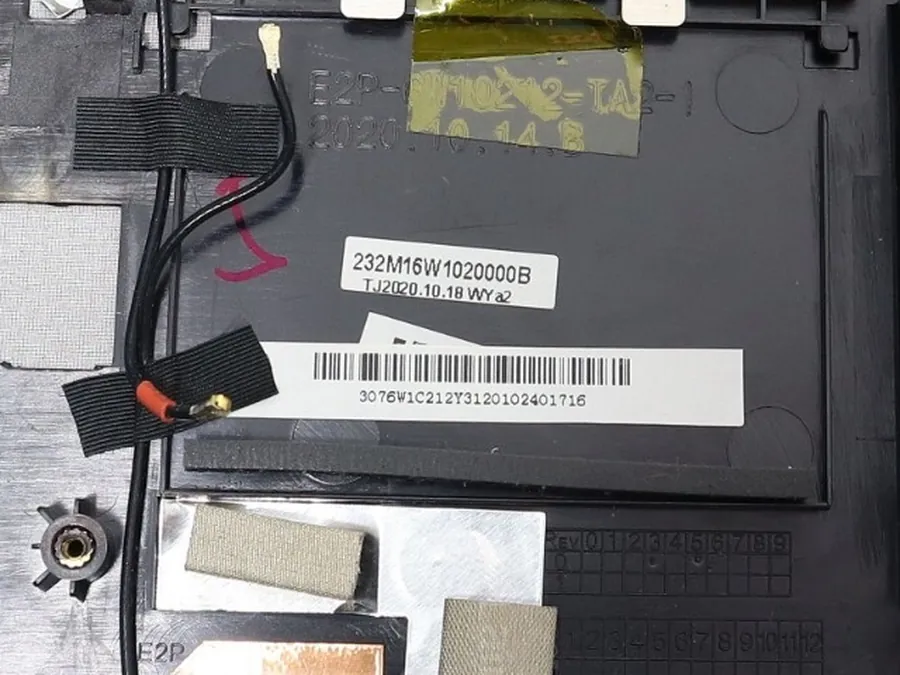
Photos of the replacement palm rest: our supplier’s.
The repair
The owner had our written offer with photos the next morning and said go ahead the same day. The palm rest is the main frame of this laptop: the motherboard, cooler, fans, battery, speakers, touchpad, hinges and cables all sit in it. So once the part arrived, the laptop was taken apart to the last screw and rebuilt into the new palm rest:
- BitLocker checked first, so the drive and the owner’s files stayed safe when the battery was disconnected.
- The swollen battery out before anything could press on it, and a new battery made for this model fitted (MSI type BTY-M6K, 11.4 V, 52.4 Wh).
- Rebuilt into the genuine MSI palm rest with the UK keyboard: every key working again, and the worn palm rest gone.
- Deep clean: both fans taken apart, every fin and vent cleaned.
- The old dried paste off, fresh thermal paste on the processor and graphics chip, and new thermal pads of the right thickness.
- Memory doubled from 8 GB to 16 GB with a second stick matched to the first.
- Tested after the repair, with photos of the work and our workshop warranty.
The memory was worth doing while the laptop was apart anyway. For gaming, 8 GB is no longer enough: Windows alone takes 3 to 4 GB, and when the memory runs out the laptop falls back on the much slower SSD, which is when games stutter and load slowly. A second matched stick doubles the space and also switches the memory to dual channel, two lanes instead of one, so data reaches the processor and graphics chip faster.
The whole job took three days. Only three keys not working, and a loud fan, was the reason it came in. It went home with a new UK keyboard and palm rest, a new battery, a deep clean with fresh paste and pads, and double the memory. And the swollen battery is no longer under the owner’s hands.
What to take from this job
- A small fault is a good reason to look inside. If nobody had opened this laptop, the swollen battery would still be under the keyboard.
- Know the signs of a swelling battery: a touchpad that clicks badly or sits higher, a keyboard that bulges, a laptop that rocks on the desk, or a gap opening along the case. Stop charging it and bring it in.
- Clean a gaming laptop at least every two years. Heat ages the battery, the thermal paste and the fans.
- Do not prise at a missing or loose key. The clips underneath are tiny and break easily, and on many gaming laptops the keyboard is part of the palm rest.
- Have your BitLocker recovery key ready (it is usually at aka.ms/myrecoverykey in your Microsoft account) before any repair that disconnects the battery.
Frequently asked questions
Can you replace just one key on an MSI GF65?
Usually not. Single key caps in the UK layout and MSI style are not sold on their own, and if the clips under the key are broken a new cap will not stay on. On the GF65 the keyboard is fixed into the palm rest, so the proper repair is a palm rest with the keyboard already fitted.
Is the MSI GF65 keyboard part of the palm rest?
Yes. MSI fixes the keyboard into the palm rest with a metal plate and melted plastic pegs. Replacing it means taking the laptop apart and rebuilding it into a palm rest with your exact part number.
My laptop battery is swollen. Is it dangerous?
Yes. A swollen lithium battery is damaged inside and cannot be repaired. If the pouch splits or is pierced, it can catch fire. Stop using and charging the laptop and have the battery replaced.
Why do you need my BitLocker recovery key?
When the battery is disconnected the laptop loses all power, and Windows can then ask for the 48-digit BitLocker recovery key. Without it nobody can open the drive, so we check BitLocker and turn it off first, or you confirm you have the key.
Laptop keyboard and battery repair in Cambridge and Dagenham
Keys not working, a battery that has swollen, or a gaming laptop that has never been cleaned: see our laptop keyboard replacement, laptop battery replacement and cleaning and thermal paste pages, book an appointment, or message us on WhatsApp 0749 792 5760 with a photo. Every job comes with photos of the work and our workshop warranty.
Related: a gaming laptop that was overheating, freezing and lagging, and what a proper deep clean did for it.