
“The RAM arrived this morning. We fitted it, switched it on – and the difference is huge.” That was the last step on a Dell G15 5520 gaming laptop from Dagenham that came into our workshop with a right-hand hinge torn out of its mountings, a dead battery, four years of dust inside and a Windows installation crawling with malware. It has gone back with cleaned and re-greased hinges, a new LCD back cover, a new battery, fresh thermal paste and pads, a clean Windows 11 and 16 GB of dual-channel memory. Faster in every way – it feels like a new laptop. This is the full story of the Dell G15 hinge repair and upgrade, taken from the repair report we sent the owner (without the prices).
What came in: a Dell G15 with a broken hinge, a dead battery and a slow, infected Windows
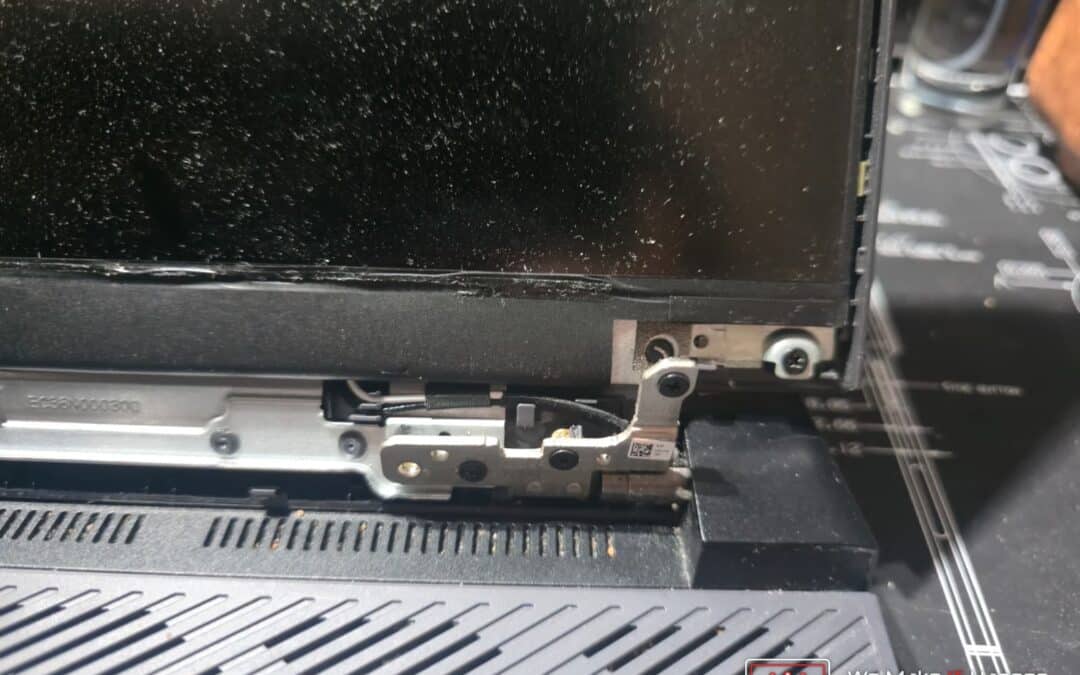
The owner brought the laptop in because the screen hinge had broken. A broken hinge on a gaming laptop is never “just a hinge”, so before quoting anything we checked the whole machine – in the BIOS, in Windows and with the bottom cover off – and photographed everything we found.
The laptop itself is a good machine worth saving:
- Processor: Intel Core i5-12500H, 12 cores / 16 threads, up to 4.5 GHz
- Graphics: NVIDIA GeForce RTX 3050 Ti 4 GB plus Intel integrated graphics
- Memory: 8 GB DDR5-4800 in a single slot – the second slot was empty
- Storage: 512 GB NVMe SSD, 92% full with only 38 GB free
- Age: built in 2022, about four years old
Same-day diagnosis and a full photo report – not a guess over the counter
This is how we work on every repair. We do not hand back a one-line price. The owner received a written repair report the same day we inspected the laptop: every fault with a photo, what causes it, how we fix it, what happens if it is left, and when the laptop would be ready. Here is the summary from that report:
| Area | What we found | What we did |
|---|---|---|
| Lid and hinges | Right-hand hinge torn from its mountings, lid cover damaged | Hinges stripped, cleaned and re-greased; new LCD back cover |
| Battery | 0% and “Communication Error” in the BIOS | New battery |
| Cooling | Four years of dust, original paste and pads | Deep clean, new thermal paste and thermal pads |
| Memory | 8 GB in single channel, second slot empty | Matched 8 GB DDR5 added: 16 GB dual channel |
| Windows | Very slow, drive 92% full, malware found | Data backed up, fresh Windows 11, updates and Dell drivers |
| BIOS | Version 1.42.0 installed | Checked against Dell’s latest release, updated if newer |
Why a broken laptop hinge is a structural repair
On almost all modern laptops the steel hinges are not screwed into metal. They are anchored into plastic housings with tiny brass threaded inserts. When a hinge stiffens or jams, opening and closing the lid puts enormous leverage on those inserts and rips them clean out of the plastic. Keep forcing the lid after that and the hinge works like a crowbar: it presses on the back of the LCD panel until the screen cracks, it can snap the palmrest around the keyboard, and it pinches the display (eDP) cable and Wi-Fi antenna wires that run through the hinge area – which shows up as a flickering or black screen and dropping Wi-Fi. That is why a hinge job always starts with a diagnostic teardown: you cannot quote a hinge repair honestly until you know which mounts have failed.
Dell G15 hinge repair: we did not replace the hinges, we rebuilt them
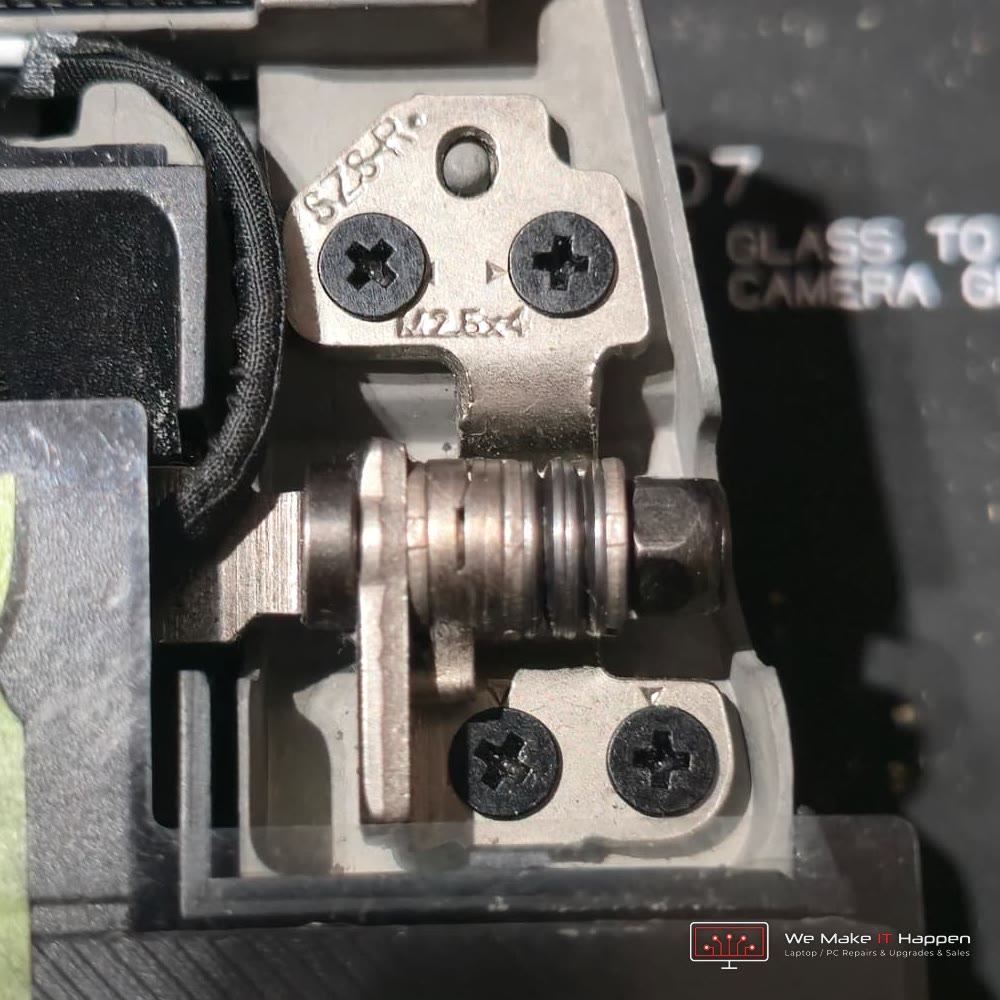
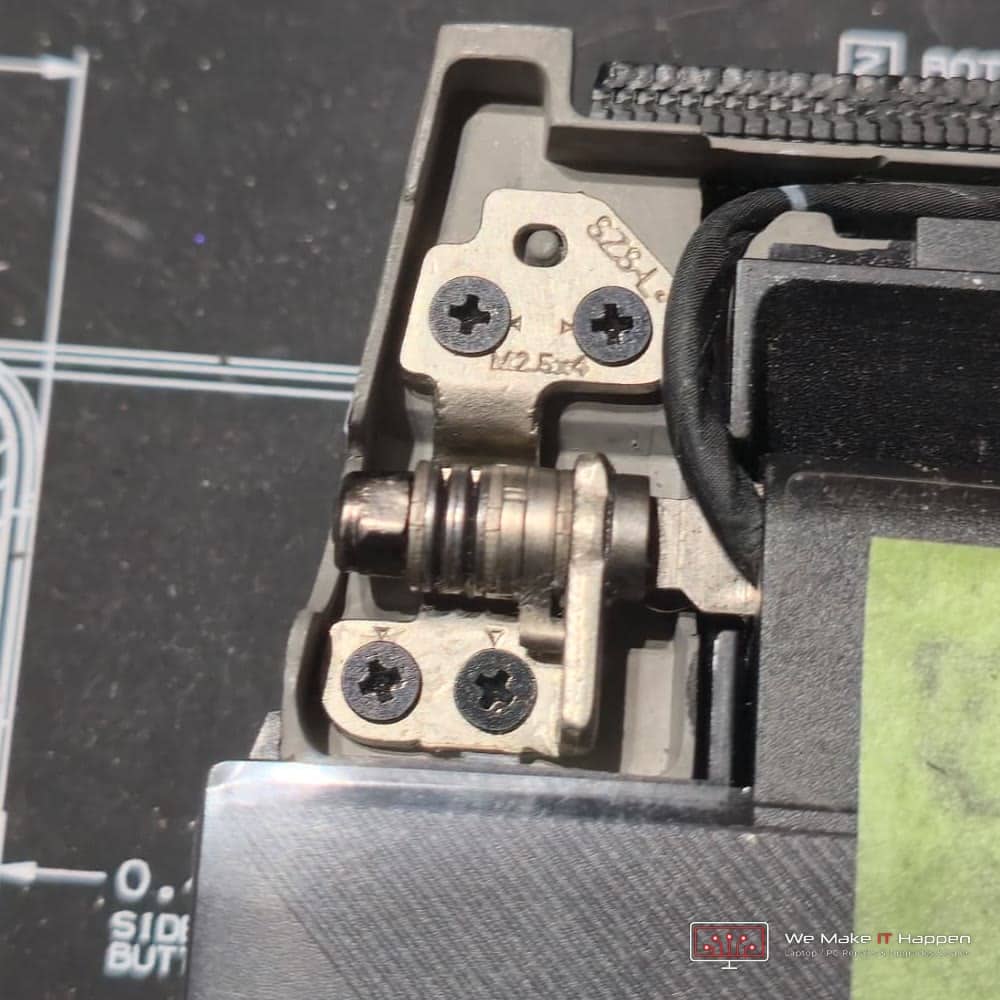
With the screen stripped down, the reason the hinge had torn out was obvious. Both hinges were packed with dust and grit. Every time the lid opened and closed, that grit ground inside the hinge like sandpaper, the hinge got stiffer, and the extra force tore the mountings out of the lid.
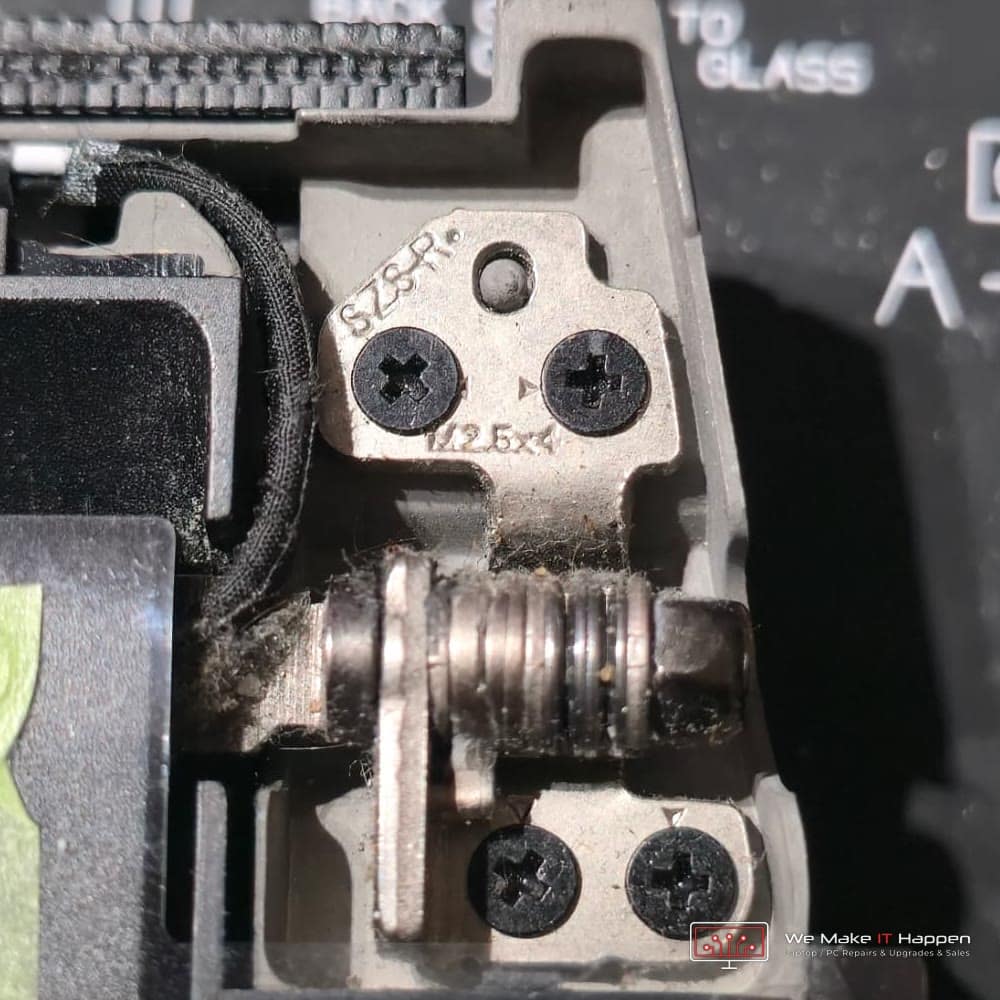
Most shops would simply fit a pair of replacement hinges. We stripped both hinges, cleaned every part and re-greased them. A good original Dell hinge that has been cleaned and properly lubricated works smoother than a new aftermarket one – and the owner did not have to wait for hinges to be shipped.
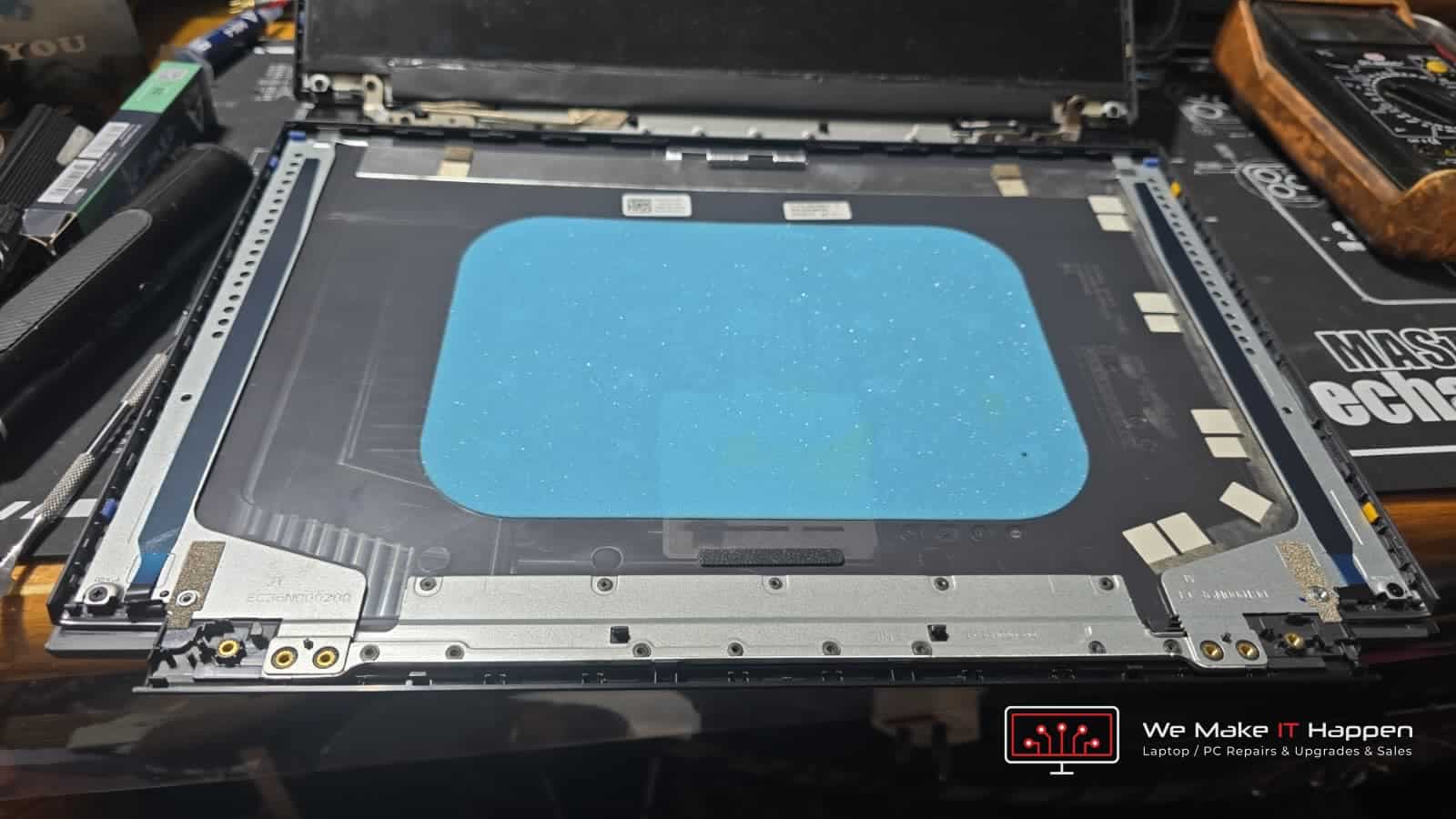
The lid was a different story. The plastic mounts where the hinge screws in had been ripped out, so the LCD back cover had to be replaced. Fitting a new lid means taking the screen apart: the bezel comes off, the display panel lifts out, and the webcam, display cable and Wi-Fi antennas move across to the new cover. The panel is thin glass and the cables are fragile, so this is slow, careful work. Then the hinges are aligned so the lid opens smoothly and closes evenly, and the screen, webcam and Wi-Fi are tested before the laptop goes back together.
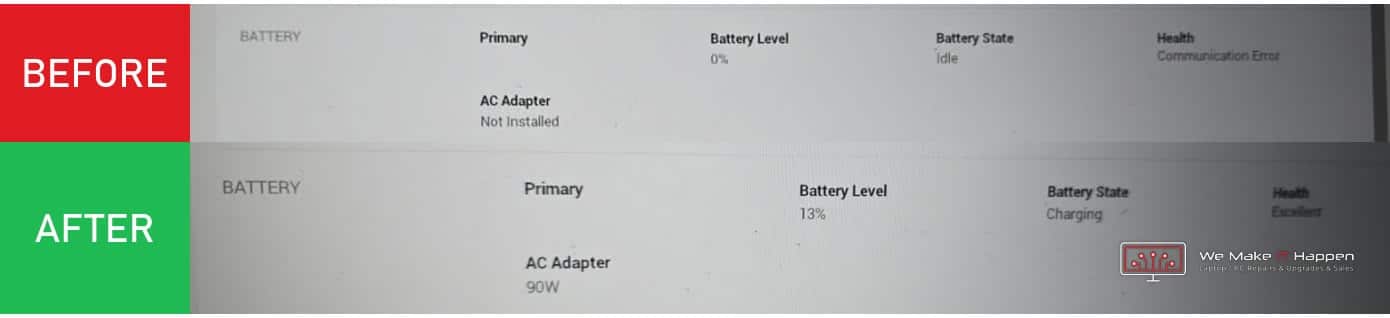
Dead battery: 0% and “Communication Error”
The BIOS showed the battery at 0% with a health status of “Communication Error”. That means the battery’s own control chip had stopped responding: it could not charge, and the laptop only ran on the charger. A failed battery also slows a laptop down – Dell laptops can hold back processor speed when they cannot read the battery – and Dell’s BIOS updater will not run without a working one. We fitted a new battery and checked that the BIOS recognises it, that it charges and that it reports its health correctly.
Deep clean, new thermal paste and thermal pads
A gaming laptop pushes a lot of air through its fans and thin copper heatsink fins. After four years dust packs into the fins, and the original thermal paste between the chips and the heatsink dries into a hard layer that no longer carries heat away. The processor and graphics chip run hot and slow themselves down to protect themselves (thermal throttling) – a big part of why a gaming laptop feels slow and the fans get loud.
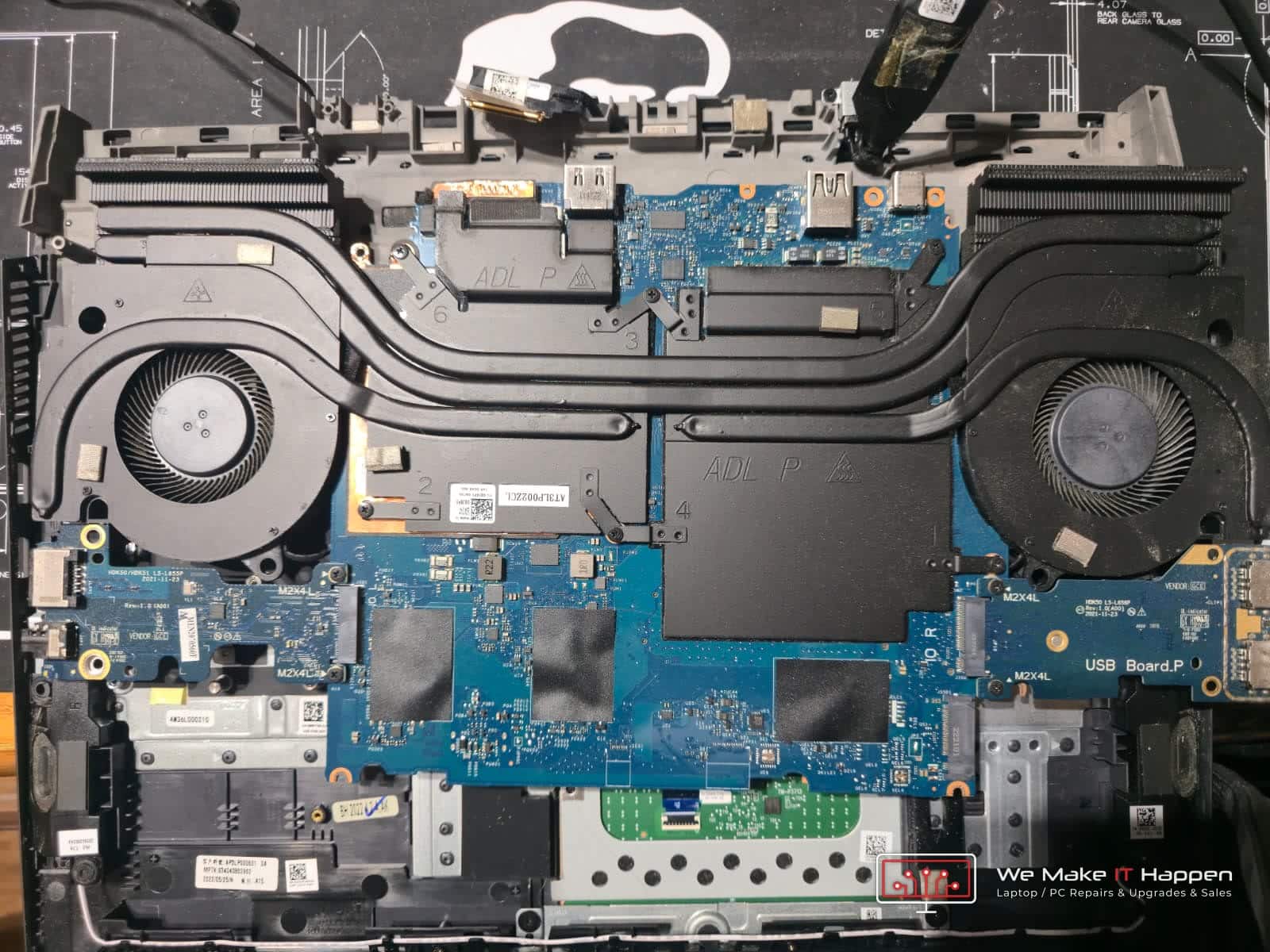
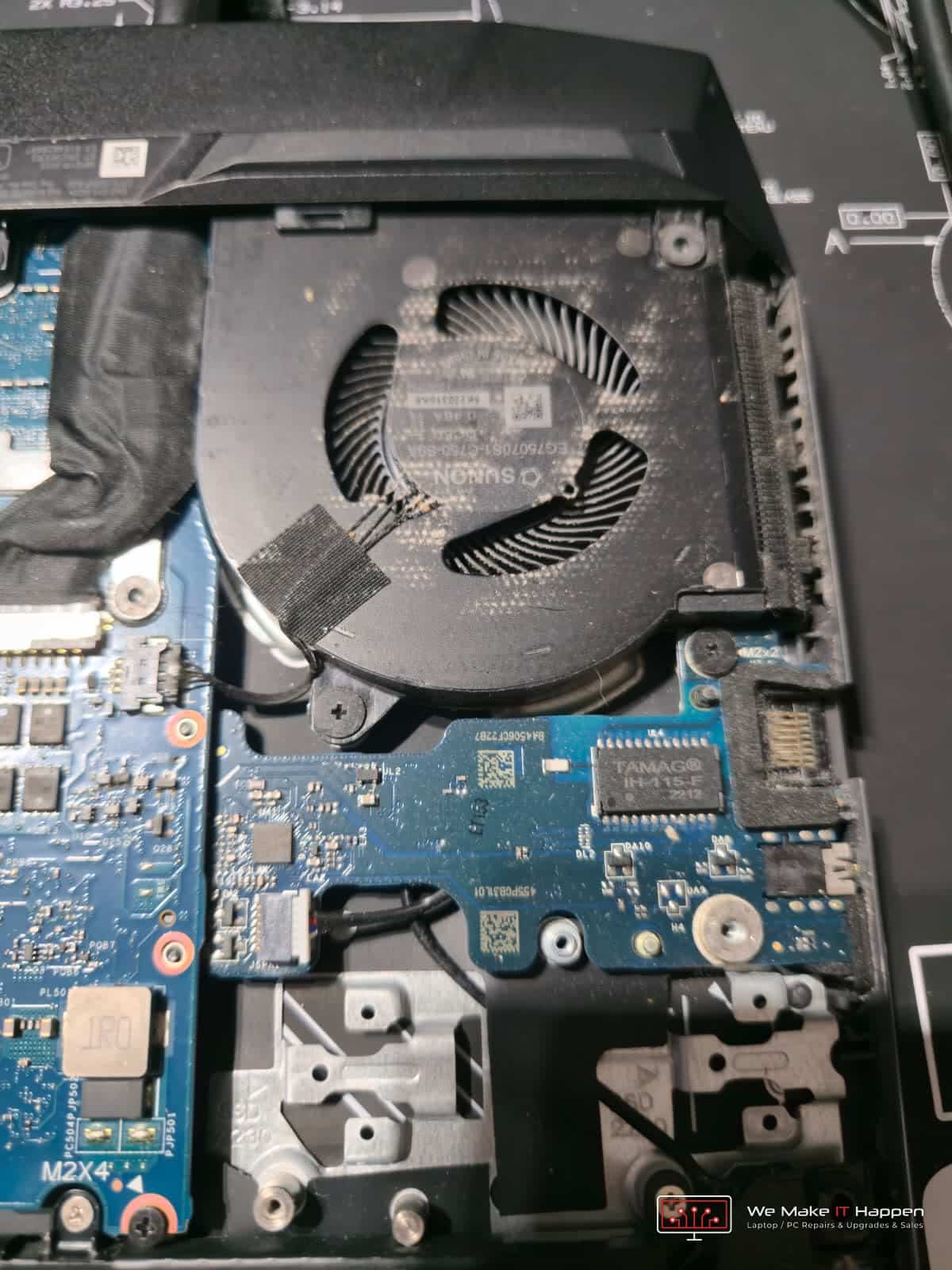
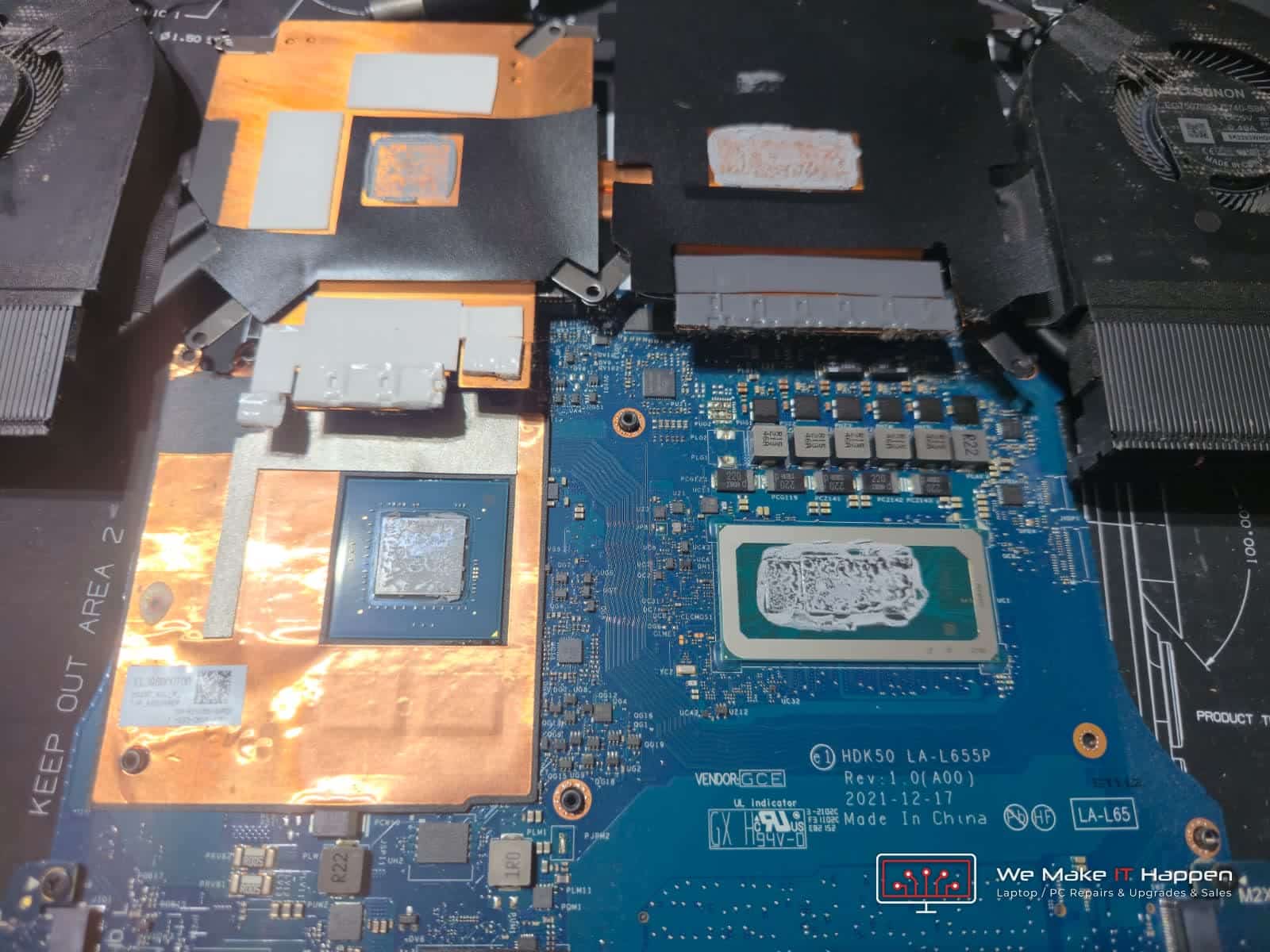
Both fans, the heatsink fins and the vents were cleaned out, the old paste and pads came off, and fresh premium thermal paste went on the processor and graphics chip with new thermal pads on the graphics memory and power circuits. More about this service on our laptop deep clean and thermal paste replacement page.
Fresh Windows 11, malware gone and the BIOS updated
Windows was in poor shape. The drive was 92% full and a Malwarebytes scan found infections. An SSD that is nearly full loses its speed: our speed test measured random reads – the small, scattered reads that make Windows feel quick – at just 47 MB/s, where a healthy NVMe drive manages several hundred. Malware also runs in the background, uses the processor and memory, and can read saved passwords. Cleaning tools remove most of it, but some infections hide in system files and come back, so we recommended a fresh start:
- Back up – documents, photos, desktop, downloads and browser bookmarks copied off before anything was erased. See our backup services.
- Install – drive formatted and a fresh copy of Windows 11 installed. The licence is built into the laptop, so it activates automatically.
- Update – all Windows updates plus the latest Dell drivers: chipset, Intel and NVIDIA graphics, audio, Wi-Fi and Bluetooth.
- BIOS – checked against Dell’s latest release for the G15 5520; a newer version is flashed on mains power with the new battery fitted, because an interrupted BIOS update can stop a laptop from starting.
- Restore – the owner’s files scanned for malware and put back in place. More on virus and malware removal.
The RAM arrived today: 8 GB to 16 GB dual channel, and the difference is huge
The memory stick was the last part to arrive. This G15 left the factory with a single 8 GB stick and the second slot empty – you can see it in the BIOS: “DIMM Slot Empty”. Windows 11 uses around 4 GB on its own and the built-in Intel graphics borrows some too, so only 7.69 GB was usable. Add a web browser, Teams, Office and Dell’s background services and the memory runs out; Windows then moves data onto the SSD, and the laptop pauses and stutters.
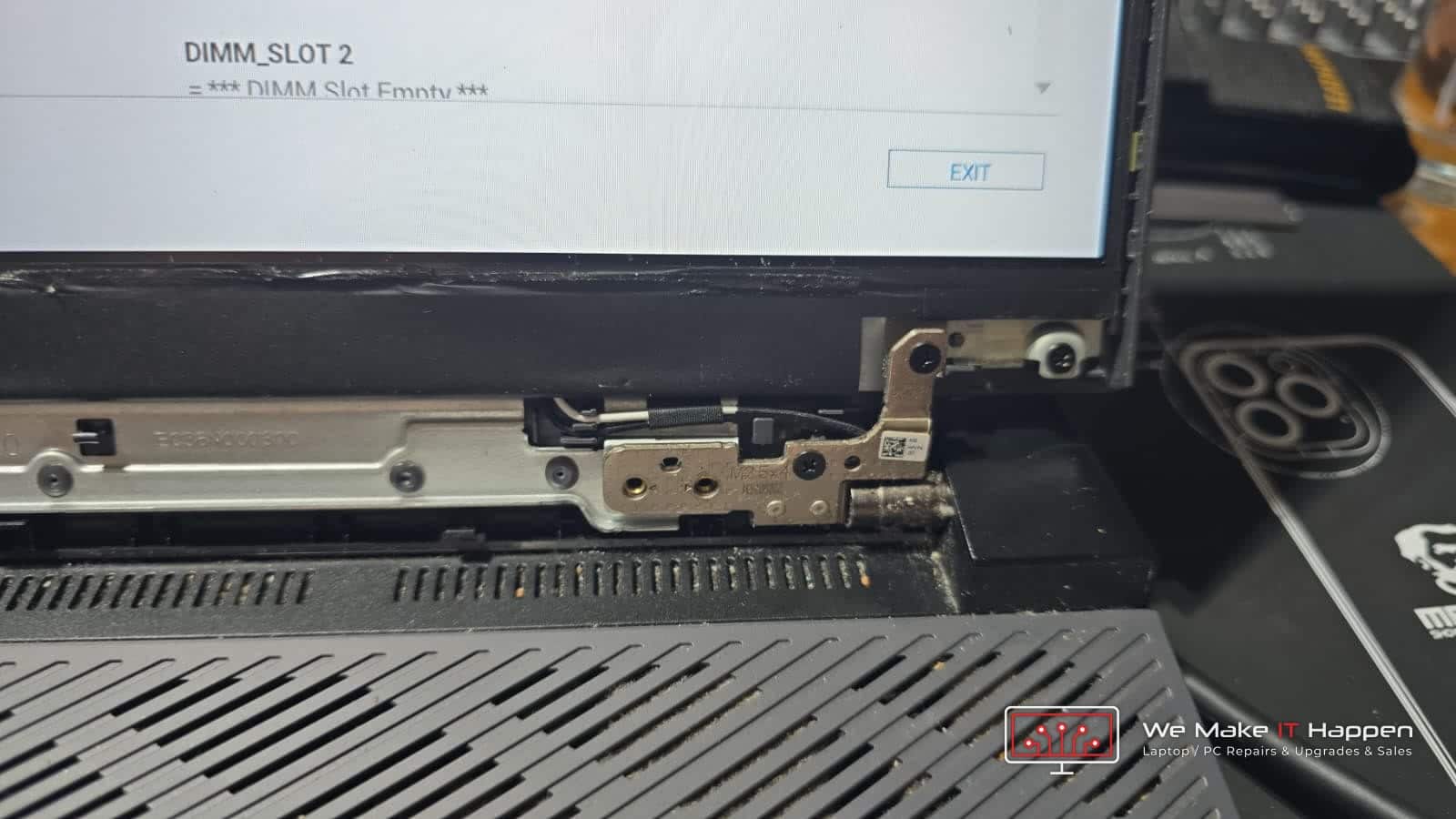
We fitted a matched 8 GB DDR5-4800 stick next to the original, so both now run together in dual channel. That does more than double the capacity:
- Twice the memory bandwidth. With one stick the processor reaches memory through one channel; with two matched sticks it uses both at once. The theoretical peak goes from 38.4 GB/s to 76.8 GB/s.
- Faster graphics on the desktop. The Intel graphics that drive the screen day to day share this memory. On one stick they run in the slower “UHD Graphics” mode; in dual channel they become Intel Iris Xe Graphics.
- Smoother games. The RTX 3050 Ti borrows system memory when a game needs more than its own 4 GB. Moving to 16 GB in dual channel often gives 15–30% higher frame rates depending on the game, with far fewer stutters.
- No more pauses. Programs open and switch instantly because Windows no longer runs out of memory.
Put together with the fresh Windows 11 and the new thermal paste, the laptop is faster in every way. It starts quickly, programs open instantly, and it runs better than it did the day it was bought – because it has never run in dual channel before. If your laptop is open for a repair anyway, that is the moment to ask about a RAM or SSD upgrade.
The result: it looks like new, works like new and is faster than new
- Looks like new – new LCD back cover, solid hinge mounts, clean inside.
- Works like new – new battery, fresh cooling, a clean Windows 11, the latest drivers and BIOS.
- Faster than new – 16 GB dual-channel memory it never had from the factory.
- 12-month warranty on all parts and labour, and a completion report of everything we did.
Laptop hinge repairs and upgrades in Cambridge, Dagenham and Barking
We repair laptop hinges, lids and screens every week – Dell, HP, Lenovo, ASUS, Acer and MSI among them – from our workshops across Cambridge and in Dagenham and Barking. Every job gets the same approach as this Dell G15 hinge repair: a proper diagnosis first, a written report with photos, fast turnaround, the right fix rather than the quickest one, and a warranty on the work. If you are already opening the laptop, we can double the RAM, fit a faster SSD or give it a fresh Windows at the same time. Read more about our laptop hinge repair and laptop battery replacement. No one does IT the way We Make IT Happen.
Book a laptop repair WhatsApp us a photo of your laptop See all laptop repairs
Questions we get asked
Can a broken laptop hinge be repaired, or does it need replacing?
Often it can be repaired. If the hinge itself is just stiff from dust and dried grease, stripping, cleaning and re-greasing it makes it smoother than a new aftermarket part. What usually needs replacing is the plastic the hinge screws into – the lid (LCD back cover) or the palmrest – because the brass inserts get ripped out. We tell you exactly which after a diagnostic teardown.
Is it safe to keep using a laptop with a loose or stiff hinge?
No. Every open and close pulls the mounts further out of the plastic and puts pressure on the back of the screen. A hinge repair caught early is far cheaper than a cracked screen or a damaged display cable.
Is upgrading the RAM in a Dell G15 worth it?
Yes, if it has a single 8 GB stick. Adding a matched second stick gives 16 GB in dual channel, which doubles the memory bandwidth, switches the Intel graphics to Iris Xe mode and stops the pauses and stutters when several programs are open. Most current games ask for 16 GB.
What does “Communication Error” on a Dell laptop battery mean?
The battery’s control chip has stopped responding to the laptop. The battery cannot charge, the laptop only runs on the charger, and it can also slow the processor down. The fix is a new battery.
Do you give a warranty on laptop repairs?
Yes. This job carries a 12-month warranty on all parts and labour, and every customer gets a completion report of the work done.