
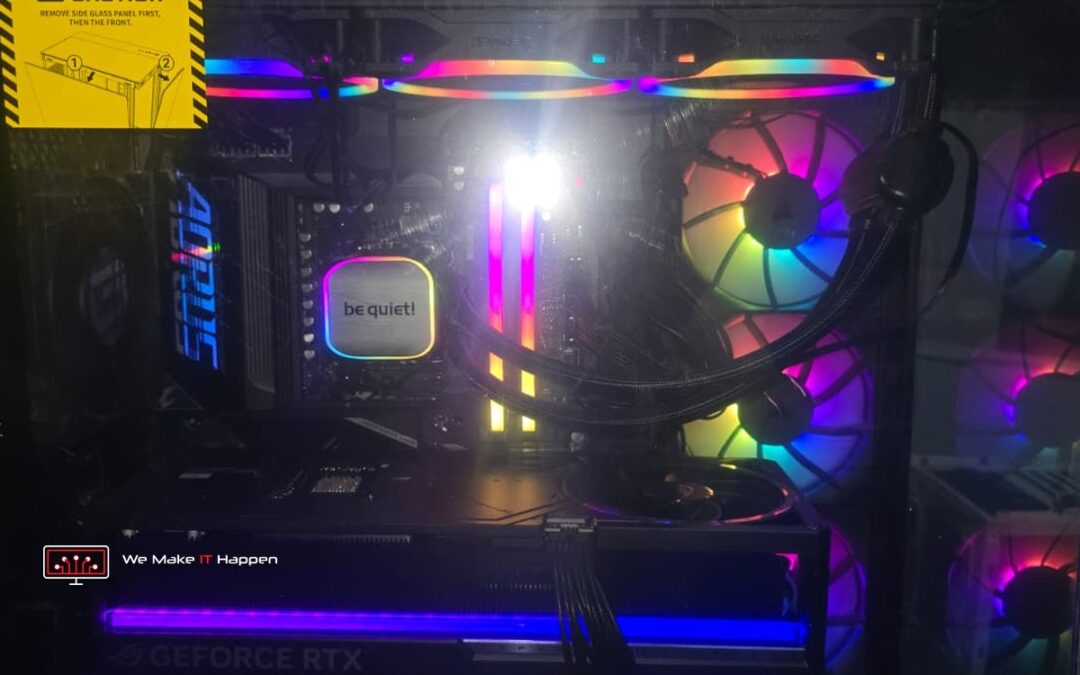
A Valorant stutter on a brand-new, top-end gaming PC, while every other game runs smoothly. That is what came to our workshop in Dagenham on Tuesday 24 November 2026: a Ryzen 7 9850X3D with an RTX 5080 that froze for a split second, again and again, in one game only. By Wednesday evening we had the cause, the reason behind it and the proof. Here is the whole job, with every number.
On this PC it was Valorant’s anti-cheat, Riot Vanguard, clashing with the driver of the motherboard’s Realtek network port. The owner plays on Wi-Fi and never used that port, but it crashed and restarted every 2–3 seconds whenever Valorant was open, and every restart froze the game for a moment. With the unused port switched off in Windows, Valorant’s own logs went from about 40 freezes per round to practically none.
The build: Ryzen 7 9850X3D and RTX 5080
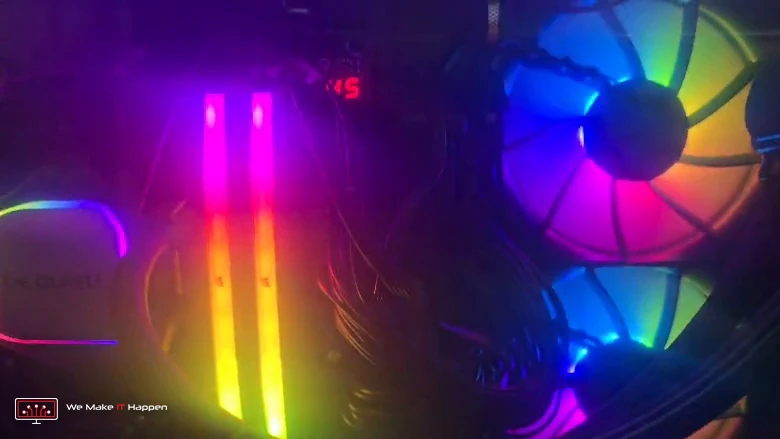
This is the owner’s own build, and it is a serious one. Nothing in it is a budget part:
- Processor: AMD Ryzen 7 9850X3D, 8 cores and 16 threads, 96 MB of L3 cache. It ran at over 5 GHz in our stress test.
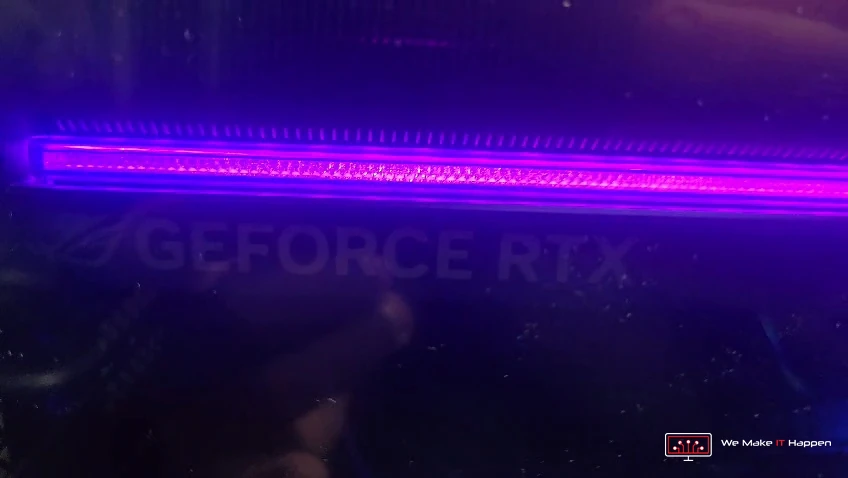
- Graphics card: ASUS ROG Astral RTX 5080 OC, 16 GB.
- Memory: 32 GB Corsair DDR5-6000 CL30, two sticks in dual channel.
- Motherboard: Gigabyte X870E AORUS PRO X3D.
- Drive: Samsung 990 PRO 2 TB NVMe.
- Cooling: be quiet! Pure Loop 2 liquid cooler.
- Network: Wi-Fi 7, plus a Realtek 5GbE cable port on the motherboard that nobody used.

It froze in Valorant only
The fault was easy to describe and hard to explain. In Valorant the picture froze for a split second, many times in every round. In CS2 and THE FINALS, on the same PC, on the same evening, everything was smooth.
The owner had already tried the usual things at home: new graphics drivers, new chipset drivers, restarts. Nothing changed. A PC this fast should run Valorant at hundreds of frames per second, and it did: over 700. It just kept freezing.
What Windows had been recording: Realtek errors 2 and 10
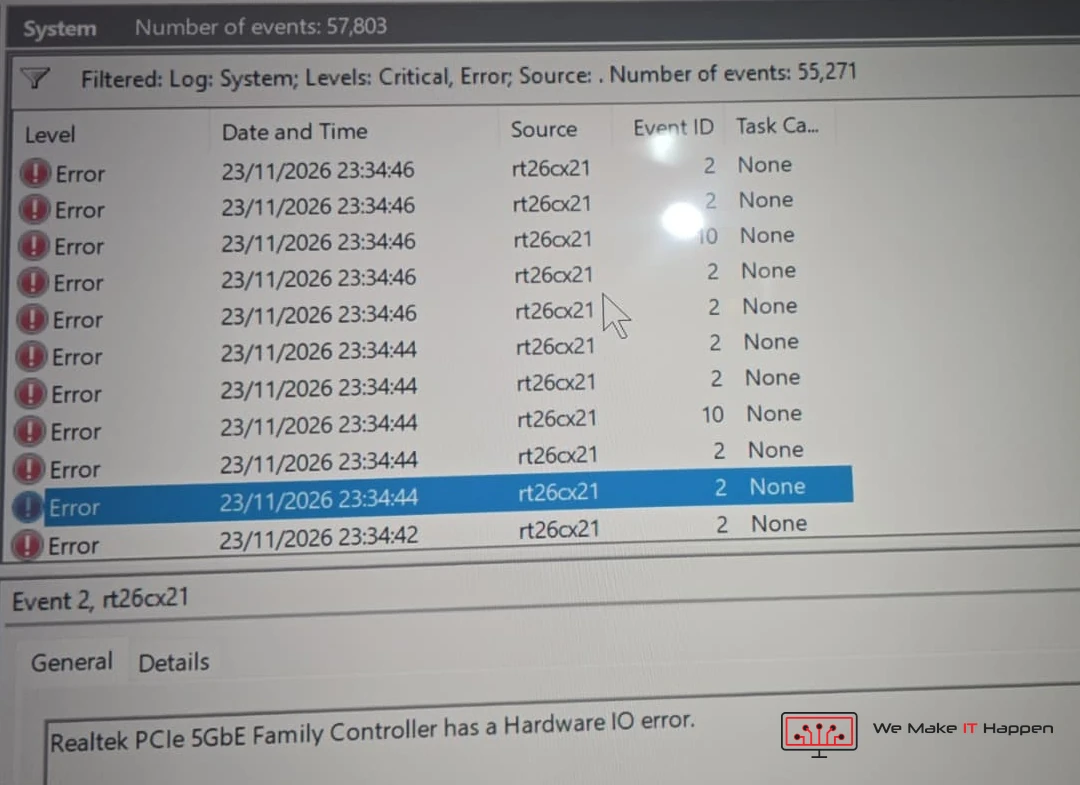
There was no error on the screen. But Windows keeps its own diary, the event log, and that diary was flooded. Out of 57,732 entries in the System log, 54,809 were errors from one source: rt26cx21, the driver of the Realtek network port. All of them were from three days of normal use at home.
| Event | What Windows recorded | How often |
|---|---|---|
| Event 2 | “Realtek PCIe 5GbE Family Controller has a Hardware IO error”: the chip stopped answering | 43,847 |
| Event 10 | “…is reset by ESD timer”: the driver restarted the chip | 10,962 |
Four errors, then one restart, about every 2.3 seconds. And no network cable was plugged in: the owner plays on Wi-Fi. The port was failing while doing nothing at all.
Matched to his game sessions, to the second
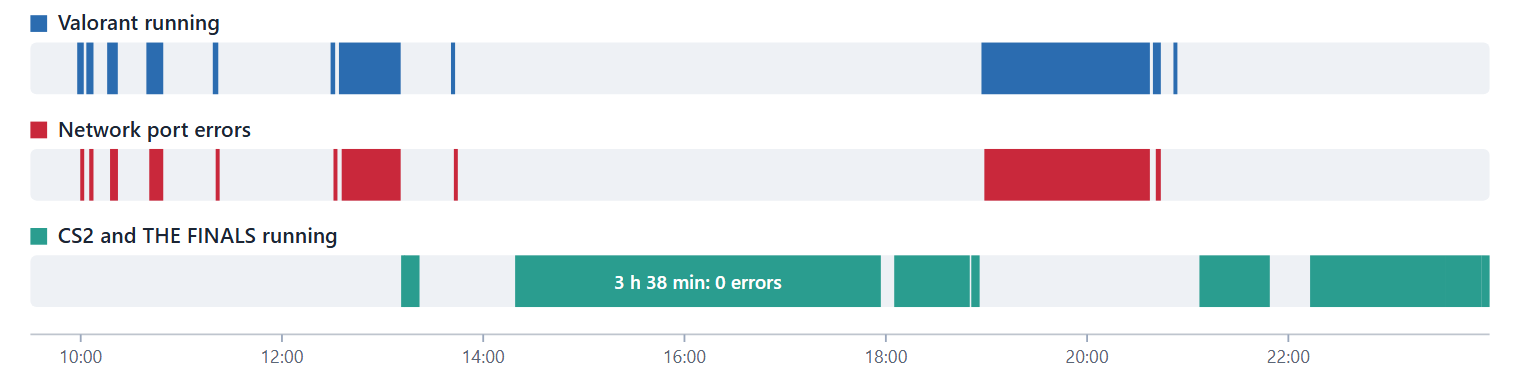
Then came the part that would take a person days. Our AI log analysis lined up all 57,732 entries with Valorant’s own log files and with Steam’s log of the other games. The pattern was the same in every session:
- The errors start about 1 minute 40 seconds after Valorant launches.
- They stop the second Valorant closes.
- CS2 and THE FINALS: 14 sessions, 0 errors, including one session of 3 hours 38 minutes.
We then repeated it live on our bench, three times, counting the errors as they happened:
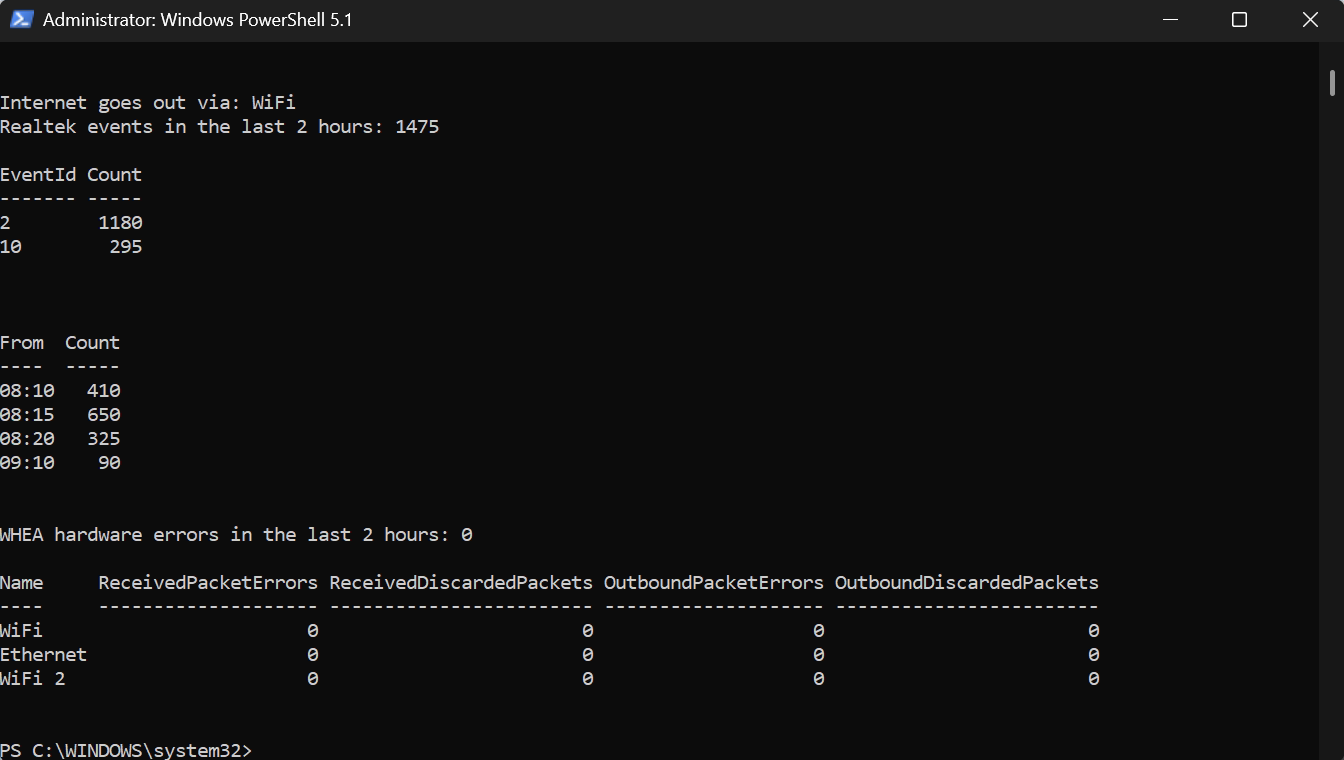
| Test in our workshop, 25 November | Network port | Result |
|---|---|---|
| Valorant, 08:10 to 08:22 | On, no cable | 1,385 errors, the first 108 seconds after launch |
| Valorant, 08:26 to 08:32 | Switched off | 0 errors, and the Wi-Fi was clean |
| Valorant, from 09:08 | On, no cable | 1,490 errors, the first 102 seconds after launch |
| The same game, 09:21 | Switched off in the middle of the game | The errors stopped at once, with the game still running |
The reason: Riot Vanguard and the unused network port
Why would one game crash a network port that is not even in use? Because of what comes with that game. Valorant cannot run without its anti-cheat, Riot Vanguard. Vanguard is not a normal program: it is a kernel driver. It starts with Windows and works deep inside the system, at the same level as hardware drivers.
On this PC, Vanguard and the driver of the Realtek 5GbE port clash. Soon after Valorant starts, the network chip stops answering, Windows restarts it, and the same thing happens again 2–3 seconds later, for as long as the game is open. Every restart holds the game up for a moment. That is the freeze.
What points at the anti-cheat:
- It happens in Valorant only, always about 1 minute 40 seconds after launch, and it stops when the game closes.
- CS2 and THE FINALS use other anti-cheats, and they gave 0 errors in 14 sessions.
- With Valorant closed, the same port works perfectly: with a cable plugged in it linked at 2.5 Gbps with 0 errors.
- Other players with Realtek ports describe the same two errors, in Valorant only.
To be fair to both companies: neither Riot nor Realtek has published a statement about it, and at the time of writing no update removes it. The network driver on this PC was already as new as the one on Gigabyte’s own download page.
Why it was so hard to find
- No error on the screen. The only trace is in the Windows event log.
- The port was not even in use. He plays on Wi-Fi, so nobody would look at a cable port.
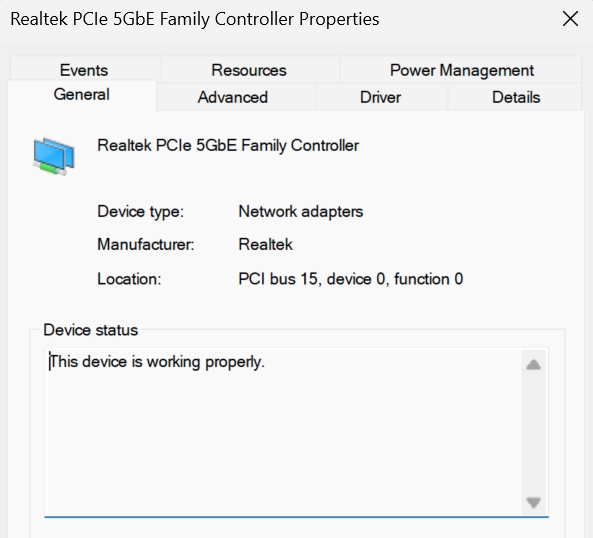
- Windows says the port is fine. Device Manager reports “This device is working properly”.
- Every hardware test is clean. Temperatures, memory, graphics card, SSD and BIOS: all healthy. The PC itself has no fault.
- The anti-cheat gets in the way of testing. It blocked our remote mouse while Valorant was open. When we switched the port back on with the game still running, the chip refused to start (Device Manager “Code 10”) until Windows was restarted.
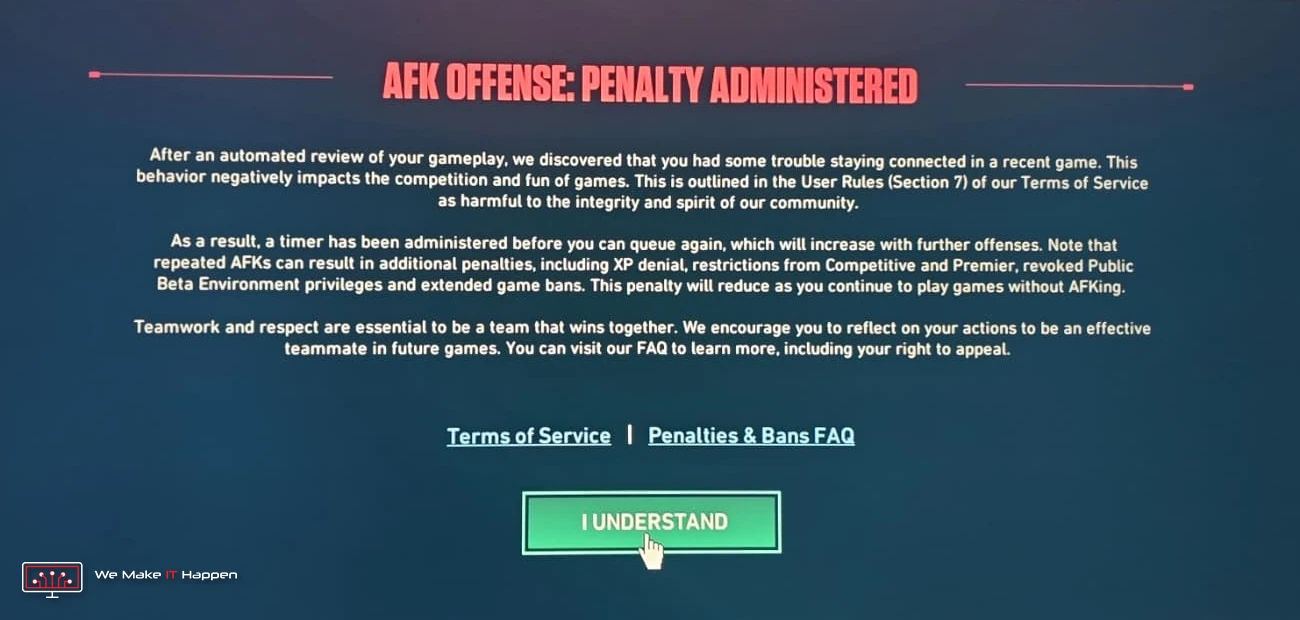
- Riot’s automatic system even gave the account an AFK timer of about three minutes, because it sat idle in a match while we were reading results. It cleared by itself. Since then we test in the Range or in a custom game only.
How we resolved it: the port switched off, Wi-Fi untouched
Valorant cannot run without its anti-cheat, so we removed the clash instead. We asked the owner one question: Wi-Fi only, or do you want to use a cable? His answer was Wi-Fi only. So the unused Realtek port is switched off in Windows (Device Manager, “Disable device”).
- Nothing was removed or uninstalled, and the port can be switched back on at any time.
- The Wi-Fi 7 adapter is not affected: no packet loss in our tests, and about 3 ms to the router.
- No BIOS, driver, Windows or game setting was changed.
- If he wants a cable later, a separate network adapter with a different chip avoids the clash.
One rule we learned along the way: switch this port on or off only with Valorant closed.
The proof: about 40 freezes per round, then practically none
An error log that goes quiet is not yet proof that the game is smooth. In the morning we could show the errors, but our frame-time recordings, taken in two-second samples, were too coarse to show a split-second freeze. We do not leave a change on a customer’s PC that we cannot prove, so we kept testing.
In the evening we went to the best witness there is: Valorant’s own log files, which record every hitch the game itself notices.
Same PC, same game, same evening. The only difference was the port.
Eight hours in OCCT: System Gold
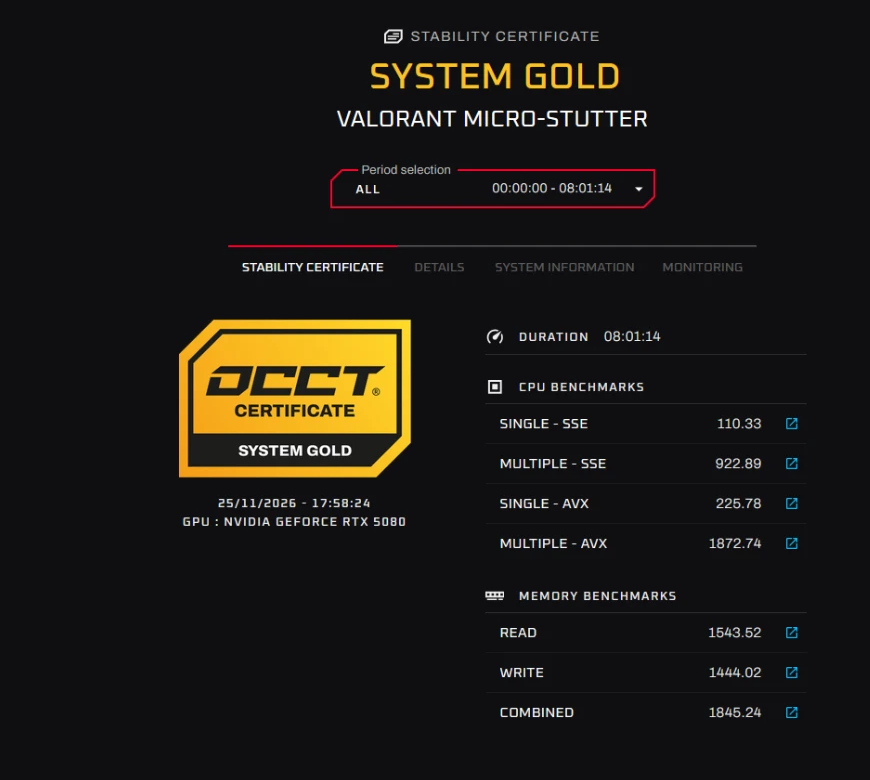
A stutter can also come from hardware that is not quite stable, so we tested that too. While the log work went on, the whole PC ran OCCT’s stability certificate: 8 hours and 1 minute of full load.
| OCCT test | Time | What it loads |
|---|---|---|
| CPU + RAM | 3 h | Processor and memory together |
| CPU | 1 h | The processor alone |
| Linpack | 1 h | The heaviest maths load for the processor |
| Memory | 1 h 30 min | The 32 GB of RAM, checked for errors |
| 3D Adaptive + VRAM | 1 h | The RTX 5080 and its 16 GB of video memory |
| Power | 30 min | Processor and graphics card at once: the power supply at its highest load |
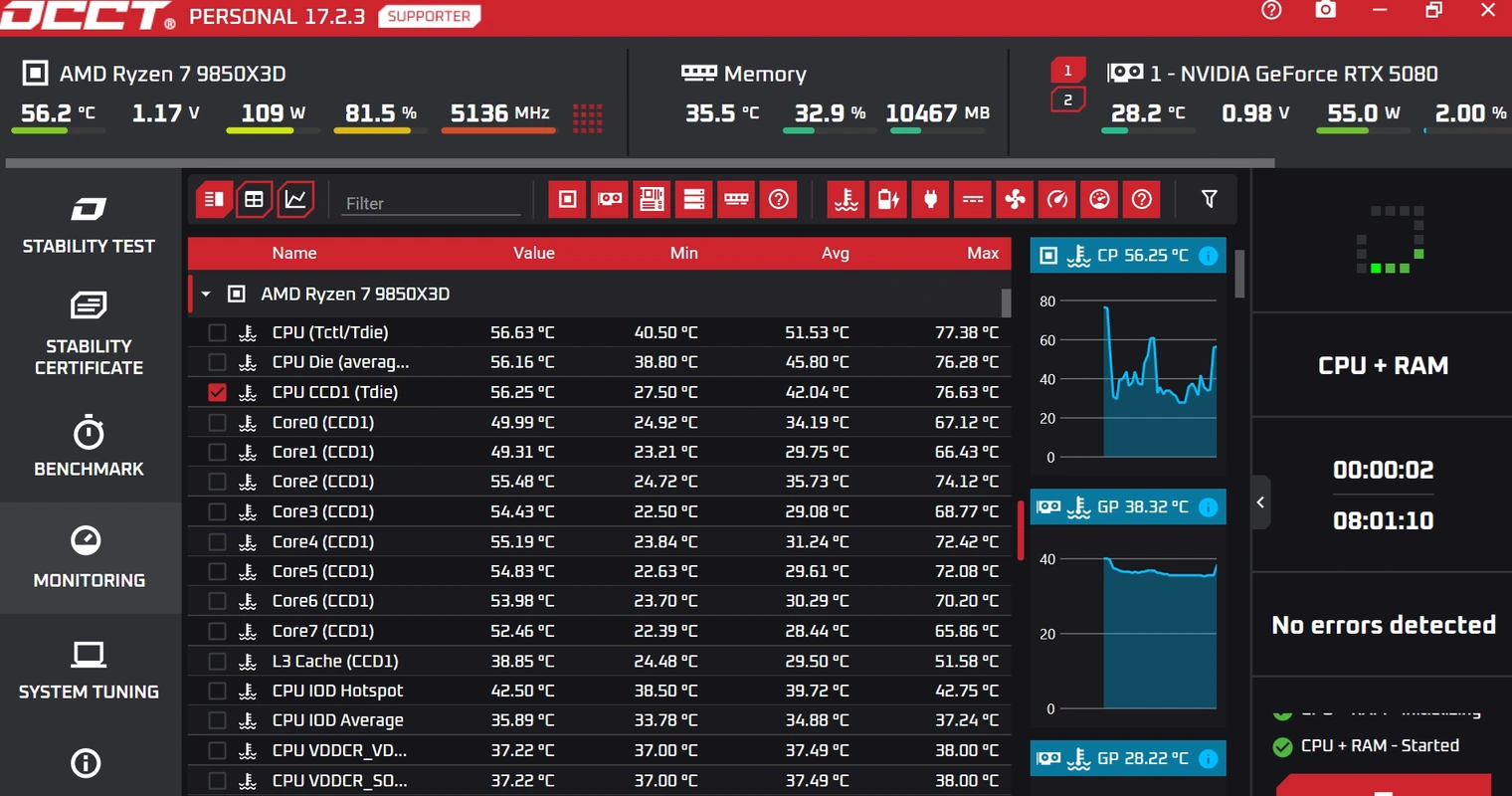
The result: System Gold, the whole schedule completed, and 51 entries in OCCT’s log, every one of them “Info”. No errors and no warnings. The hottest readings were 85.1 °C on the processor and 64.5 °C on the graphics card, with no throttling.
The owner’s verdict: five stars
The PC went home on Wednesday evening, and the full written report followed: every test, every number and every change, in plain English. On Thursday 26 November, after playing at home, the owner left us a five-star Google review:
★★★★★“Instead of guessing, they dug through the Windows logs and found the motherboard’s network port crashing every few seconds whenever Valorant was open. […] I got a clear, honest report in plain English, and Jacob was great to deal with throughout. Highly recommend.”
Google review, 26 November 2026
- Open Event Viewer (Windows Logs, System) and look for a Realtek source such as rt26cx21 or rt25cx21, with Event IDs 2 and 10.
- Do they appear only while that game runs? Note the times and compare them with when you played.
- On Wi-Fi? Switch the unused network port off in Device Manager, with the game closed.
- On a cable? A separate network adapter with a different chip avoids the clash.
- Then prove it with the game’s own logs or a frame-time recording. Do not guess.
- Using an 8,000 Hz mouse in Valorant? Turn Raw Input Buffer on, or set the mouse to 1,000–2,000 Hz.
Valorant stutter: your questions
Why does Valorant stutter when every other game runs smoothly?
Because Valorant brings something the other games do not: its anti-cheat, Riot Vanguard, which runs as a driver deep inside Windows. On this PC it clashed with the driver of the motherboard’s Realtek network port, and the port crashed every 2–3 seconds while the game was open. Each crash froze the game for a moment.
What are Realtek events 2 and 10 in Event Viewer?
Event 2 is “Hardware IO error”: the network chip stopped answering. Event 10 is “reset by ESD timer”: the driver restarted the chip. A few of them are harmless. Thousands of them, only while one game is running, are a pattern worth following.
Is it safe to switch off the network port on my motherboard?
Yes, if you use Wi-Fi. Disabling the port in Device Manager removes nothing, and you can enable it again at any time. Do it with the game closed. If you use a cable, do not switch it off: use a separate network adapter with a different chip.
Can you find the cause of a stutter in one day?
On this PC, yes: it was dropped off on Tuesday, and the cause was found, tested and proven on Wednesday. We cannot promise that for every fault. What we can promise is that we do not guess: we read the logs, repeat the fault on our bench and prove the result before the PC goes home.
Is your gaming PC freezing, stuttering or crashing, in one game or in all of them? See our custom built PCs page and our laptop and desktop PC upgrades page, or let us look at it from a distance with Remote Help. More gaming PC jobs from our bench: an RTX 5060 Ti PC that would not boot and a gaming PC that was “only cables”. Book online or call us on 07497 925760. Every job is tested before collection and comes with a written report and our workshop warranty. We work by appointment in Dagenham and Cambridge.