
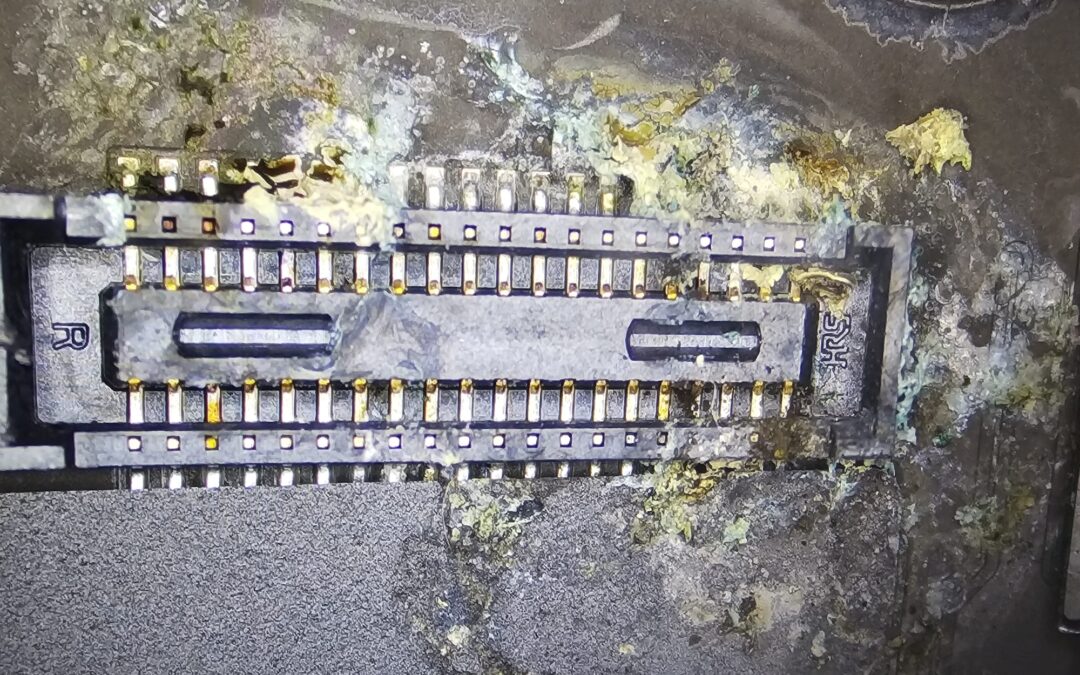
Laptop liquid spillage repair is one of the most common jobs in our Cambridge and Dagenham workshop, and it nearly always starts with the same story. A drink went over the keyboard, the laptop was dried, it switched on, it worked for a while, and then it died. Water, coffee, tea, wine or juice, the result is the same: liquid damage to the motherboard. Here is what actually happens inside a laptop after a spill, what to do in the first minute, and why “it still works” is the most dangerous sentence you can say about it.
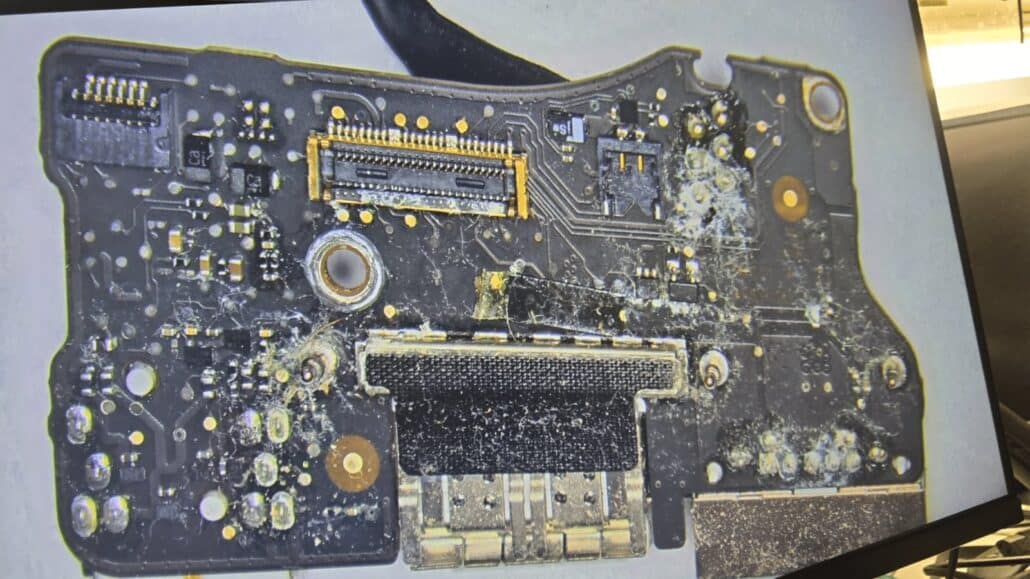
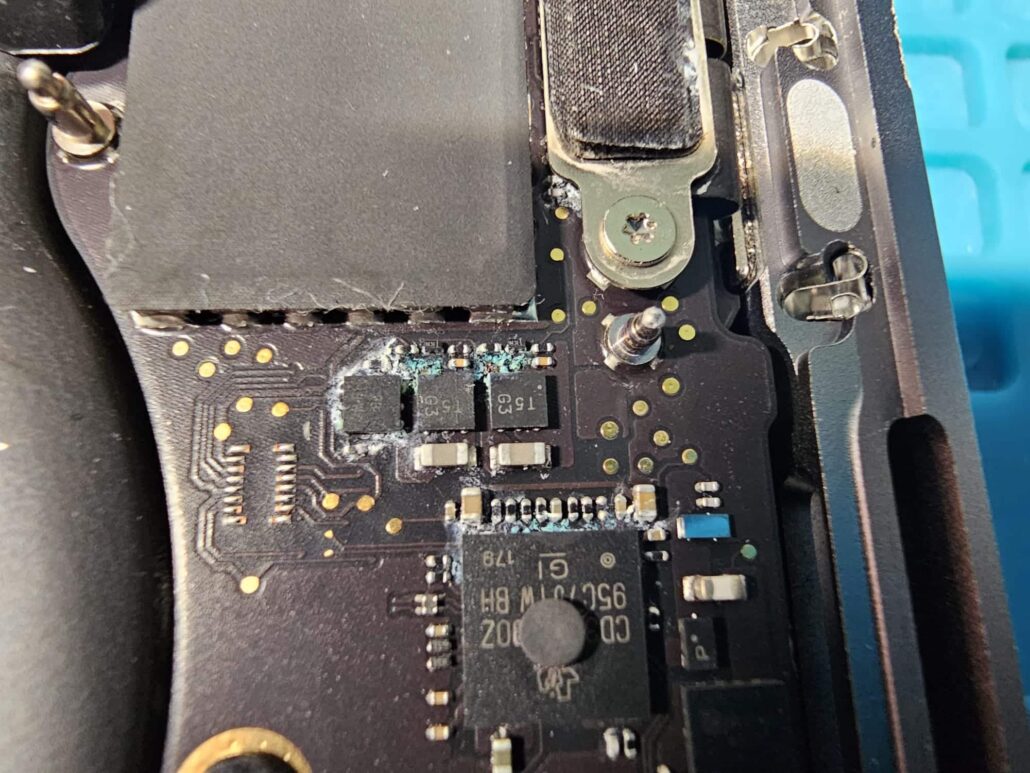
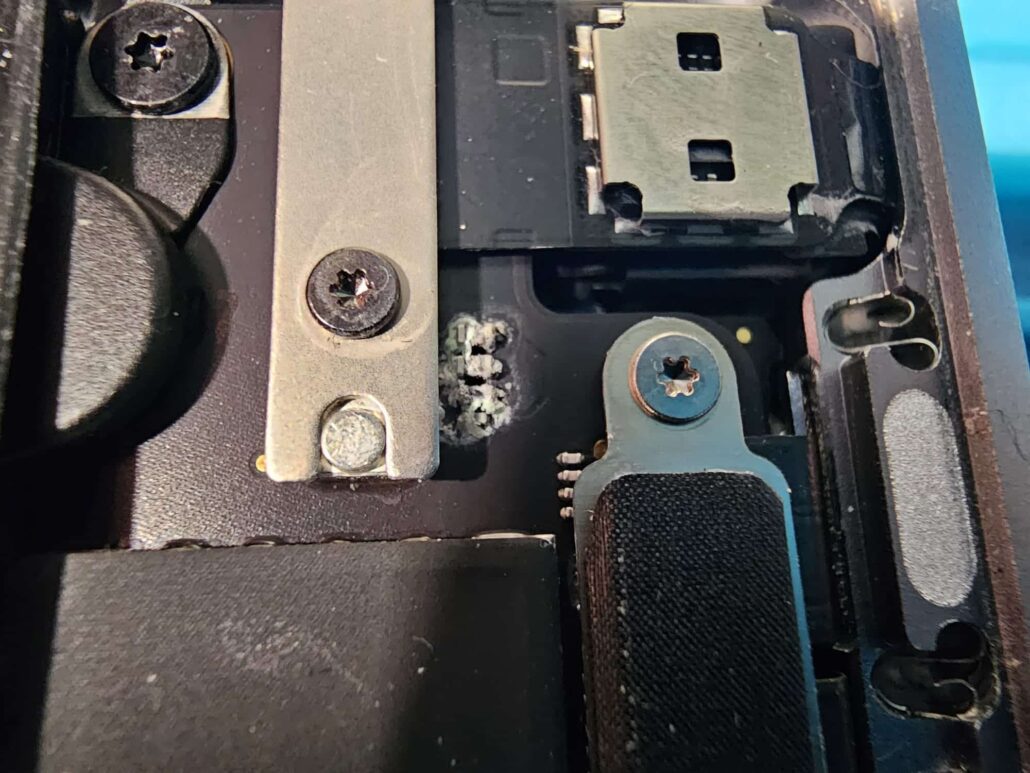
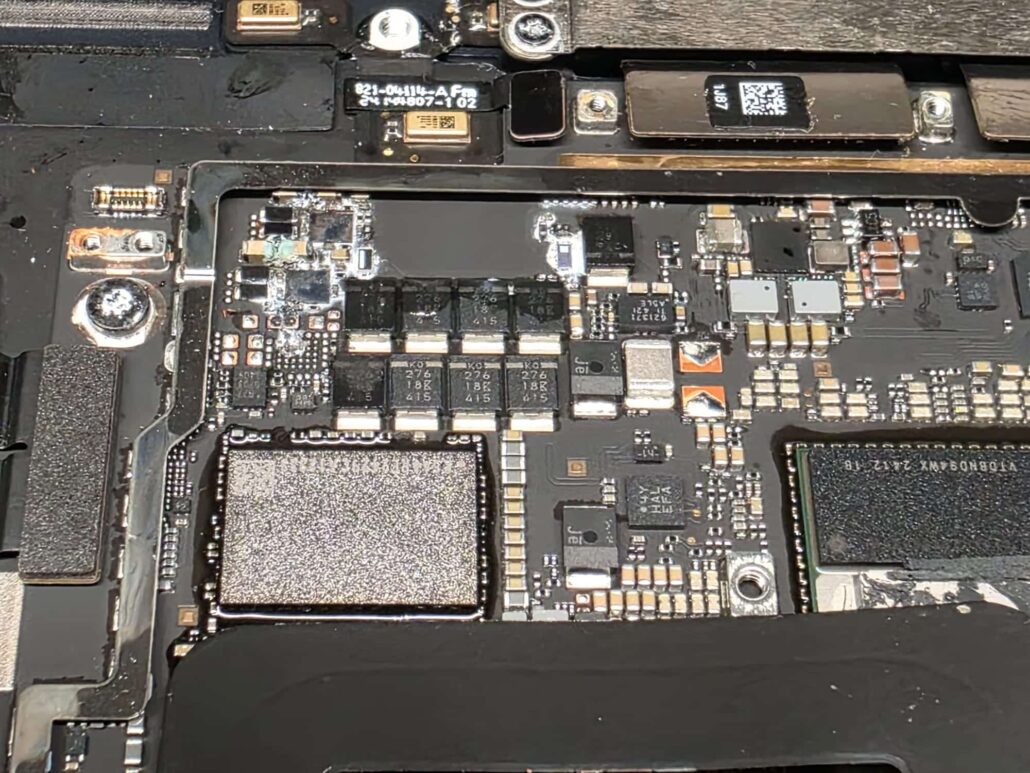
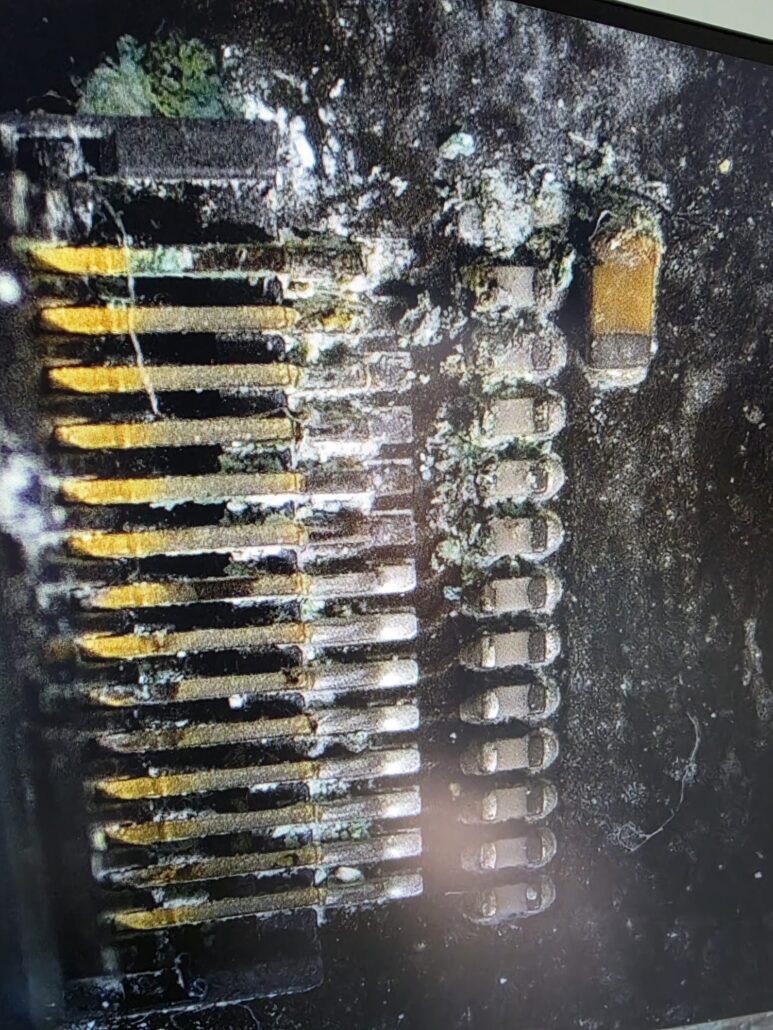
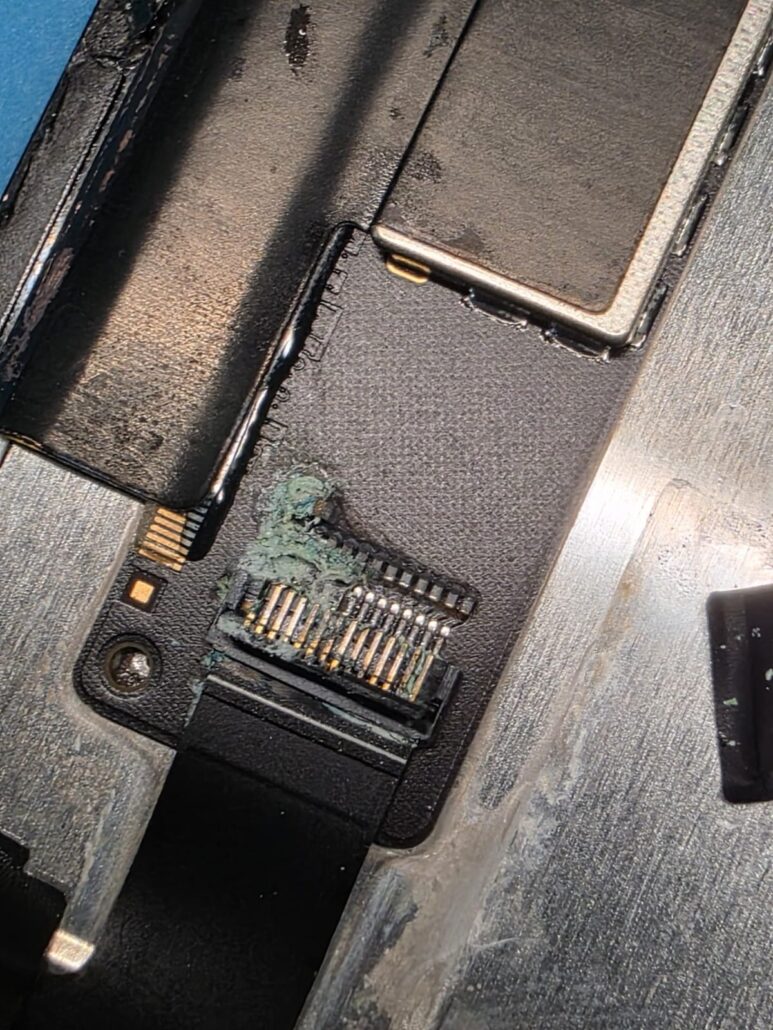
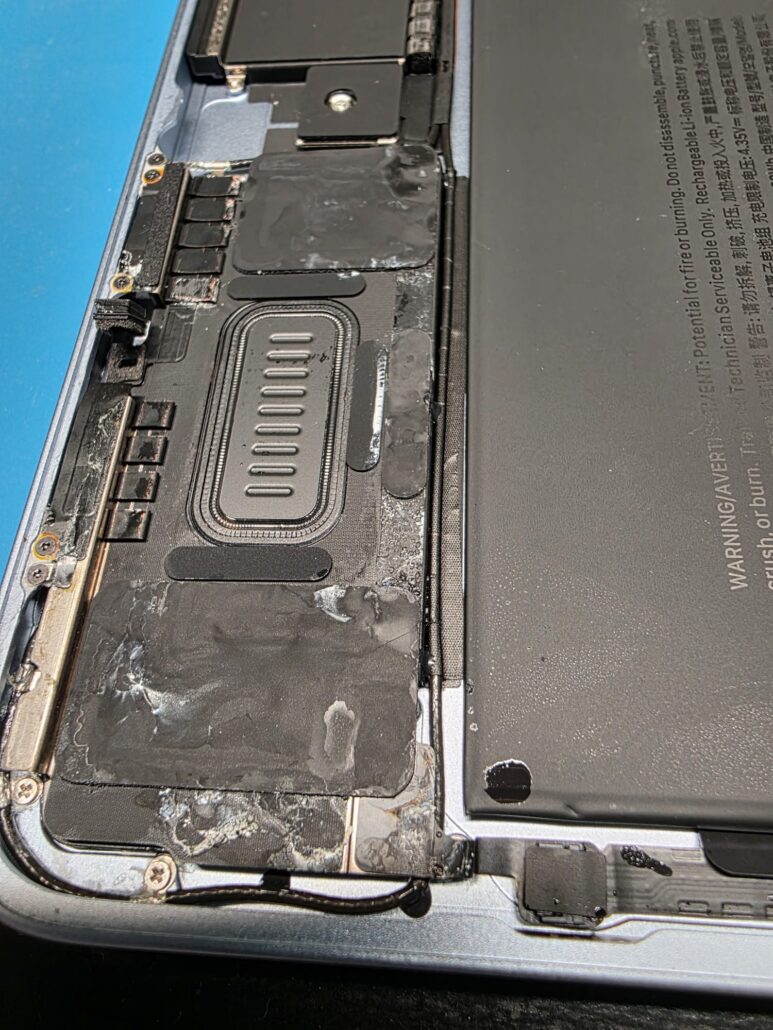
Every photo in this post is from laptops that came to us after a liquid spillage.
The first minute: switch it off, and do not turn it on again
If liquid gets into a laptop, do this straight away:
- Hold the power button until the laptop is completely off. Do not wait for a normal shutdown; just cut the power.
- Unplug the charger and anything else plugged in.
- Open the lid and stand the laptop upside down in a V shape on a towel, so the liquid runs out instead of further in.
- Do not turn it on “just to check”. Not after an hour, not the next morning.
- No hairdryer, no radiator, no bag of rice. Heat spreads the liquid and bakes the residue onto the board, and rice does nothing inside a sealed laptop.
- Bring it to us the same day if you can, the next day at the latest.
Why the rush? Liquid on its own does little. Liquid plus electricity is what does the damage. With the battery still connected, current flows through the liquid between the tracks and eats the metal, and that starts within hours. Every press of the power button makes it worse.
“But it still works”
This is the part most people get wrong, and we understand why. The laptop dried out, it switched on, everything seems fine, and the spill is forgotten.
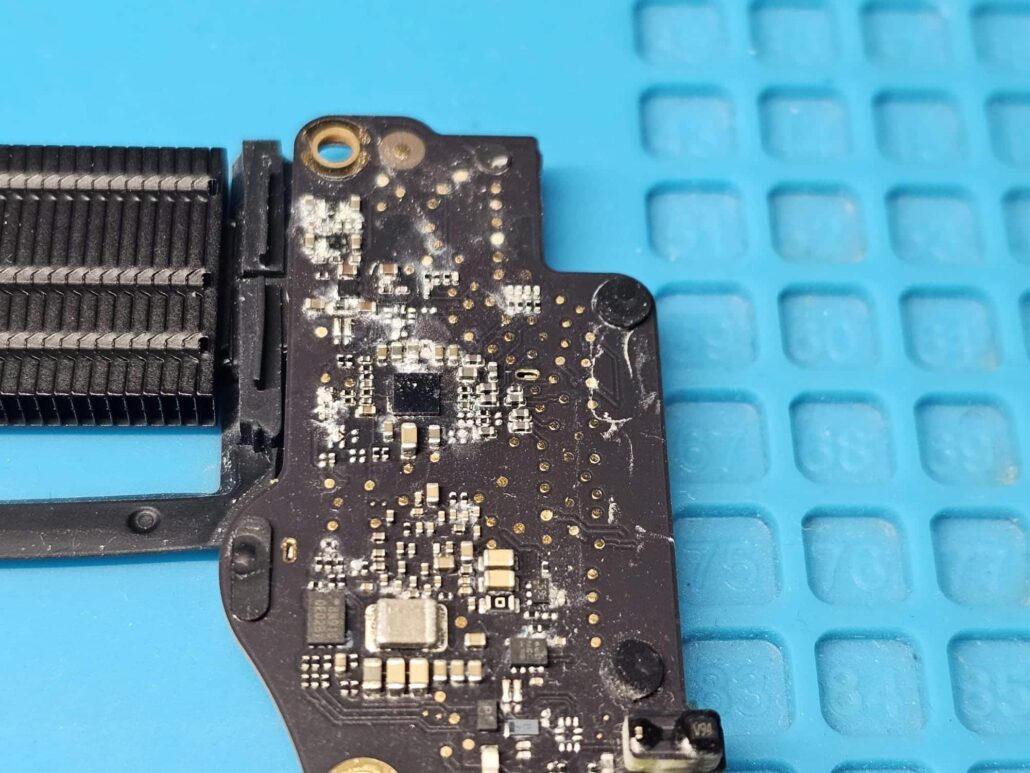
What you cannot see is the residue the liquid left behind. Coffee, tea, wine, beer, juice and fizzy drinks all leave sugar, acids and salts on the board. That residue sits between the pins of chips and connectors and keeps conducting. With the board powered, corrosion grows out of it day by day. It does not kill the laptop at once. It kills it one component at a time.
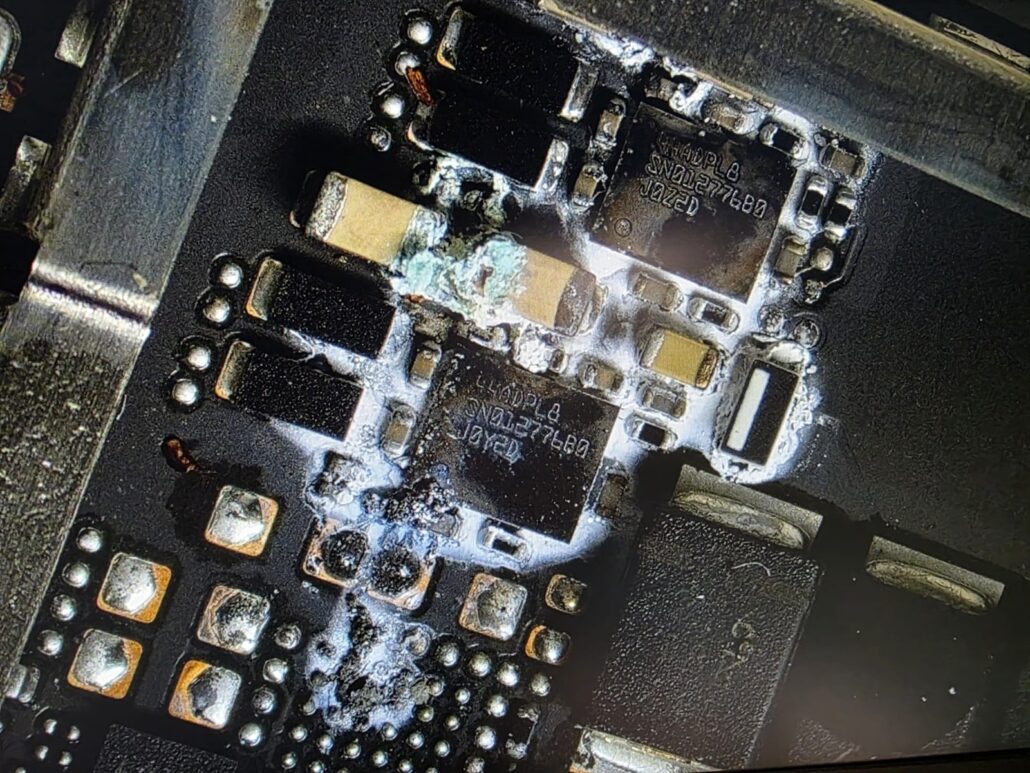
So a laptop that “survived” a spill usually starts failing a week or a month later. Keys stop working, the trackpad goes, the battery stops charging, a USB port dies, the screen flickers, the laptop switches off on its own, and one day it does not turn on at all. By then the corrosion has often spread so far that the repair is a big one, or no longer possible.
A few drops are enough
It does not take a full cup. A few drops that run through the keyboard onto the wrong part of the board can do it. The worst places are the power circuits, the connectors, and anything under a bracket or a chip where the liquid stays wet and cannot be seen. The MacBook Air below looked fine from the outside. Around the power components and under the hinge bracket, the corrosion was already growing.
Why a dead board can mean lost data
This is the reason we take spills so seriously. On most laptops made in the last few years, the data is encrypted:
- Every MacBook with a T2 chip or an Apple silicon chip, which is every model since 2018, encrypts its storage with a key kept inside a chip on the logic board, and the storage itself is soldered to that board. If the board dies and cannot be repaired, nobody can read the data. Not us, not Apple, not a data recovery lab.
- Many Windows laptops now ship with BitLocker switched on. If the SSD is removable and your BitLocker recovery key is saved in your Microsoft account, the data can be rescued. If the storage is soldered to the board, or the key was never saved, it cannot.
In other words, the board is often the only thing between you and your photos, documents and work. A spill treated in time is a cleaning job. A spill that is ignored can become a dead board, and a dead board does not give the data back. If you are not sure about your backups, this is the moment to ask us about a backup plan.
What we do with a liquid-damaged laptop: ultrasonic cleaning and motherboard repair
We open the laptop, disconnect the battery and photograph everything before we start, so you can see what we found. The motherboard comes out and goes into an ultrasonic cleaning bath, which shakes the residue out from under the chips and connectors where no brush can reach. Then it is cleaned and inspected under the microscope, section by section. Corroded components are replaced and damaged tracks are repaired. The keyboard, trackpad, speakers and battery are cleaned and checked too, because the liquid rarely stays in one place.
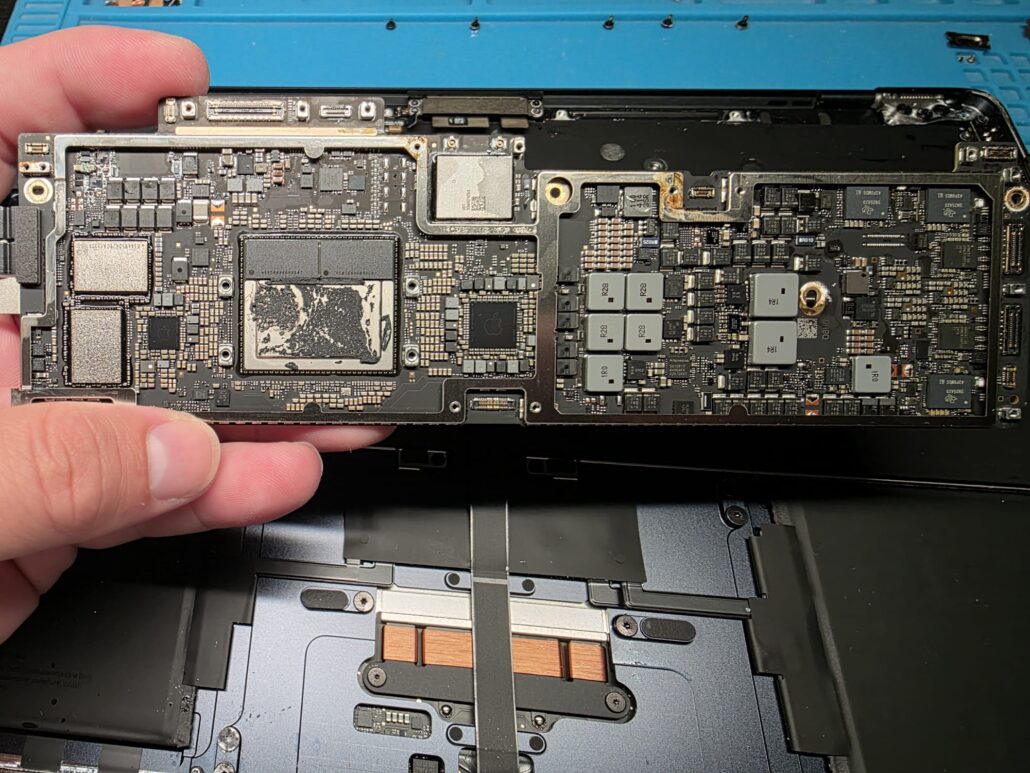
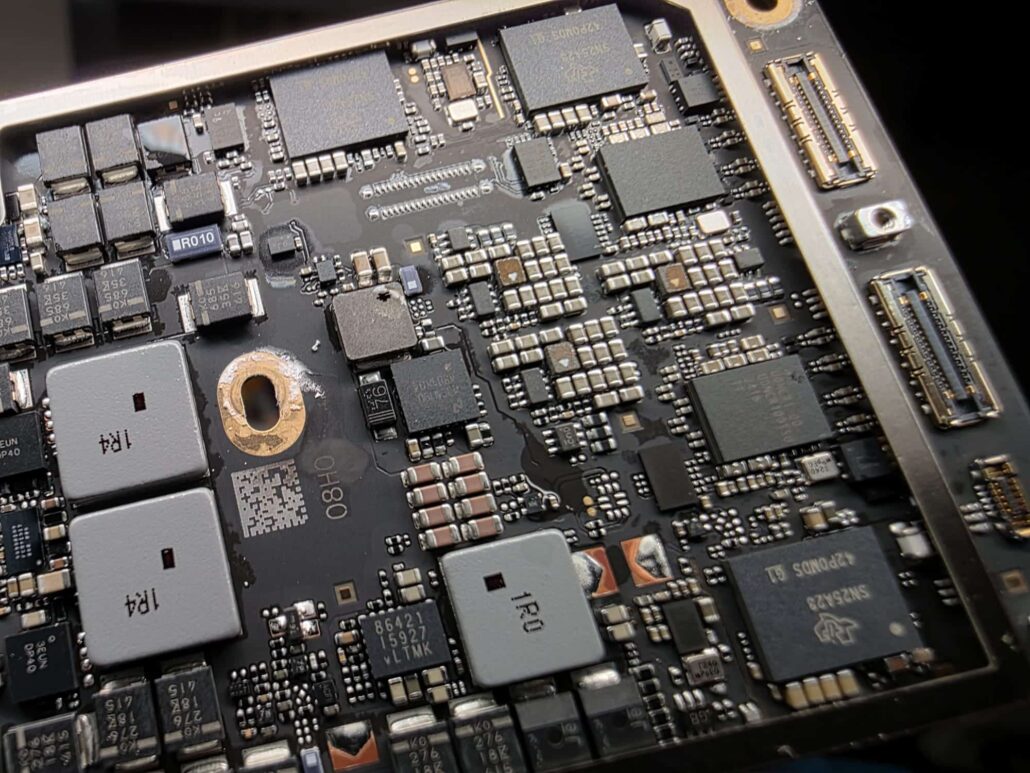
Then the laptop is tested properly: power, charging, keyboard, every port, the screen, the battery and a full run under load. You get the photos, you are told exactly what was replaced, and the repair comes with our 12-month warranty.
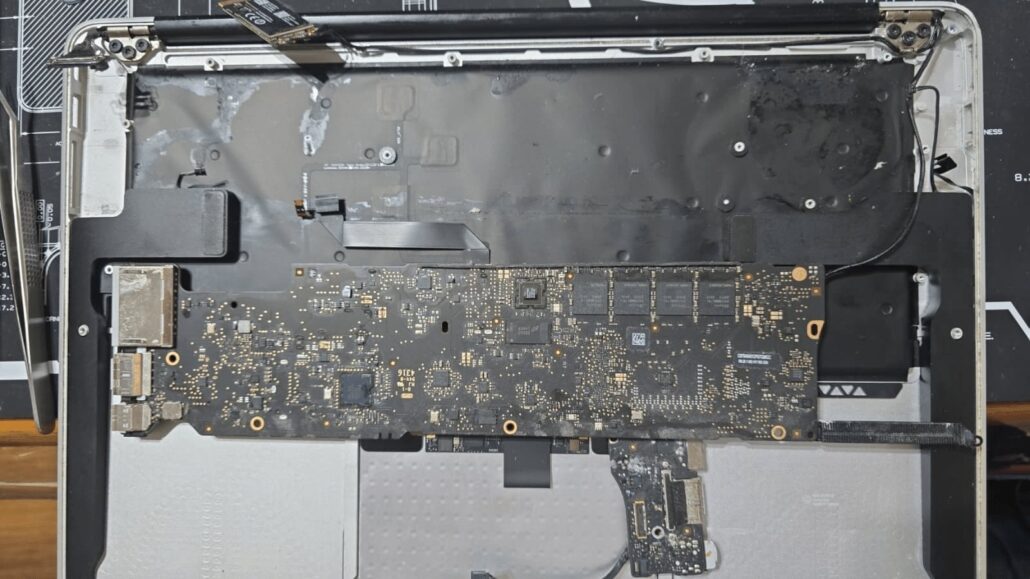
The sooner a laptop reaches us after a spill, the simpler the repair and the better the chance the board survives. The ones we cannot save are usually the ones that were used for weeks after the spill.
Questions people ask us about liquid spillage repairs
My laptop works fine after the spill. Do I still need to bring it in?
Yes. Working today means nothing. The residue is still inside and corrosion keeps growing while the board is powered. A clean now is a small job; a dead board later may be one that cannot be repaired.
I dried it with a hairdryer and left it in rice. Was that right?
No. Heat spreads the liquid and bakes the residue onto the board, and rice cannot reach inside a laptop. Switch it off, unplug it, open it upside down in a V shape, and bring it in.
How long does liquid damage cleaning take?
We inspect first and tell you what we found and what the repair involves before any work starts. A clean is quick; a board repair depends on how far the corrosion has spread.
Can you get my data back if the laptop is dead?
Only if the board can be made to work again, or if the drive is removable and either not encrypted or you have its recovery key. On modern MacBooks the data cannot be read without the original board, which is why we try to repair the board first.
Is the repair guaranteed?
Yes, 12 months on the repair, and you bring the laptop to us in Cambridge or Dagenham if anything is wrong.
Which laptops do you repair after a spill?
MacBook Air and MacBook Pro water damage, Windows laptops of every make, and gaming laptops. We repair the motherboard itself rather than quoting for a new one.
Spilled something on your laptop? Book a liquid damage clean in Cambridge or Dagenham
Switch it off, do not turn it on again, and get in touch today for a laptop liquid spillage repair. See our motherboard repair service and our data recovery service, book an appointment, or message us on WhatsApp 0749 792 5760.