
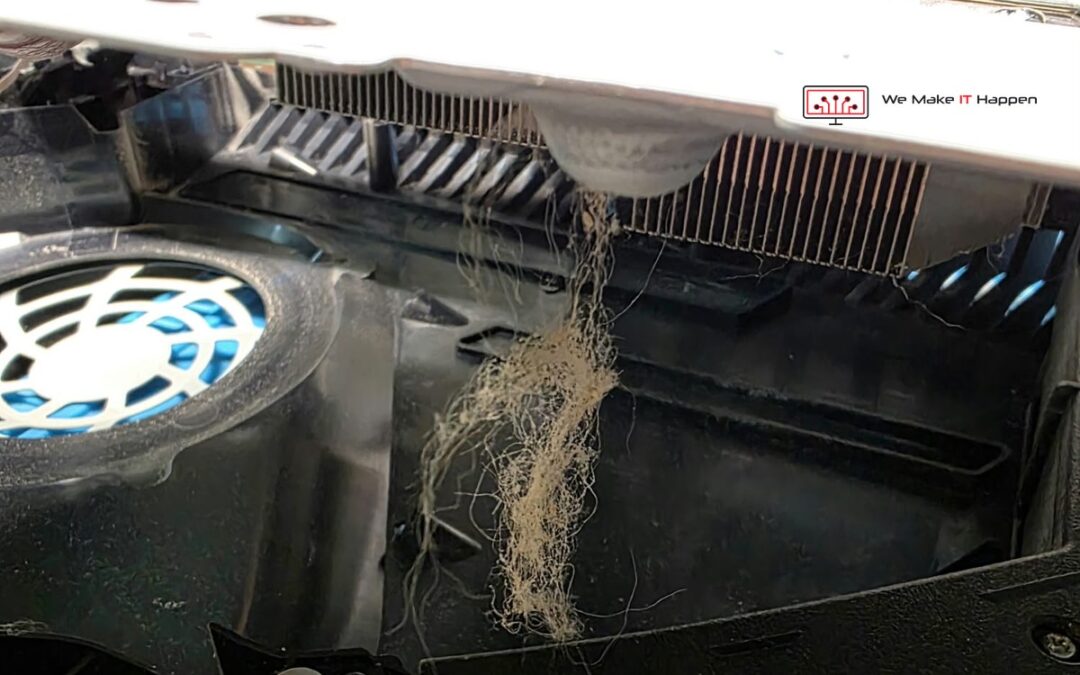
This PS5 was booked in at our Mill Road workshop in Cambridge for one thing: a damaged HDMI port. No picture on the TV, and nothing else wrong as far as the owner could tell. An HDMI repair means the console comes apart down to the bare board, and that is when you see what nobody sees from the outside: clumps of dust and hair in the shell, a heatsink with its fins blocked, and PS5 liquid metal that had dried out on the processor.
None of that was the reason it came in. All of it would have been the reason for the next visit. Here is what we found, why the liquid metal in a PS5 dries out, the signs to look for on your own console, and what we did about it while the board was already out.
Booked in for the HDMI port, and nothing else
We see three to eight PS5s a week with a loose, bent or dead HDMI port. From the owner’s side it is a small job: one socket at the back. From the bench it is the opposite. The port is soldered to the motherboard, and the motherboard sits in the middle of the console, under the covers, the fan, the shields and the heatsink. To change the port properly, all of that comes off.
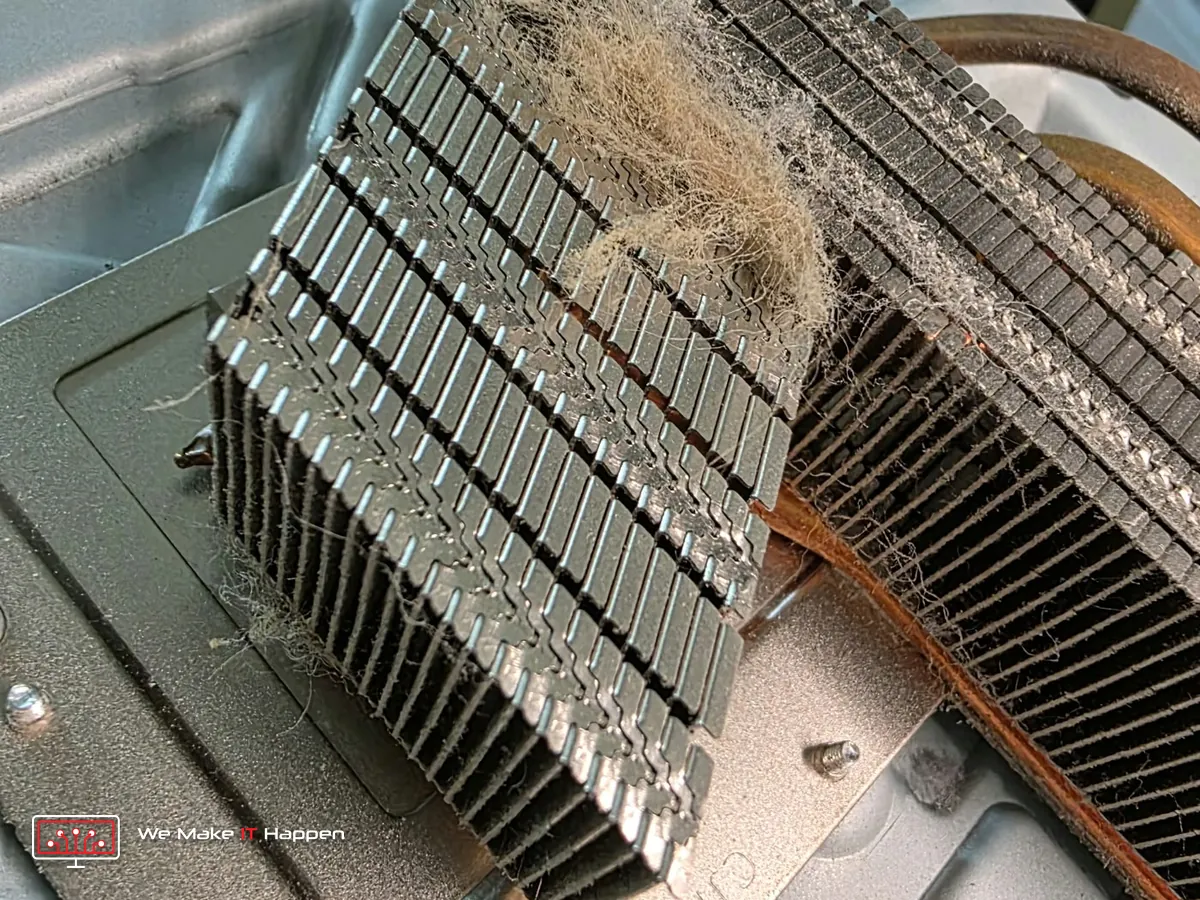
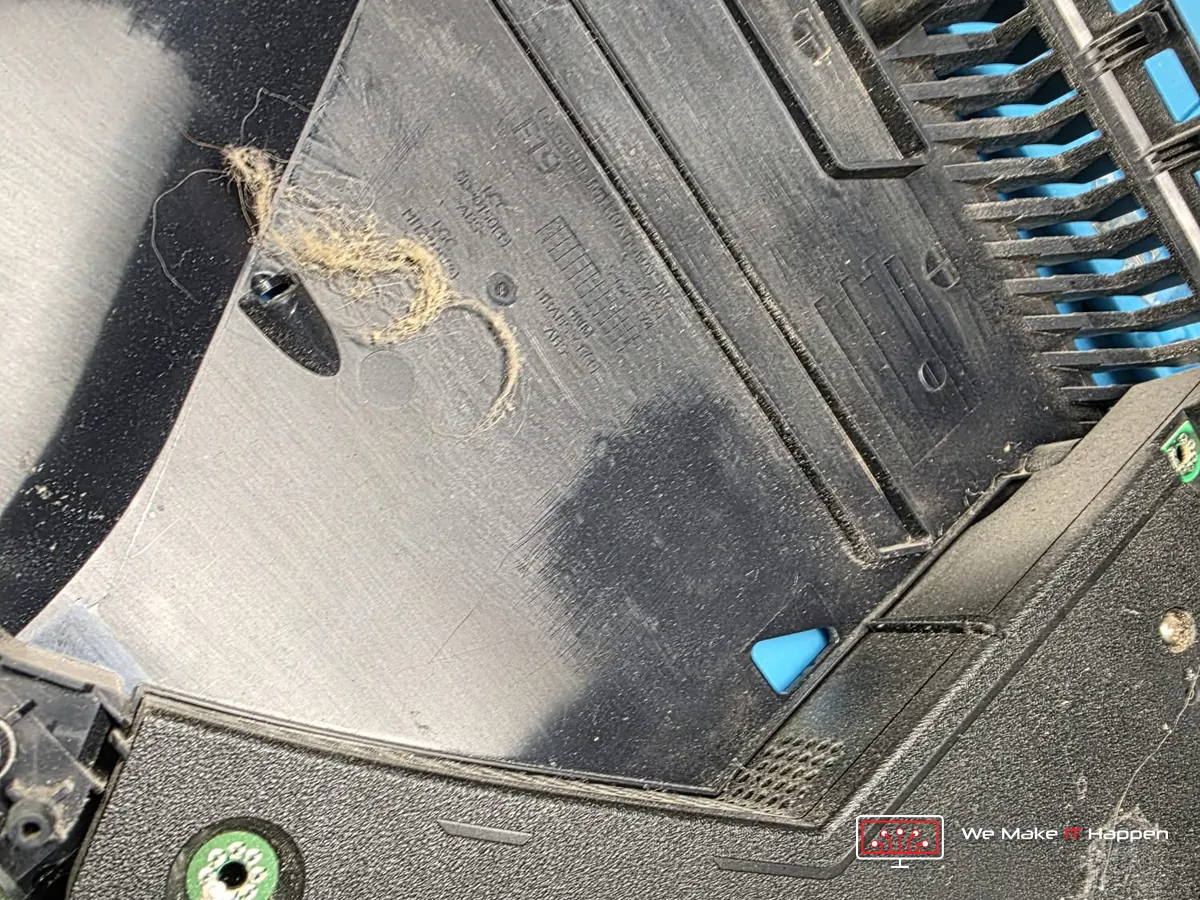
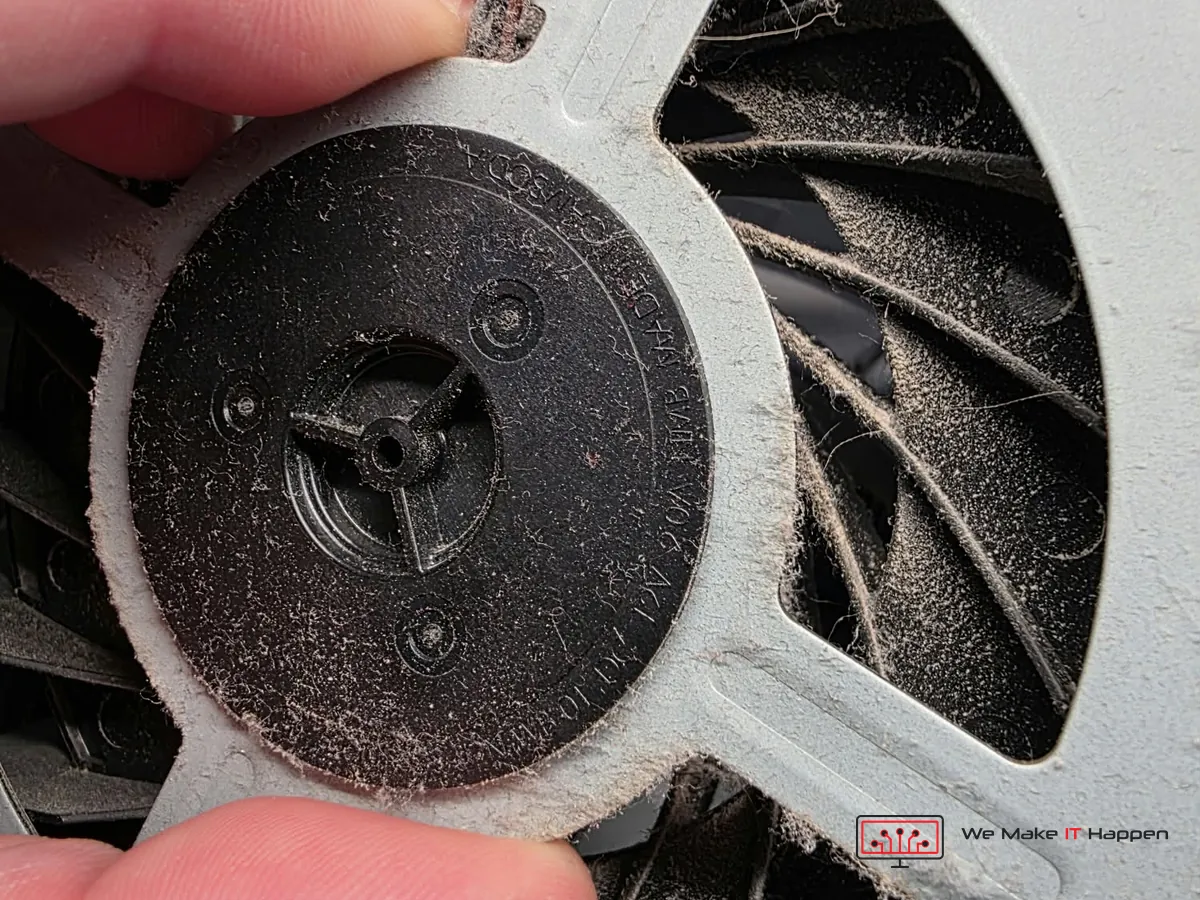
So on every HDMI job we get a full look at the inside of the console, whether we were asked for one or not. On this one, the first thing out of the shell was dust. It hung off the heatsink in strands, sat in clumps on the bottom cover, and coated every blade of the fan.
What dust does inside a PS5
A PS5 cools itself with one large fan. It pulls room air in through the gaps beside the white covers, pushes it across the heatsink fins and out of the back. Whatever is in the room comes in with the air: dust, carpet fibres, pet hair. The two small dust catchers under the covers only stop a little of it. The rest lands on the fan and on the front edge of the fins, where it knits together into a felt.
Once the fins are blocked, the air has nowhere to go. The console answers the only way it can, by spinning the fan faster, which is the loud PS5 most owners put up with for months. The heat still does not leave. Everything inside runs hotter than it was built to, for longer, every time you play.
PS5 liquid metal: what it is and why it dries out
Between the processor and the heatsink, most electronics use thermal paste. Sony chose something better for the PS5: liquid metal, a gallium alloy that carries heat away from the chip far more efficiently than paste. It stays liquid at room temperature, so it is held in place by a foam barrier around the chip.
It does not stay perfect for ever. After years of heating up and cooling down, the liquid metal can oxidise, thicken and pull away from the middle of the chip towards the edges. What is left is a dull, patchy surface with dry areas where there should be an even, mirror-bright layer. That is exactly what this processor looked like when the heatsink came off: crust at the edges, dry patches in the middle.
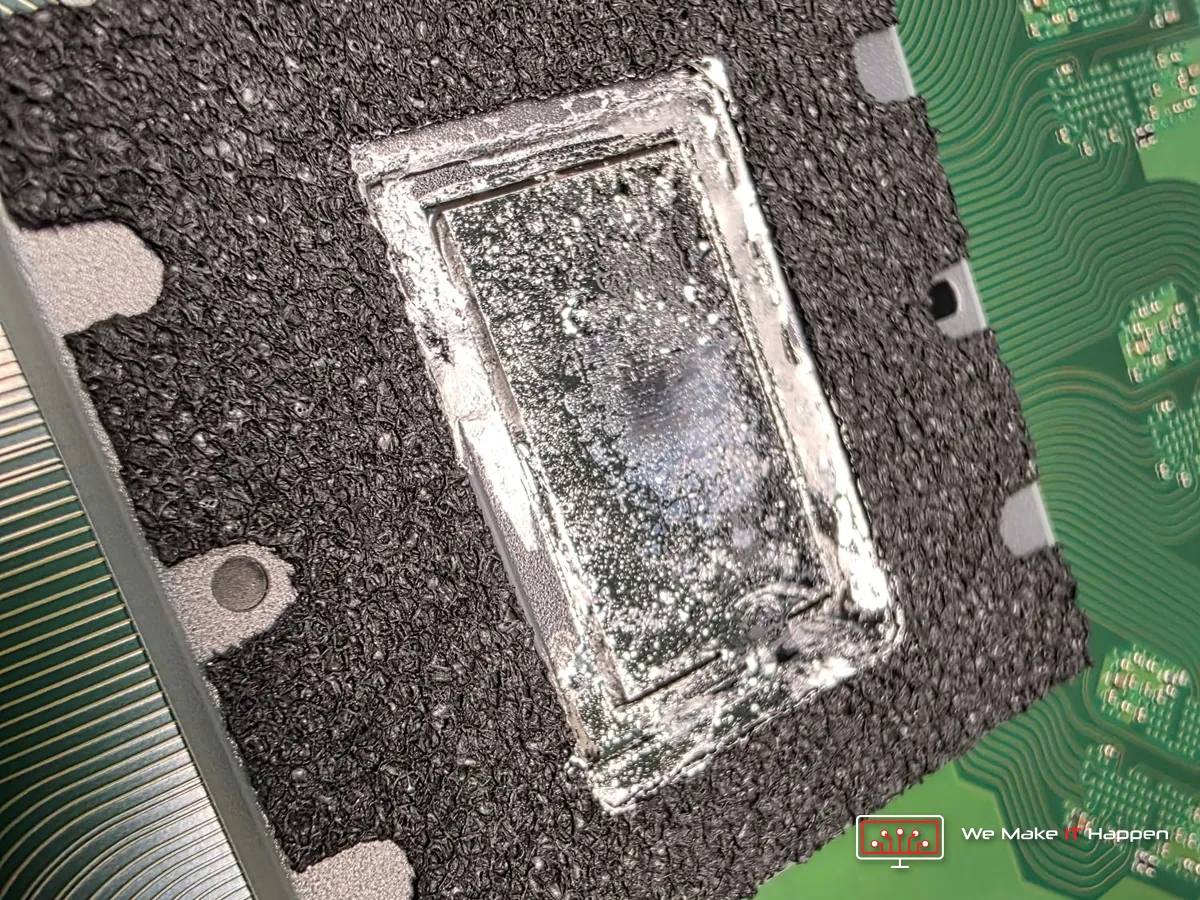
A dry patch is a place where the chip is no longer passing its heat to the heatsink. Add a heatsink that cannot breathe, and you have a console that is slowly cooking itself while still, for now, playing games.
Signs your PS5 needs a deep clean and new liquid metal
- The fan is louder than it used to be, or it ramps up within minutes of starting a game.
- The air from the back is very hot and the top of the console is hot to the touch.
- “Your PS5 is too hot” appears on the screen, or the console switches itself off in the middle of a game.
- Games that ran smoothly start to stutter after half an hour or an hour of play.
- It has never been opened and it is more than two years old, or it lives on a carpet, in a closed TV cabinet, or in a home with pets.
None of these means the console is finished. They mean it is asking for a service, and it is far better to give it one before the heat damages something that cannot be cleaned.
What we did
We do not open extra work without asking. The owner got photos of the inside first, with a plain explanation of what they showed, and decided with the facts in front of them. Then:
- HDMI port: the job it came in for. The damaged port came off the board under the microscope and a new one was soldered on.
- Deep clean: the console fully stripped, the fan cleaned blade by blade, the heatsink fins cleared right through, the shell and covers cleaned.
- New liquid metal: the dried liquid metal removed, the chip and the heatsink plate cleaned back to bare metal, fresh liquid metal applied and the barrier checked before the heatsink went back on.
- Full test: picture and sound over the new port, the fan, the temperatures, and a game running.
The photos of the inside were taken on Tuesday evening. By Wednesday morning the console was back on the welcome screen, with a game loaded over the new port.


Why we do not just swap the port and close it up
We could have. The port was the booking, the picture would have come back, and the console would have gone home looking fixed. It would also have gone home with a blocked heatsink and a processor running on dry liquid metal, and the next fault would not have been a socket.
Most of the work in a PS5 deep clean is the strip-down, and on an HDMI job that part is already done. So this is the moment it makes sense: the console is open, the board is out, and you can see the state of it in our photos before you decide. If the inside is clean, we tell you that too, and it stays a port job.
Do not try the liquid metal at home
Cleaning the dust catchers under the white covers with a vacuum is safe, and worth doing every few months. The liquid metal is a different matter. It conducts electricity, so one stray drop on the board can short the console for good, and it attacks aluminium. Getting to it also means taking the whole console apart. This is a job for a bench, the right materials and someone who does it every week.
Frequently asked questions
Does PS5 liquid metal dry out?
It can. After years of heating and cooling, the liquid metal can oxidise and pull away from the middle of the chip, leaving dry patches. We find it on many PS5s that are opened for another repair, as on this one.
How do I know if my PS5 needs new liquid metal?
You cannot see it without opening the console. The signs from outside are a fan that has become loud, very hot air from the back, a “Your PS5 is too hot” message, or the console switching off during a game. Dust causes the same signs, and the two are usually found together.
How often should a PS5 be deep cleaned?
As a rule of thumb, have it checked once it is more than two years old, and sooner if it sits on a carpet, in a closed cabinet or in a home with pets. A louder fan is the usual first warning.
Can a deep clean be done at the same time as an HDMI port repair?
Yes, and it is the best time. The console is already stripped to the board for the port, so the clean and the new liquid metal are done before it goes back together. We send photos of the inside first and you decide.
PS5 loud, hot, or no picture? Cambridge and Dagenham, by appointment
See our PS5 cleaning and HDMI port repair page, book an appointment, or message us on WhatsApp 0749 792 5760. Every PS5 repair comes with photos of the inside of your console, a full test and our workshop warranty.
More from the same bench: why you should never wiggle a loose PS5 HDMI port, the PS5 with no picture after a repair elsewhere, and how we clean and re-paste laptops, PCs and consoles.