
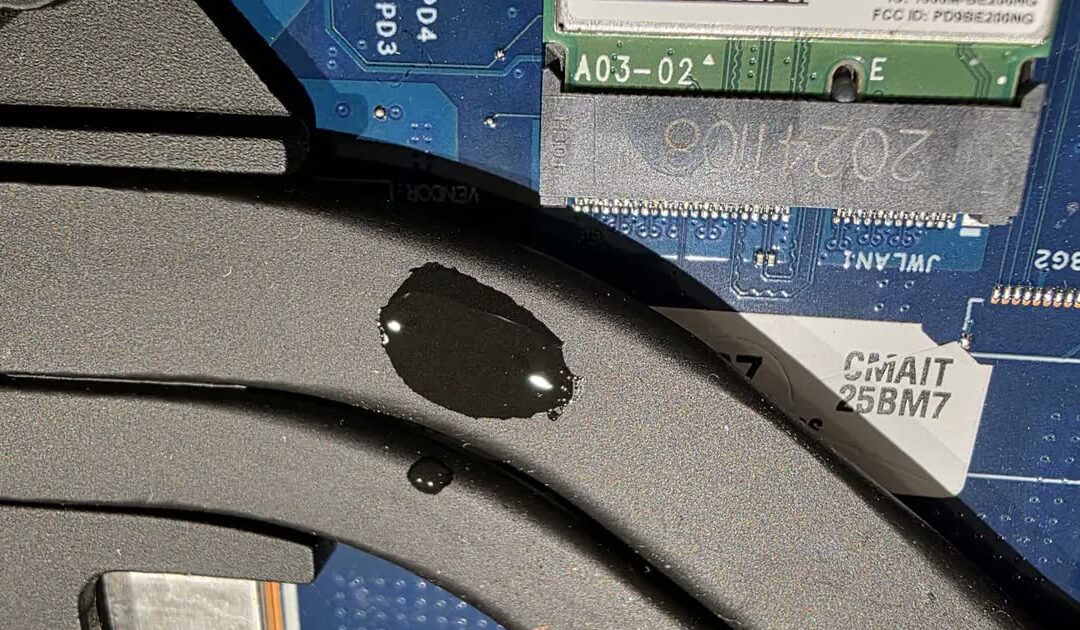
A Lenovo ThinkBook 14+ came to our Mill Road drop-off in Cambridge the morning after a cup of tea went over the keyboard. The owner had done the right things: switched it off within a minute, unplugged it, and not switched it on again. Inside, the tea had still pooled on the heatsink and under the motherboard, and it had already burnt two shorts into the board. The drive was encrypted with BitLocker, there was no recovery key, and the data mattered more than the laptop.
Dropped off at 9:38 am. Working again at about 9 pm the same day, straight to the Windows login, every file still there. Here is how a laptop liquid damage repair with the data kept actually goes.
Watch: the whole repair in one minute
What happened
On the evening of 3 November, tea was spilled on the lower keyboard and touchpad. The laptop was shut down and unplugged within a minute. It had been working normally before, and the owner did not switch it on again. That matters: every minute a wet board spends powered is a minute of electrolysis, and that is what turns a spill into burnt components.
The next morning the laptop was dropped off at our Mill Road location. Thirty-one minutes later the owner had the first five photos of what we found inside. With this kind of damage nobody can promise a repair before the board is apart, so we show what we see, as we see it.
What we found inside
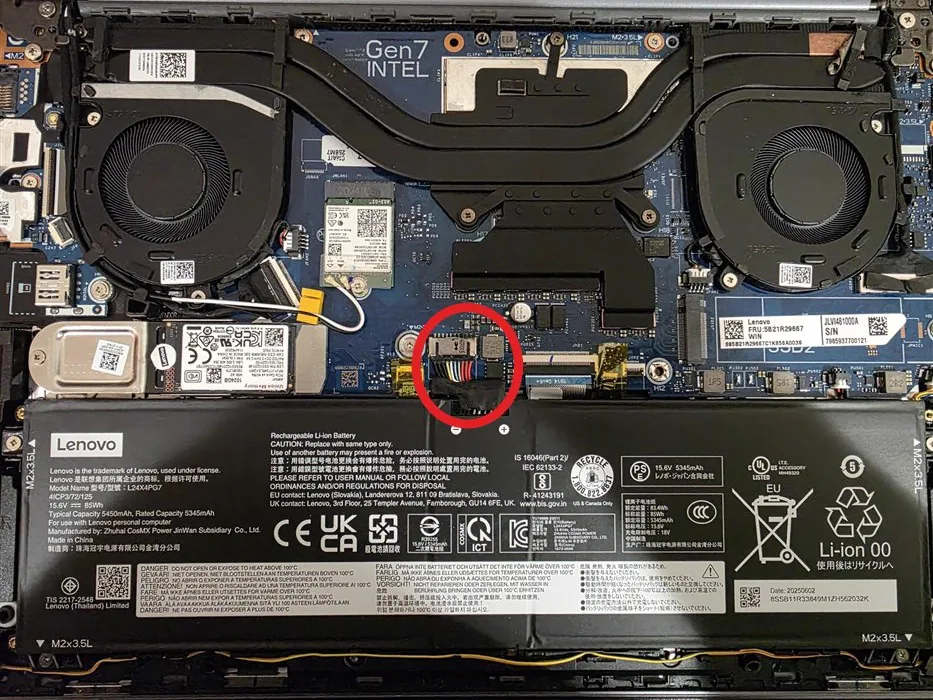
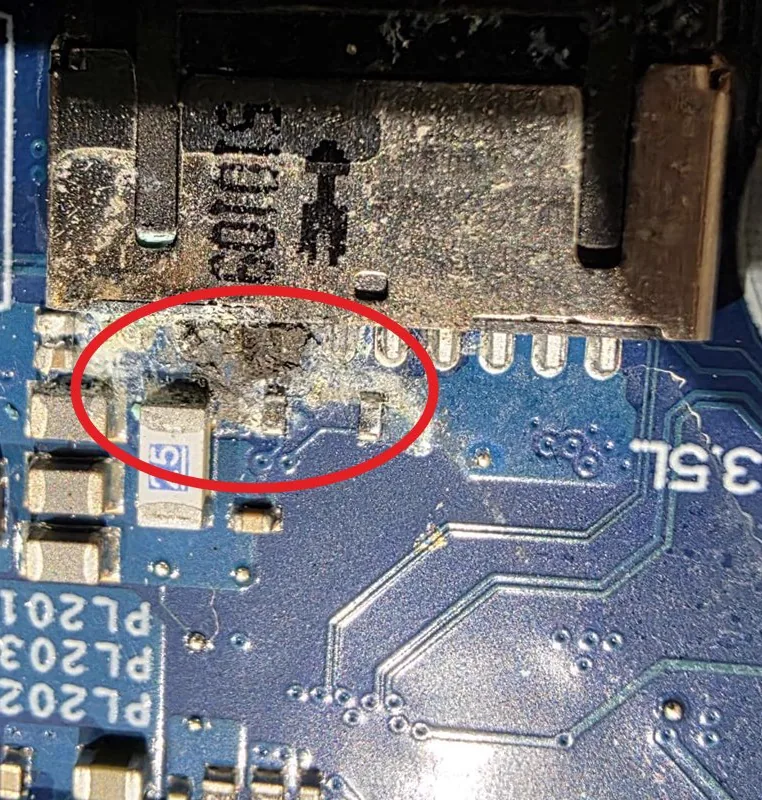
Liquid on the heatsink next to the Wi-Fi card, liquid pooled on the motherboard at the camera connector, and more of it under the board on the keyboard plate. Residue around a chip near the processor. And at the battery connector, corrosion already growing after one night.
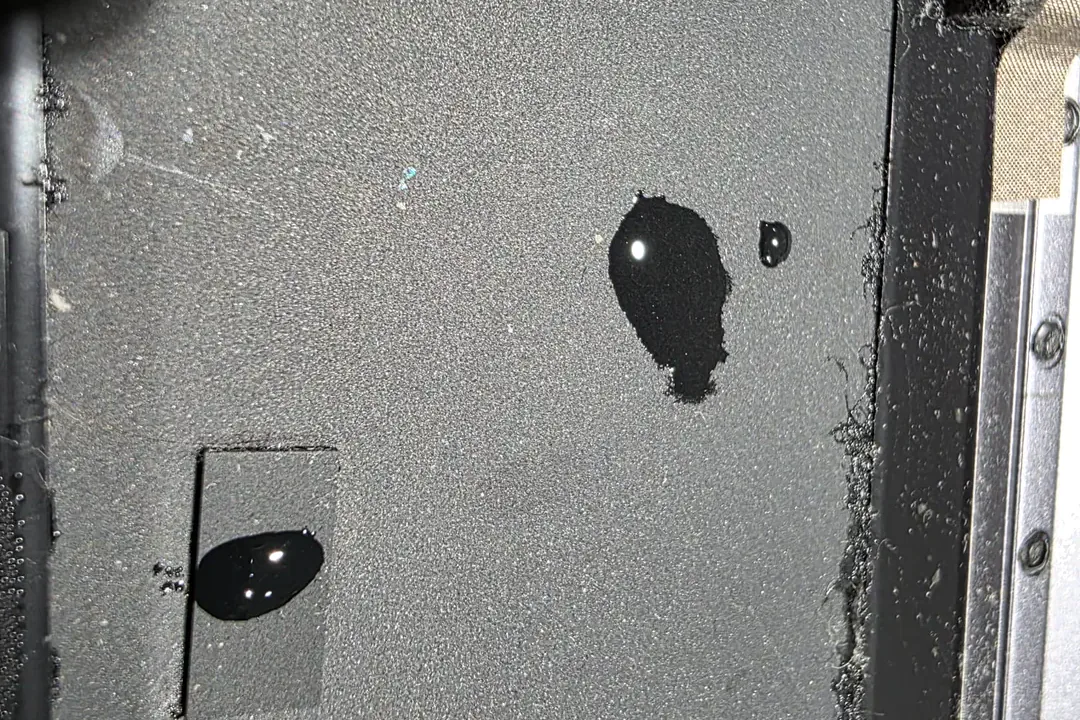
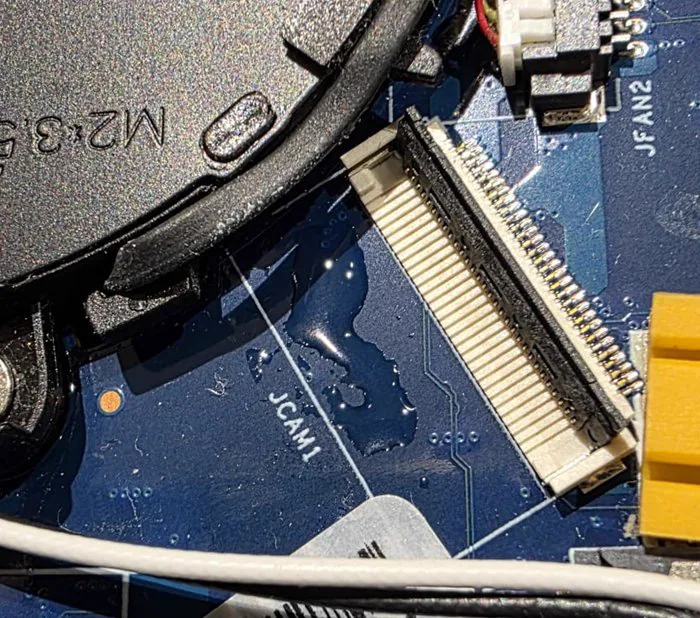
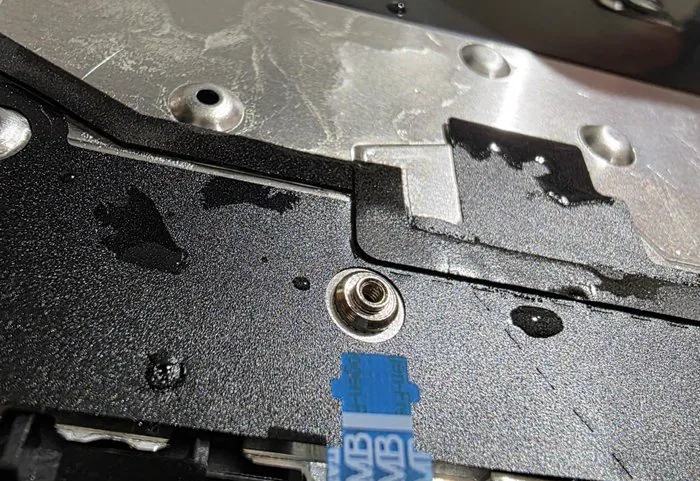
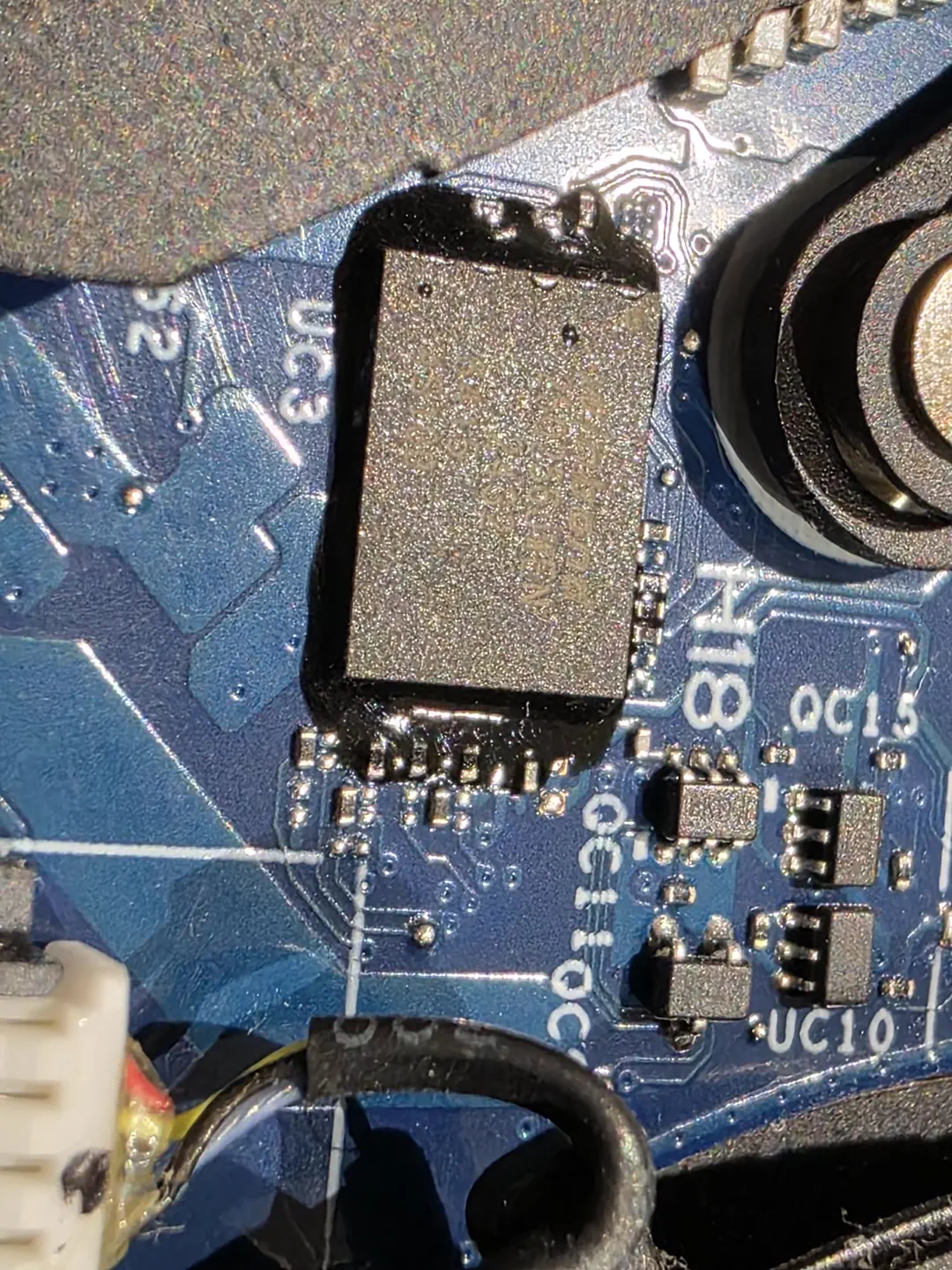
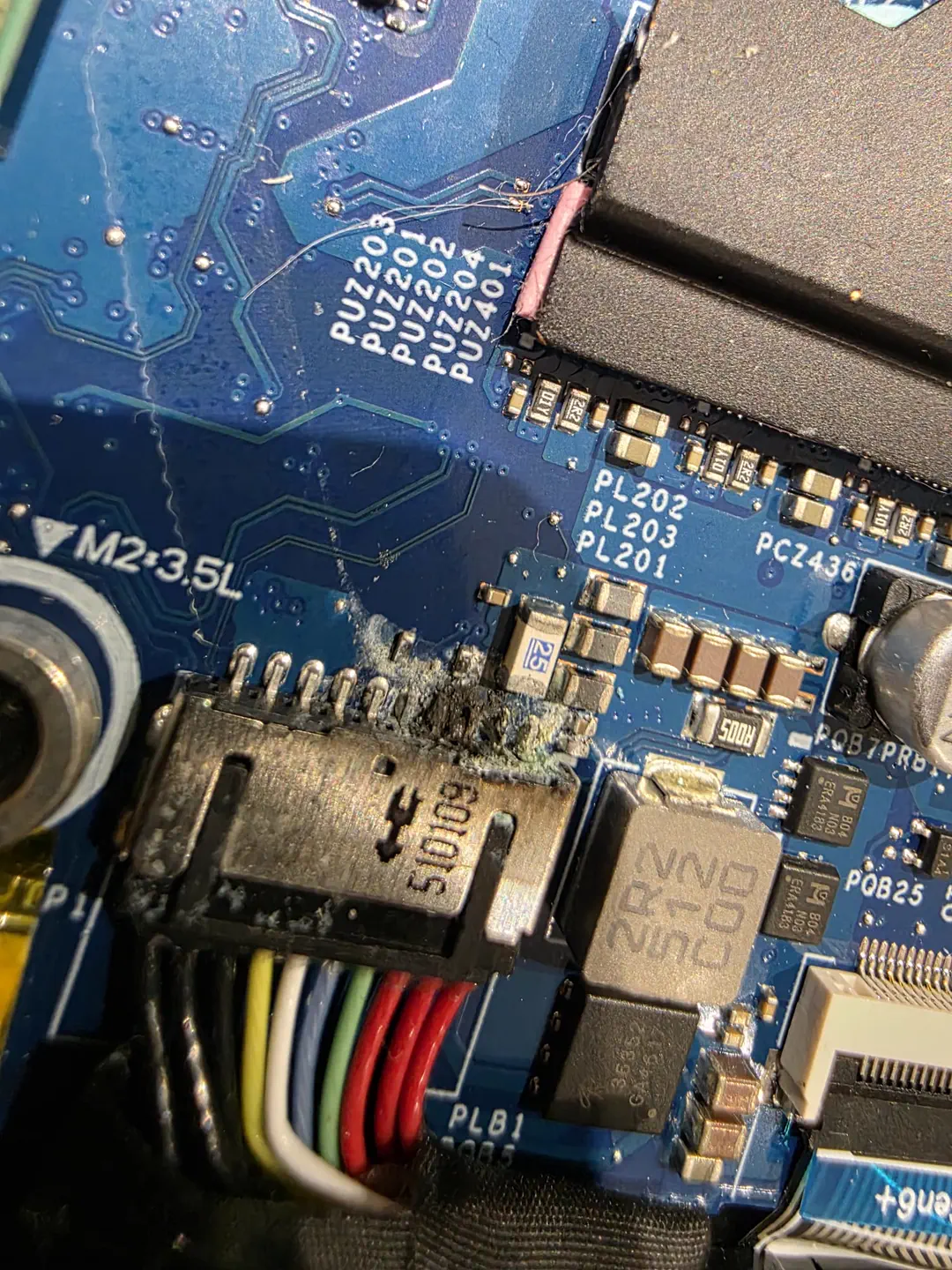
Two shorts on the motherboard
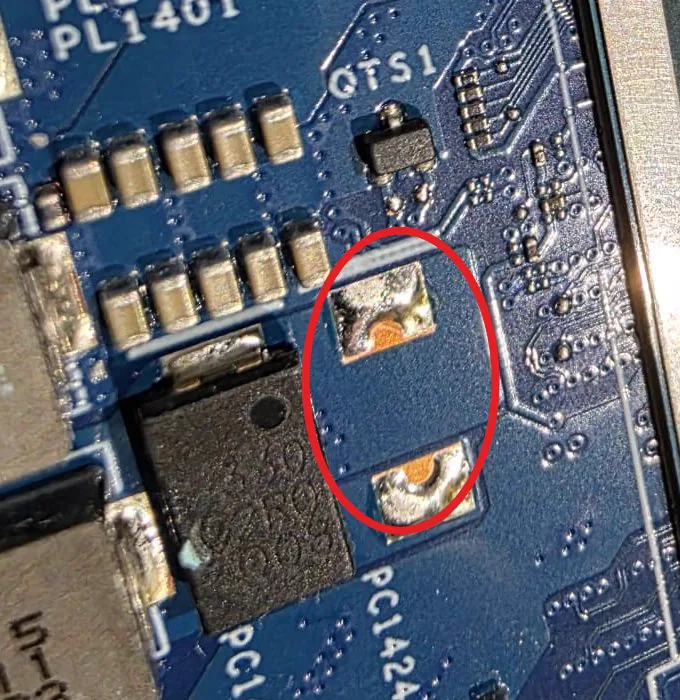
A laptop that is switched off still has its battery connected inside, and the battery keeps several power rails live on the board. Add a conductive liquid and the current starts eating the metal at the first place it can: the battery connector. That is exactly where we found the first short, with burnt and corroded parts right at the connector pins. The second short was a capacitor next to the processor.
Both were found under the microscope, by measuring the power lines until the shorted part showed itself. The burnt parts at the connector were repaired and the shorted capacitor was removed, all by microsoldering. That is the difference between a clean and a motherboard repair: once the liquid has burnt a circuit, cleaning alone does nothing.
The hard part: BitLocker with no recovery key
Fixing a laptop and fixing a laptop while keeping its data are two different jobs. On Windows 11 laptops with BitLocker, and on every modern MacBook, the drive is encrypted. BitLocker ties the encryption to the hardware, so a board that comes back from a repair looking even slightly different to Windows can trigger the recovery screen. With the recovery key, that is a 30-second nuisance. Without it, the data is gone for good: not us, not a specialist lab, nobody can read it.
So every step of this repair, from the first measurement to the last screw, was done in a way that never triggers BitLocker. That is what took the extra hours, and it is why the data recovery part of a spill job costs more than the clean. If your laptop has BitLocker, find your recovery key today, while it still boots. It is usually saved in your Microsoft account at account.microsoft.com/devices/recoverykey.
Heatsink off means fresh thermal paste
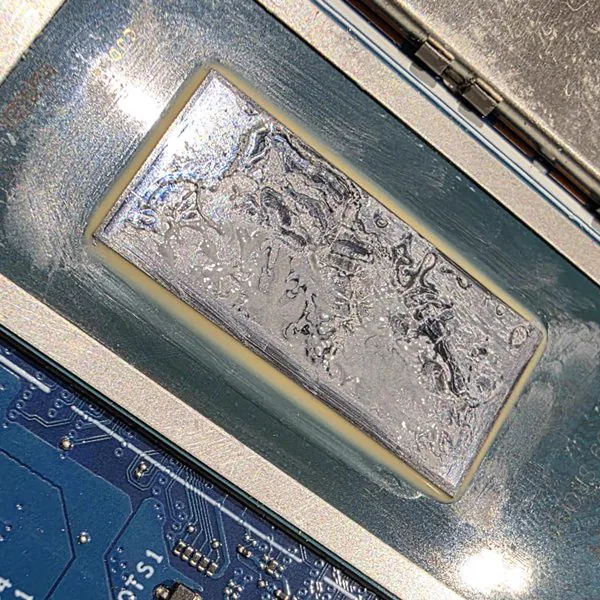
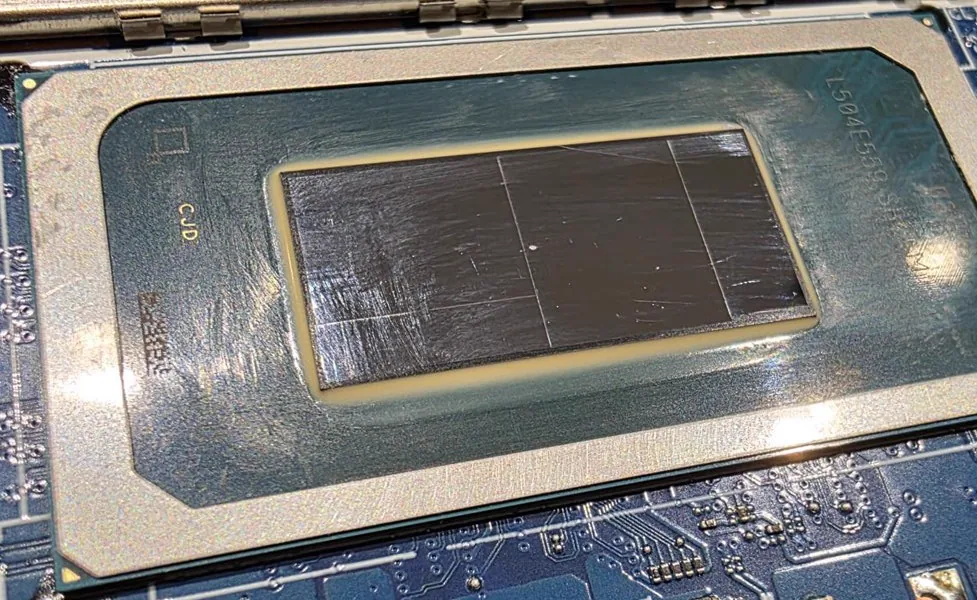
To clean the board, the heatsink has to come off the processor, and the tea had pooled right on it. Once a heatsink is lifted, the old paste is broken up and dried out, and it cannot go back on. If it did, the processor would run hot and slow itself down on a board that has only just been repaired. So the processor and the heatsink were cleaned back to bare metal, the fans and fins were cleaned while everything was apart, and the processor got fresh Arctic MX-7.
Working again the same evening
Drop-off at 9:38 am. First photos to the owner at 10:09 am. Then about 12 hours of work: diagnostics, the full strip-down, cleaning both sides of the board with isopropyl alcohol and in the ultrasonic bath, the two shorts under the microscope, the heatsink and paste, and testing. At about 9 pm the laptop started and went straight to the Windows login, with no BitLocker recovery screen. Every file was still there.
The whole job, clean, motherboard repair, thermal paste and the data kept, went out as one price, a fraction of what a specialist data-recovery lab charges for an encrypted drive, with a 12-month warranty on the repair. Before handover the laptop went through Lenovo’s built-in hardware diagnostics, display, memory, storage and a processor stress test, and passed every one. The owner got photos the same morning, a full written breakdown of what was found and what was done, and a video of those final tests.
Spilled something on your laptop? Do this
- Switch it off and unplug it. Hold the power button until it is fully off, then unplug the charger. If the battery is removable, take it out.
- Do not switch it on again. Not even to “check if it still works”. Working today means nothing; the corrosion is still growing.
- No hairdryer, no rice, no radiator. Heat spreads the liquid and bakes the residue onto the board. Rice cannot reach inside a laptop.
- Open it upside down in a V shape and bring it to us within a day. The sooner the board is cleaned, the smaller the repair.
- Find your BitLocker recovery key and tell us the data matters when you drop it off. Both change how we work on it.
- Back up as soon as it is back, and keep backing up. This one ended well; not every spill does.
Frequently asked questions
My laptop still works after the spill. Do I still need to bring it in?
Yes. This ThinkBook had two shorts after one night and had never been switched on. Residue keeps corroding while the board is powered, and a board that works today can be dead in a week or a month. A clean now is a small job; a dead board later may not be repairable.
Can you keep my data if the drive is encrypted?
Usually, if you tell us before we start and the laptop has not locked yet. With BitLocker or a modern MacBook we work on the board in a way that never triggers the encryption lock. Bring the recovery key if you have one: with it, the job is simpler and cheaper.
How long does a liquid damage repair take?
This one took one day: dropped off in the morning, working the same evening. A plain clean is quicker; a board with several shorts can take longer. We inspect first and tell you what we found and what the repair involves before any work starts.
Is the repair guaranteed?
Yes, 12 months on the repair and any parts we replaced, and you bring the laptop to us in Cambridge or Dagenham if anything is wrong.
Liquid damage repair in Cambridge and Dagenham, by appointment
Spilled tea, coffee, water or wine on your laptop? Switch it off, do not turn it on again, and get in touch today. See our motherboard repair service and our data recovery service, read the full guide to why a spill kills the motherboard weeks later, book an appointment, or message us on WhatsApp 0749 792 5760.