
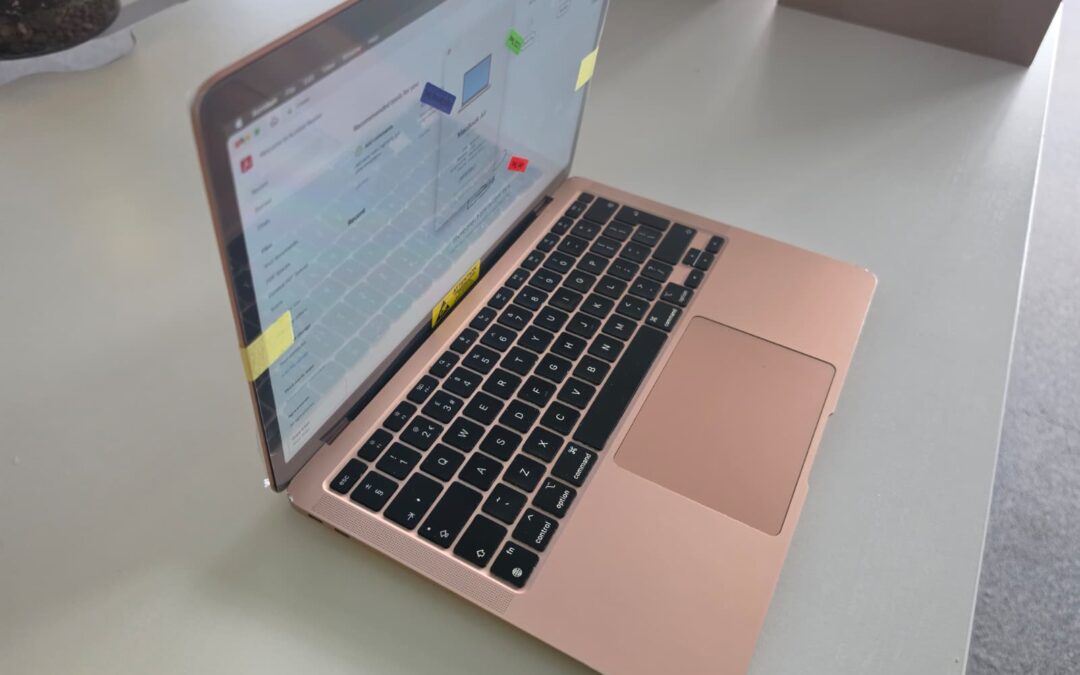
Every week someone phones our Cambridge workshop with the same question, usually after a quote from Apple or another shop: “Why does it cost so much to replace a MacBook screen?” Recently it was the owner of a 14-inch MacBook Pro with a crack in one corner: a small laptop, a small crack, and a repair bill that would buy a decent Windows laptop. The shock is understandable. If we sent you this link, this page is our honest answer: what you are paying for, what the job really involves, and what else we check while your Mac is open.
MacBook screen replacement in one minute
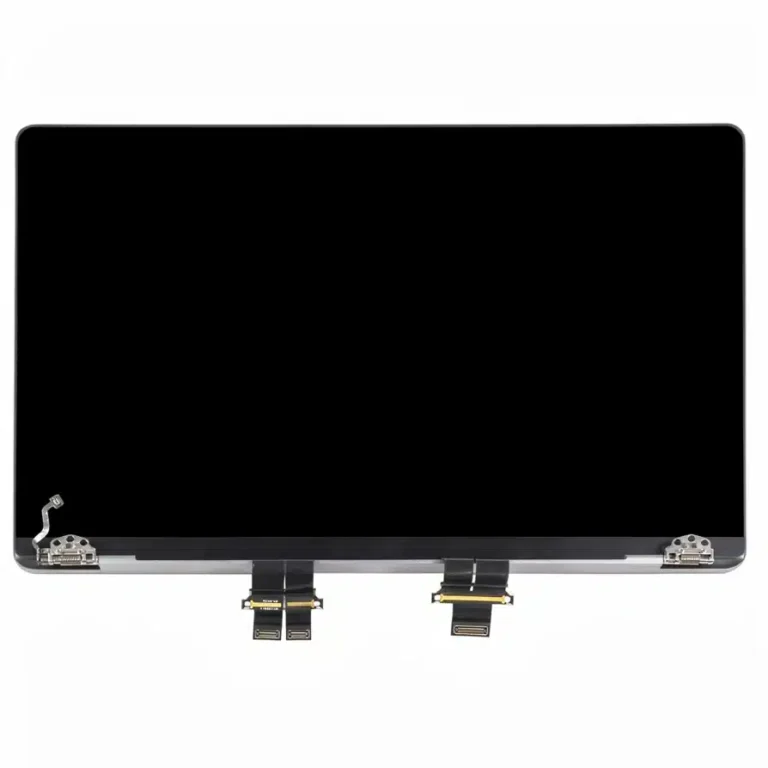
- On a MacBook the screen is not a separate panel. It comes as one part with the aluminium lid, the hinges, the camera and the cables: the display assembly.
- That part alone usually costs £290 to £500, and £650 to £750 for a 16-inch MacBook Pro.
- Fitting it is one to two hours of careful work. Most jobs are finished in one to two working days.
- We fit only genuine Apple screens, never cheap copies, with a 12-month warranty on the screen and the work.
- While your Mac is open we tell you what else we see, like dust or dried thermal paste. Nothing extra is done without your OK.
Watch: a MacBook Air screen replacement from start to finish
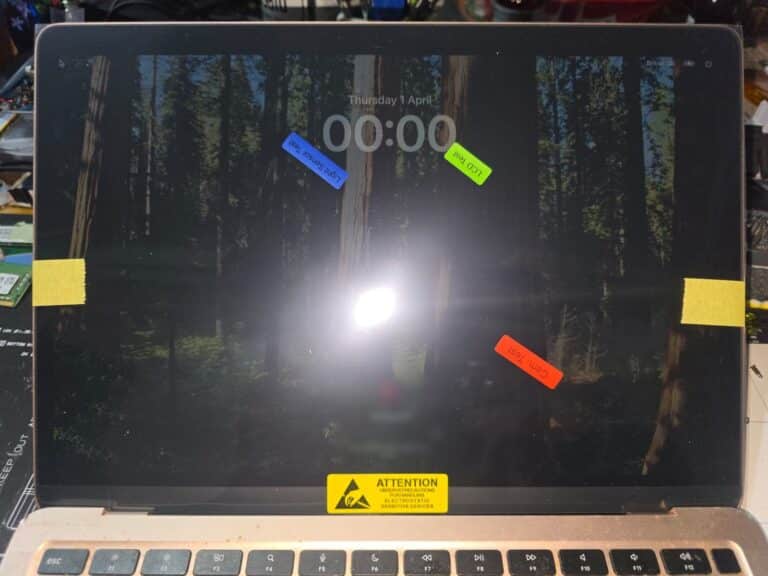
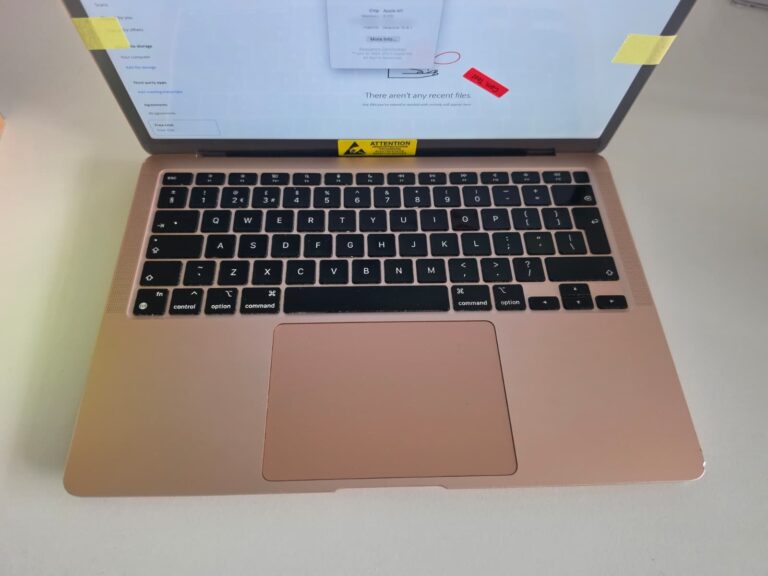
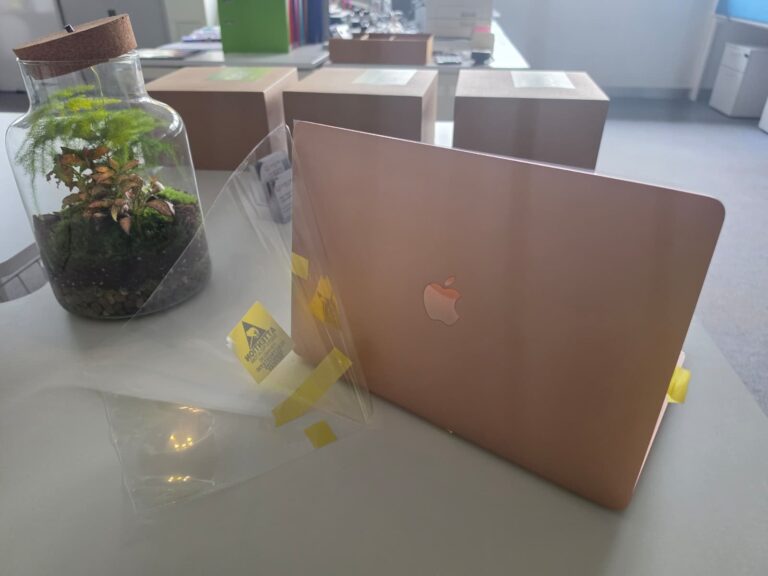
This gold MacBook Air (M1, 2020) came into our Cambridge workshop with a broken screen: a white band down one side and no usable picture. The video shows what the repair really involves, from the bottom cover coming off to the first power-on with the new genuine Apple screen.
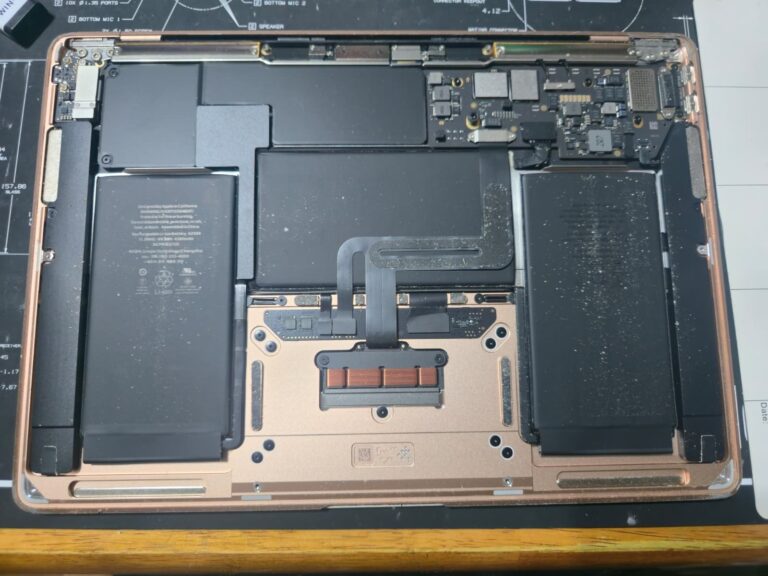
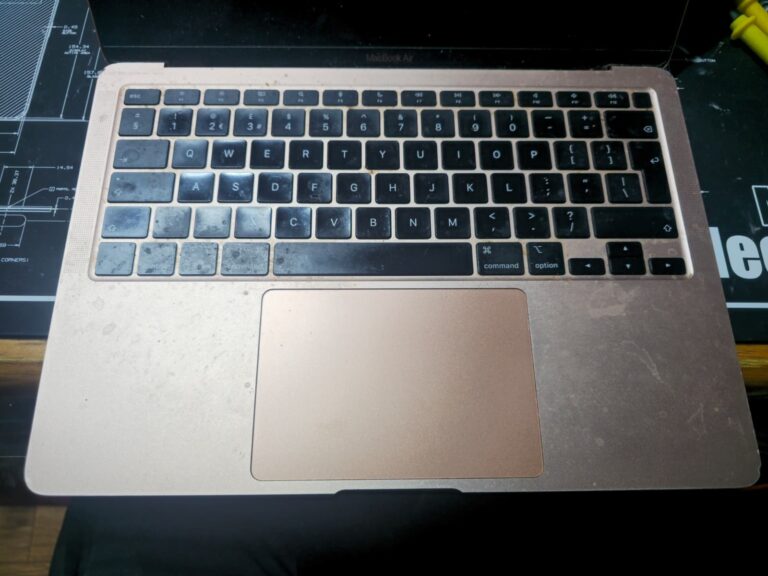
Once the new screen was in, we told the customer what else we had found inside: dust on the batteries and the board, and the thermal paste on the chip, which dries out over the years. Plenty of shops fit the screen, close the Mac and never mention it. We always tell you what we find, in plain words, and you decide. The customer said yes, so this MacBook Air went home with its new genuine Apple screen, a deep clean inside and out and fresh thermal paste on the chip: as good as new.
The short answer: you are not buying a screen, you are buying the whole lid
On most Windows laptops the LCD panel is a separate part sitting in a plastic lid. Crack it and we swap just the panel, which is a cheap, common part.
A MacBook is built differently. The screen is a sealed display assembly: the glass, the LCD or mini-LED panel, the backlight, the aluminium lid, the hinges, the display cables, the webcam and, on many models, the Wi-Fi and Bluetooth antennas and the lid sensor all come as one piece. The panel is laminated to the glass and bonded into the lid, so it cannot be separated without destroying it.
Apple designs it this way to get a lid that is thin, rigid and very bright and sharp. The flip side is that a cracked corner means a whole new lid.
Why can’t you replace just the glass, like on a phone?
Phone screens get refurbished by the million: machines separate the cracked glass from the display underneath and bond new glass on. MacBook panels are large, thin and laminated under the glass, almost nobody refurbishes them, and the result would never match the original. So the proper repair is the full assembly, and that is what every honest shop, including Apple, will fit.
What the part alone costs
This is where the shock comes from. The display assembly alone, before any work is done, usually costs between £290 and £500 depending on the model. For a 16-inch MacBook Pro the assembly can be £650 to £750. That is what the part costs, not what the repair costs.
Why so much? Apple does not sell panels to independent shops at trade prices. The Liquid Retina XDR displays in the 14 and 16-inch Pro are mini-LED panels with thousands of tiny backlights. Volumes are small compared with phone screens. And the assembly includes a camera, hinges and a machined aluminium lid, not just a panel.
For Apple repairs we fit genuine Apple display assemblies only. Cheap aftermarket MacBook panels usually mean duller colours, a weaker backlight and True Tone problems, and we would not put our warranty on them, so we do not offer them.
Used, tested genuine screens. When we have them in stock, we can fit a used genuine Apple display assembly, tested by our suppliers and by us, for 40 to 60 percent less than a new one, with the same 12-month warranty. They are not always available: good used Apple screens are hard to find, so ask when you get your quote.
What it takes to get inside a MacBook
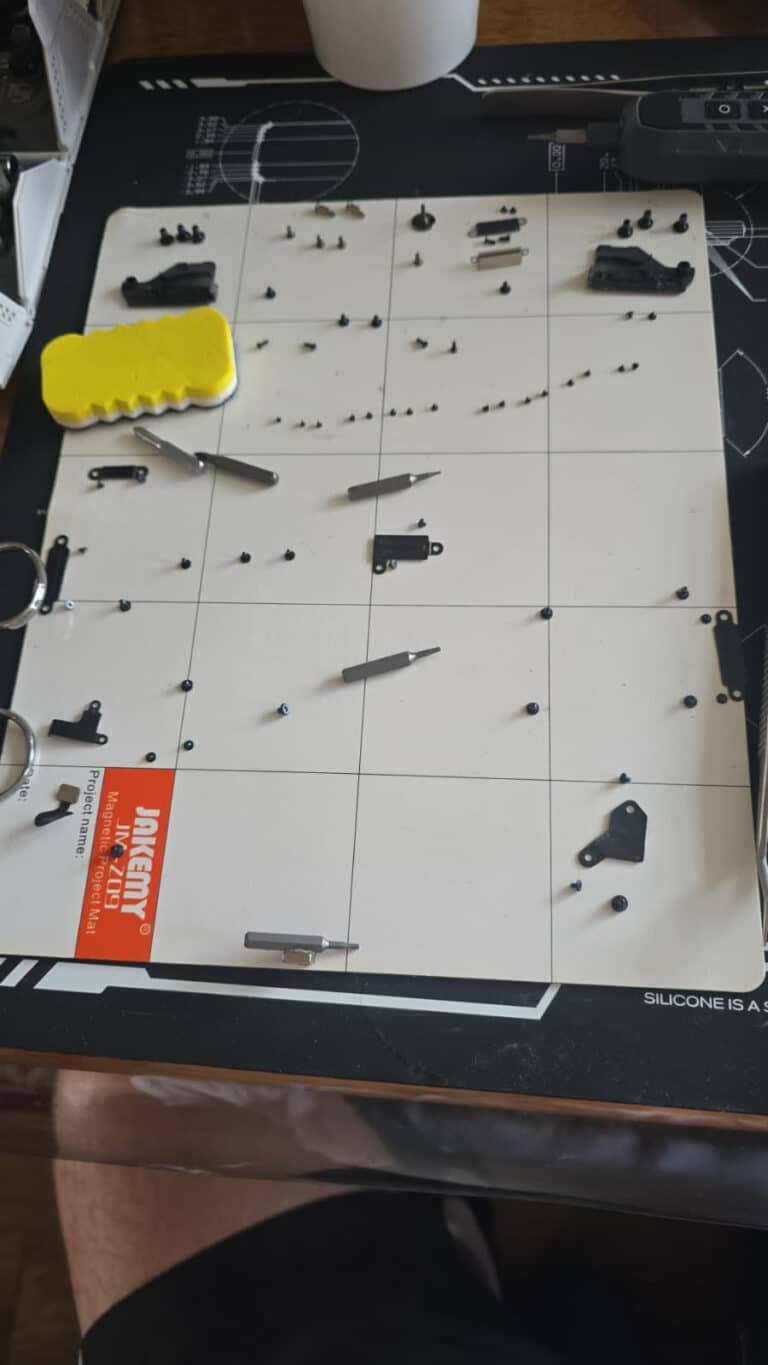
People imagine a screen swap as “undo the hinges, clip the new one on”. On a MacBook the bottom cover alone is held by pentalobe screws, and once you are inside there are torx screws of several lengths holding brackets, the battery connector cover, the hinge covers and the hinges themselves. The photo below is every screw from one job, laid out on a magnetic mat so that each goes back where it came from. Put a long one where a short one belongs and it goes through the board or cracks the new lid.
While it is open: dust and old thermal paste
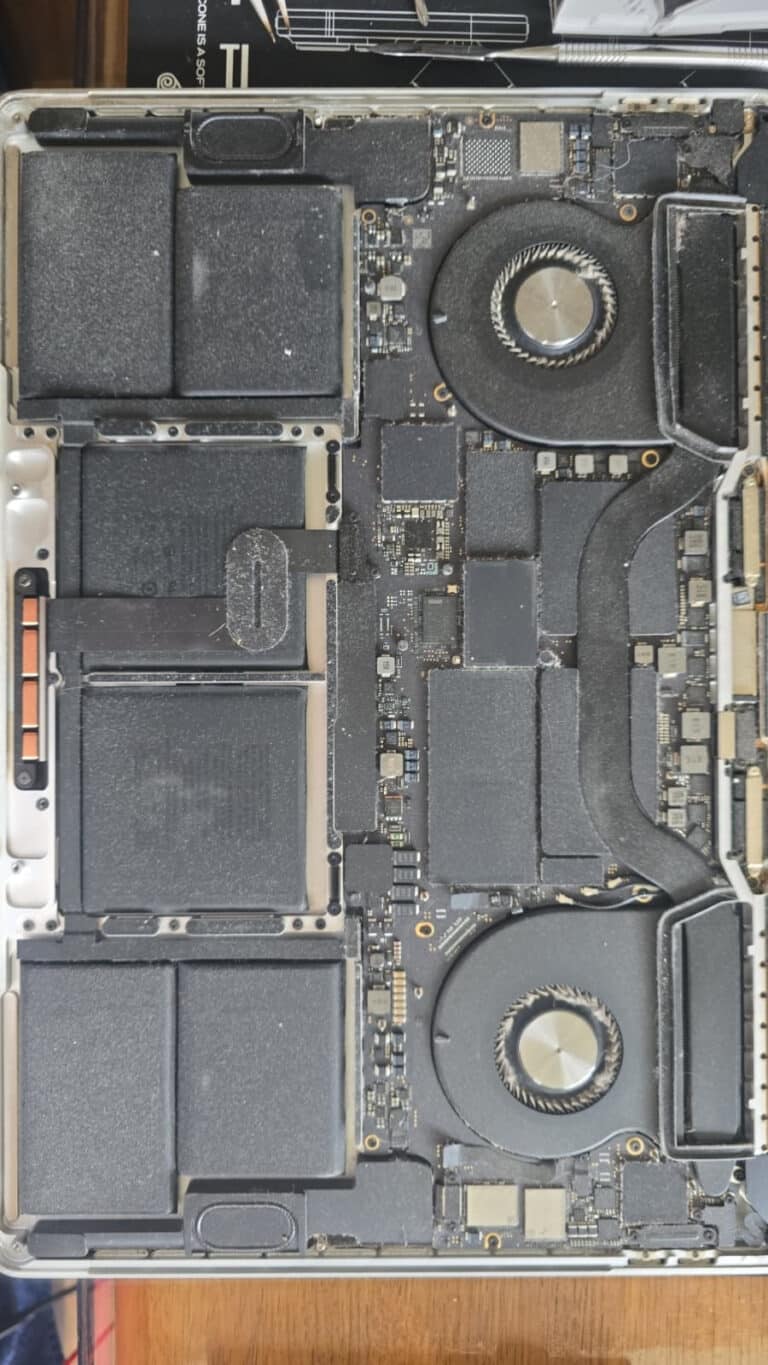
This MacBook Pro is a little over two years old. With the bottom off you can see what two years of normal use leave on the fans and the heatsink. Dust like this is why older MacBooks run hot and loud and start to slow down. Under the heatsink, the thermal paste that carries heat away from the chip dries out over the years. On a fanless MacBook Air there is no fan to help at all, so good contact between the chip and its metal heat spreader matters even more.
Many shops fit the new screen, close the Mac and never mention any of this. We always do. When the bottom cover is off anyway, a deep clean with fresh thermal paste costs very little extra work, so we tell you what we found and offer it with every screen replacement on a Mac that is more than a year or two old. You decide, and nothing extra is done without your OK.
The work itself
Replacing the lid is not a five-minute job. The bottom cover comes off and the battery is disconnected. The hinge covers and screws come out, then the display cables, and on many models the antenna cables that run through the hinge. The old lid comes off and the new one goes on, the cables are routed and connected, and the hinges are set so the lid opens with one finger and does not drop. Then everything is tested: picture, brightness, camera, True Tone, Wi-Fi, and that the Mac sleeps when the lid closes. You can see the main steps on a MacBook Air in the video at the top of this page.
That is one to two hours of careful work on tiny screws and fragile cables, where one slip can mean a logic board repair. The labour is a real part of the price, but on a MacBook it is the part that costs the most.
Why this is not a job for just any shop
You are handing someone a part worth £300 to £600 and asking them to fit it to a laptop worth more than that. One slip with a pry tool, one cable trapped under a hinge, one screw in the wrong hole, and the new screen or the logic board is damaged. A shop without proper insurance and a written warranty should not be doing this job, because when it goes wrong you are the one paying twice.
At We Make IT Happen every MacBook screen replacement comes with a full 12-month warranty on both the screen and the work, and we are insured for the equipment in our care.
One Apple-specific catch: True Tone
On newer MacBooks, roughly 2018 onwards, Apple pairs the display to the logic board. Fit a new screen without that pairing and the picture is perfect, but True Tone, the automatic colour warmth, may show as unavailable. In most cases we keep it working by moving the small controller board from your original screen to the new one. If your old screen is too damaged for that, we tell you before we start, so there are no surprises.
So how much is a MacBook screen repair in total?
We do not put a single price on the website, because it depends on the exact model and year and on whether the hinge, cables or lid sensor are damaged too. We check the Mac, give you a fixed quote, and nothing is done until you say yes.
If the screen costs more than the Mac is worth
Sometimes the honest answer is not to repair. On an older MacBook the screen assembly can cost more than the machine would sell for. In that case we can offer you one of the tested second-hand Apple and Windows laptops we have in stock, which is often cheaper than replacing the screen, and we can move your data across.
Is it worth repairing?
For an M1 or newer Mac, and for an Intel Mac that is otherwise quick enough for you, usually yes. Compare the quote with what the Mac is worth and with what a replacement would cost. If the quote is more than half the value of the Mac, we will say so.
Alternatives we discuss with customers: if you mostly work at a desk, the Mac can live on an external monitor with the lid closed and the screen can wait. If you have AppleCare+ with accidental damage cover, go to Apple first, the fixed fee is far lower than a full repair. Some home insurance policies cover accidental damage to laptops. And if you decide not to repair, we can wipe your data properly so the Mac can be sold or traded in as damaged.
Cracked your MacBook screen? Do this now
- Stop opening and closing the lid. Cracks spread with every movement, and a spreading crack can take out the backlight too.
- Do not press on the screen to “see if it still works”.
- Back up your files. Time Machine or iCloud if the screen still shows a picture. If it is black, we can connect the Mac to a monitor and back it up for you.
- Find the model number. It is in the small print on the underside of the Mac, for example A2918, or in Apple menu > About This Mac. Send it to us with a photo of the damage and we can quote before you even come in.
MacBook screens we replace
MacBook Air (M1, M2, M3 and the 2018 to 2020 Intel models), MacBook Pro 13-inch (M1, M2 and Intel), MacBook Pro 14-inch and 16-inch (M1 Pro and Max, M2, M3 and M4 families, as parts become available), and the 2015 to 2017 Retina models where parts still exist. Not sure what you have? Send us the model number.
MacBook screen repair in Cambridge and Dagenham
Bring your Mac to our workshop at CamLife 4 in Fulbourn, Cambridge, to one of our drop-off points around Cambridge, or to 48 Northfield Road in Dagenham. Every screen repair comes with a full 12-month warranty on the screen and the work. See our iMac and MacBook repairs page for everything else we do with Apple computers. Not a MacBook? We replace screens on Windows laptops of every make too: see laptop screen replacement.
Book a MacBook screen check WhatsApp us a photo of the damage Contact us
Questions we get asked
How long does a MacBook screen replacement take?
The work itself takes one to two hours. Most jobs are finished within one to two working days, because the display assembly usually arrives from a UK supplier the next day. If you need the Mac back the same day, tell us when you book and we will see what is possible.
Can you replace just the glass on a MacBook?
No. On a MacBook the glass, the panel and the backlight are laminated into one unit and bonded into the aluminium lid. Unlike a phone, there is no realistic way to separate them, so a cracked MacBook screen means a complete display assembly.
Will the camera and True Tone work after the repair?
The camera comes with the new assembly, so yes. True Tone, the automatic colour warmth, is paired to the original screen on newer MacBooks. In most cases we keep it working by moving the small controller board from your old screen to the new one. If your old screen is too damaged for that, we tell you before we start.
Do you use genuine Apple screens?
Yes. For Apple repairs we fit genuine Apple display assemblies only, new or, when we have them, used and tested genuine ones at 40 to 60 percent less. We do not use aftermarket MacBook panels, because the colours, backlight and True Tone are usually worse and we would not put our warranty on them. Every screen comes with a 12-month warranty on the part and the work.
Is it cheaper than going to Apple?
Often, but it depends on your Mac, and we would rather you compare quotes than take our word for it. If you have AppleCare+ with accidental damage cover, go to Apple first: the fixed fee is far less than a full repair anywhere.
Should I get my MacBook cleaned while the screen is replaced?
If it is more than a year or two old, it is worth a look. With the bottom cover off we can see the dust and check the thermal paste. We tell you what we find and what a deep clean with fresh paste would cost, and you decide. Nothing extra is done without your OK.
My MacBook screen is black but the Mac is on. Is that the screen?
Not always. A black screen can be the panel, the backlight, the display cable or the logic board. We diagnose first and quote after. If you need your files right away, we can connect the Mac to an external monitor and back them up.