
A PS5 with a white light and no picture is not always an HDMI port. On 19 November 2026 a PS5 Digital Edition came to our workshop in Cambridge, booked in for a broken HDMI port and a deep clean. We fitted the new port, cleaned the console and renewed the liquid metal. It still gave a white light and no picture. We could not repair this PS5. Here is how we found the real fault, and why this one could not be saved.
Often, but not always. The HDMI port is the most common cause and it can be replaced. The same symptom also comes from a fault on the motherboard or from the main chip itself. On this PS5 the console’s own error log said “APU Not Responding” on every start, and the thermal camera showed the main chip staying cold. That is a dead main chip, and it cannot be repaired.
PS5 white light, no picture: booked in for an HDMI port
The console arrived well packed in its original Sony box. The job on the booking was the usual one for a PS5 that is a few years old: a new HDMI port and a deep clean with fresh liquid metal.
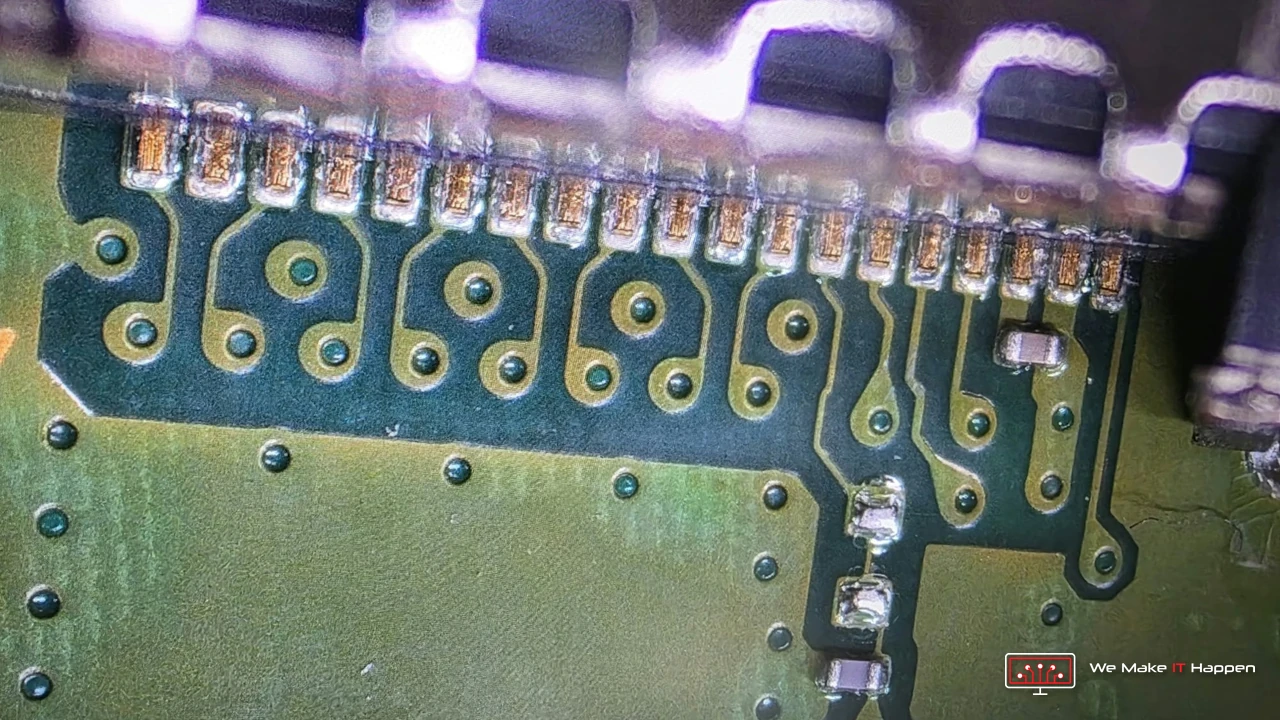
The HDMI port is soldered straight onto the motherboard, with 19 tiny pins. We took the old port off and soldered the new one on under the microscope, and checked every pin. Then we switched the console on: a white light and no picture. So the port was not the main fault.
What we found inside
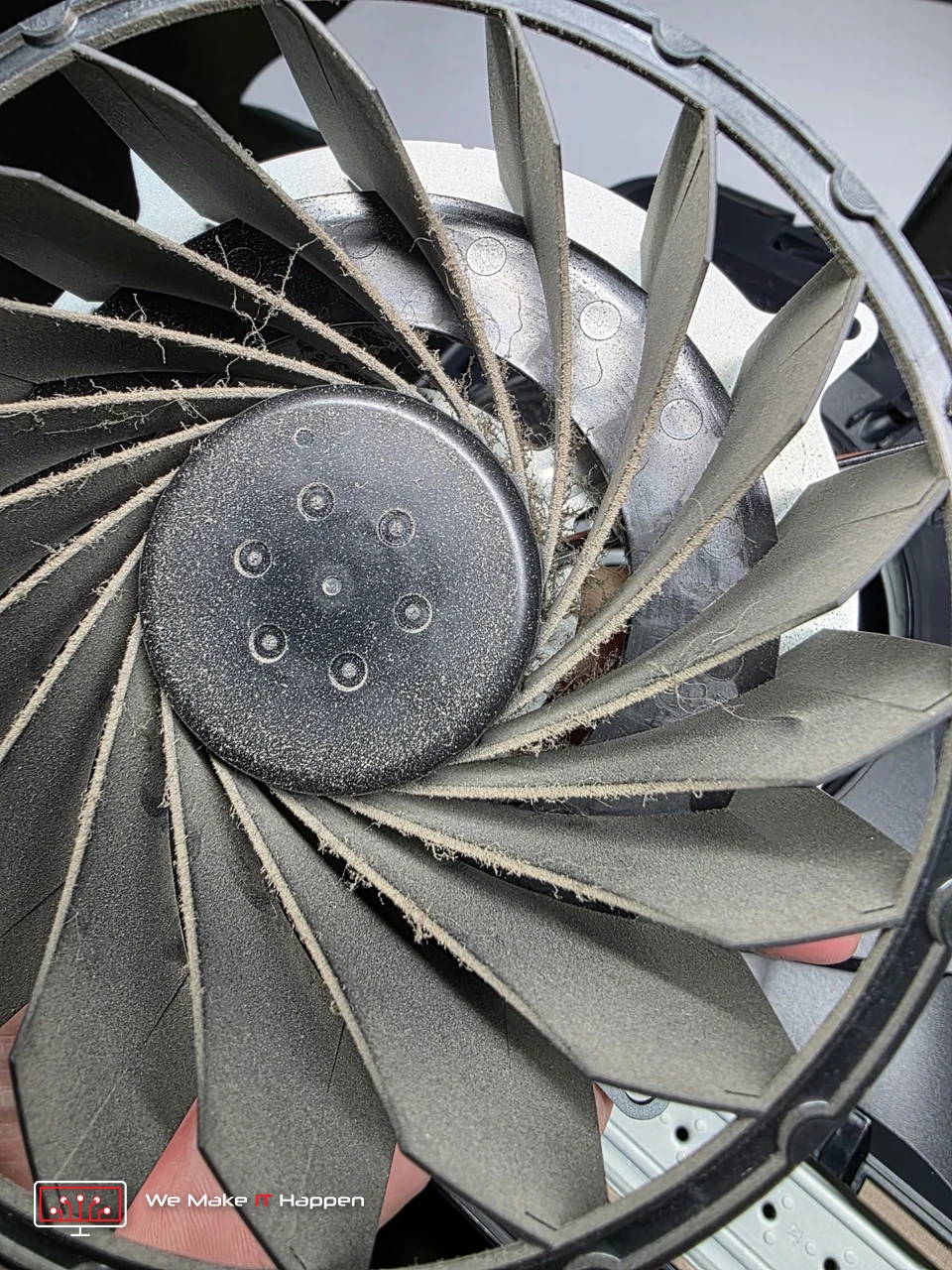
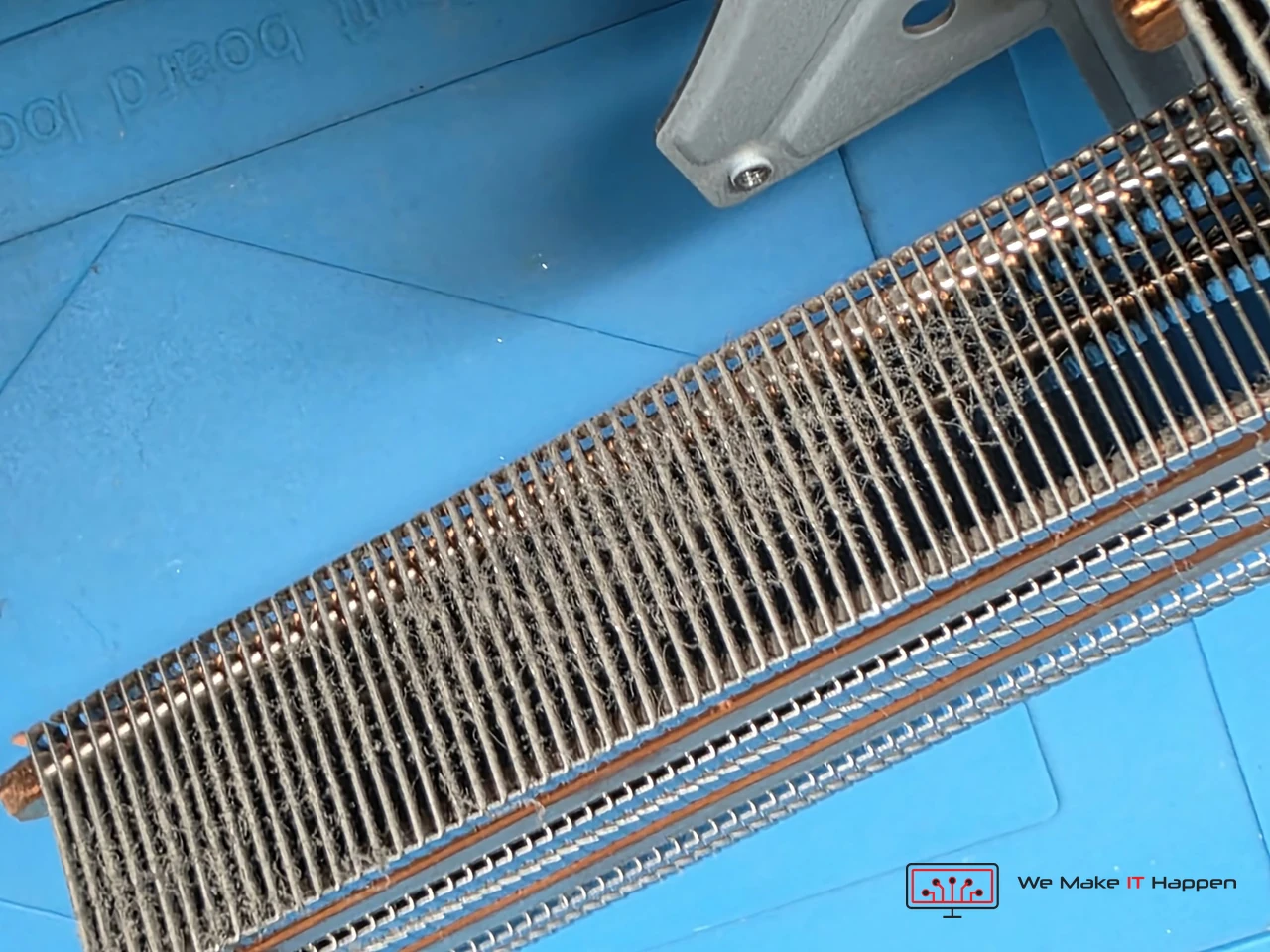
While the console was open we did the full deep clean, and it needed one. The fan and the heatsink fins were packed with dust. Dust like this stops the hot air leaving the console, so everything inside runs hotter than it should.
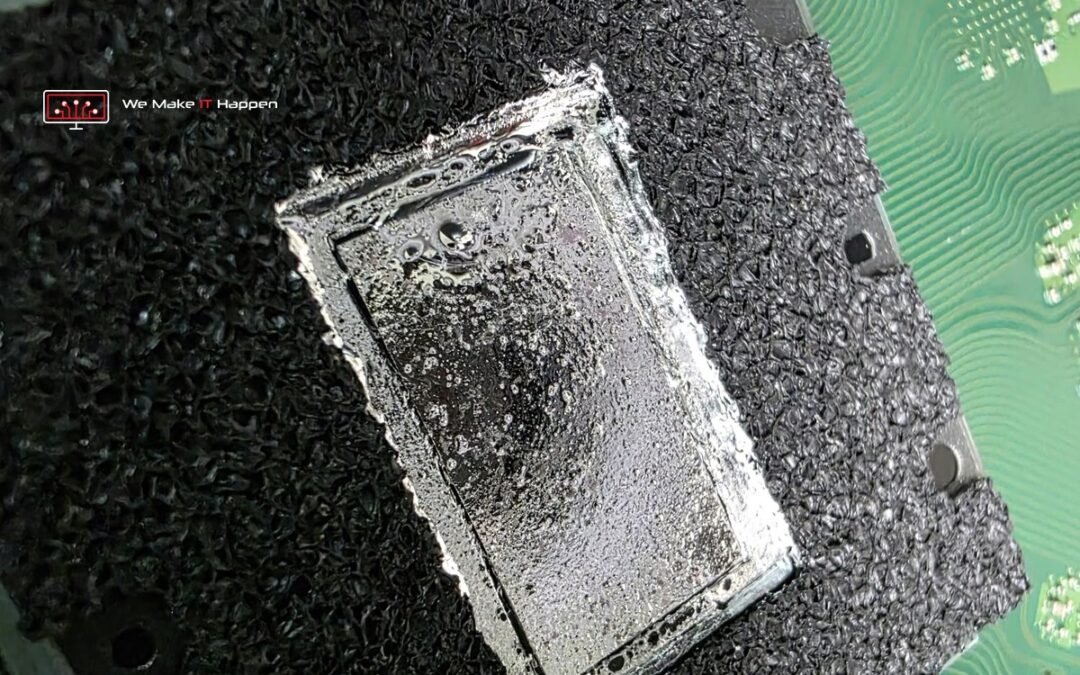
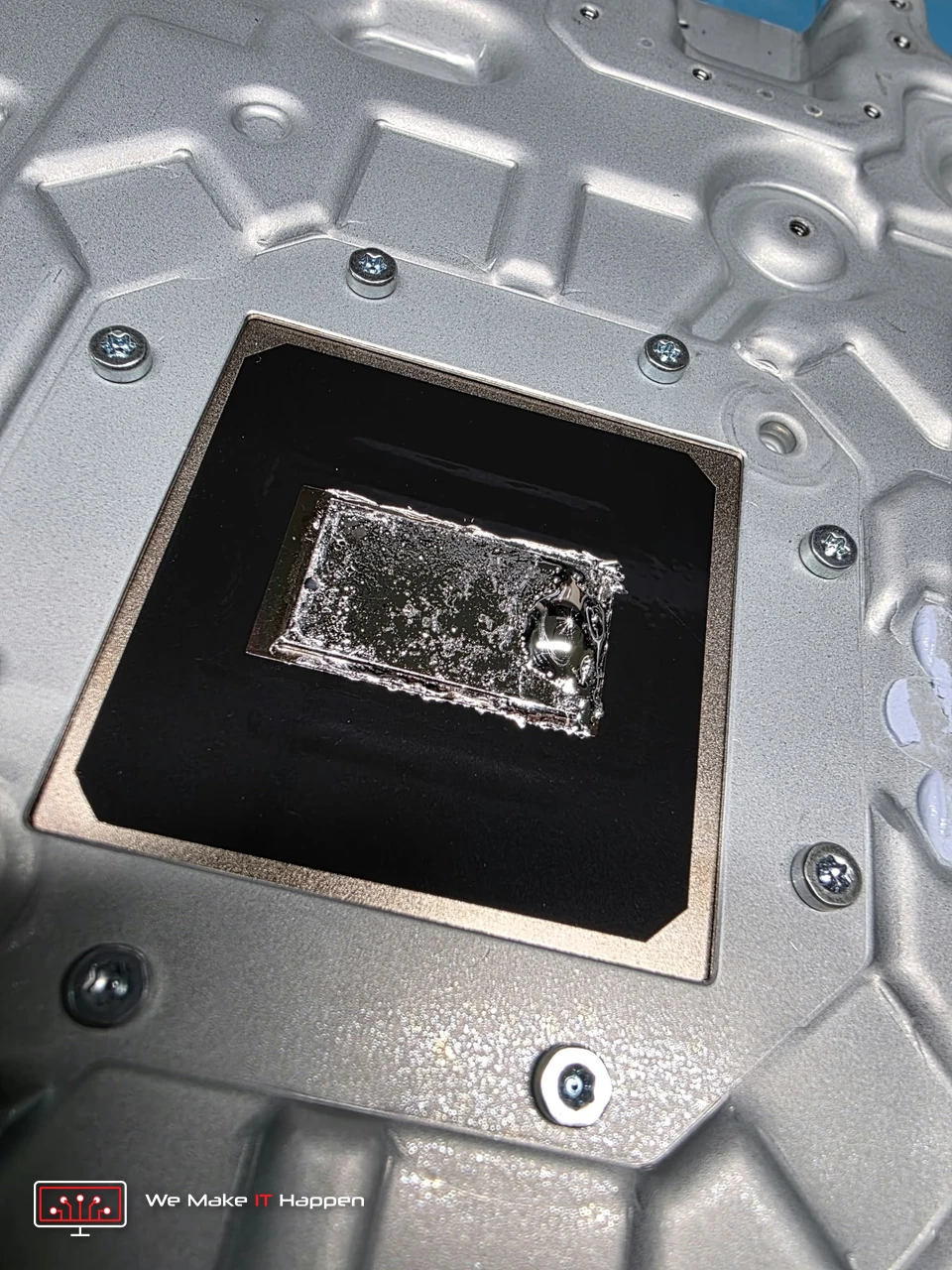
Sony cools the PS5’s main chip with liquid metal, not with normal thermal paste. On this console the old liquid metal had moved: it was patchy and crusty on the chip, and on the heatsink it had gathered at one side and left dry areas. We removed it and fitted fresh liquid metal. Still no picture.
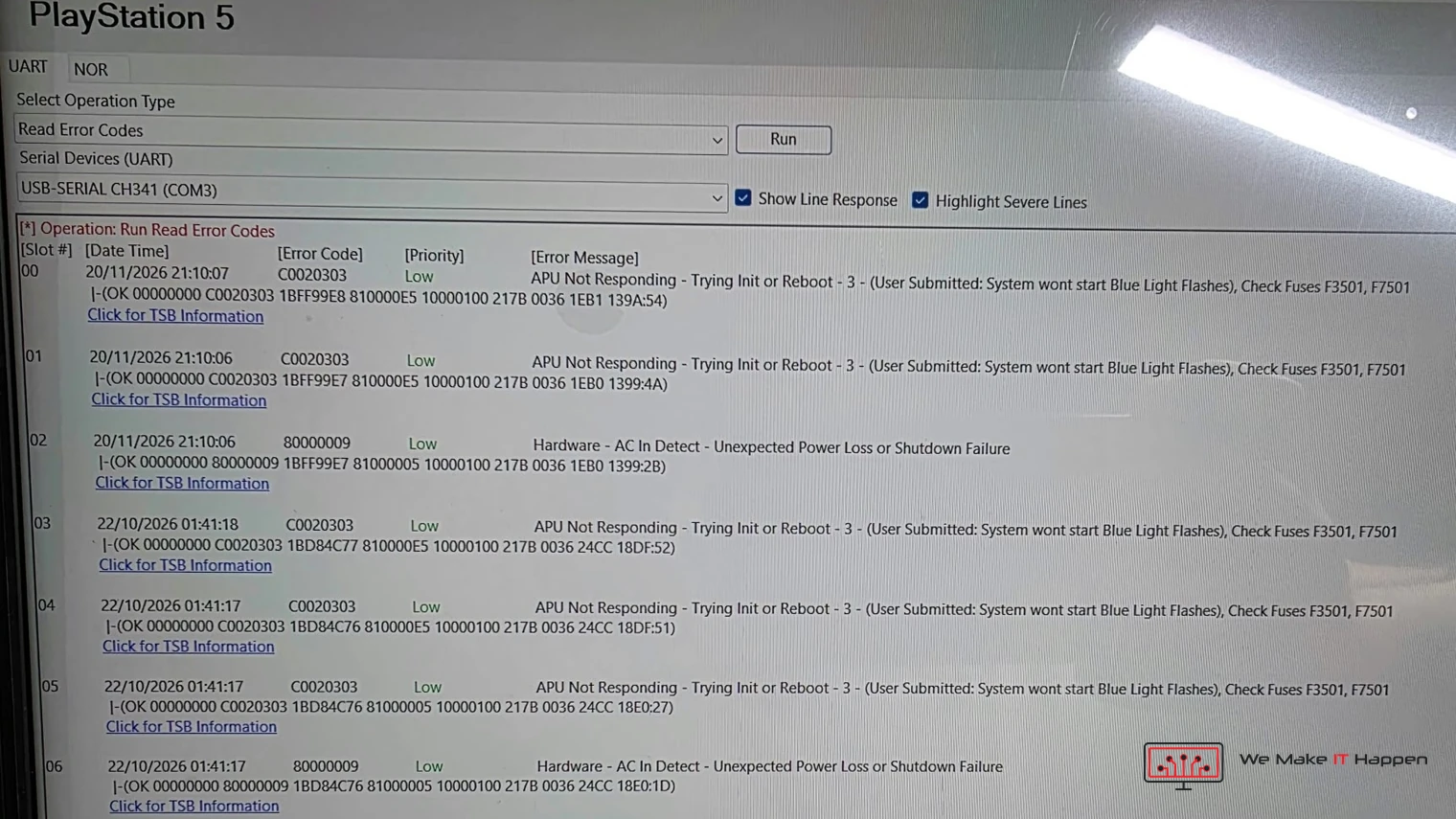
What the PS5’s own error log said: APU Not Responding
Every PS5 keeps a private error log. It can be read through a service connection on the motherboard (called UART), with the console open. We read it, and it left little room for doubt.
The APU is the PS5’s main chip: the processor and the graphics in one package. The log shows the same line again and again: C0020303, APU Not Responding. The console tries to start the chip, and the chip does not answer.
| Date in the log | What the console recorded |
|---|---|
| 15 October 2026 | APU Not Responding, several times in a row |
| 22 October 2026 | APU Not Responding, three times, with an unexpected power loss at the same moment |
| 20 November 2026 | On our bench: APU Not Responding, twice, with an unexpected power loss |
| 21 November 2026 | On our bench: APU Not Responding, four times, with an unexpected power loss |
The first entries are from the middle of October, about five weeks before the console reached us. So the main chip had already failed to start then. It did not happen on the way to us, and it did not happen on our bench.
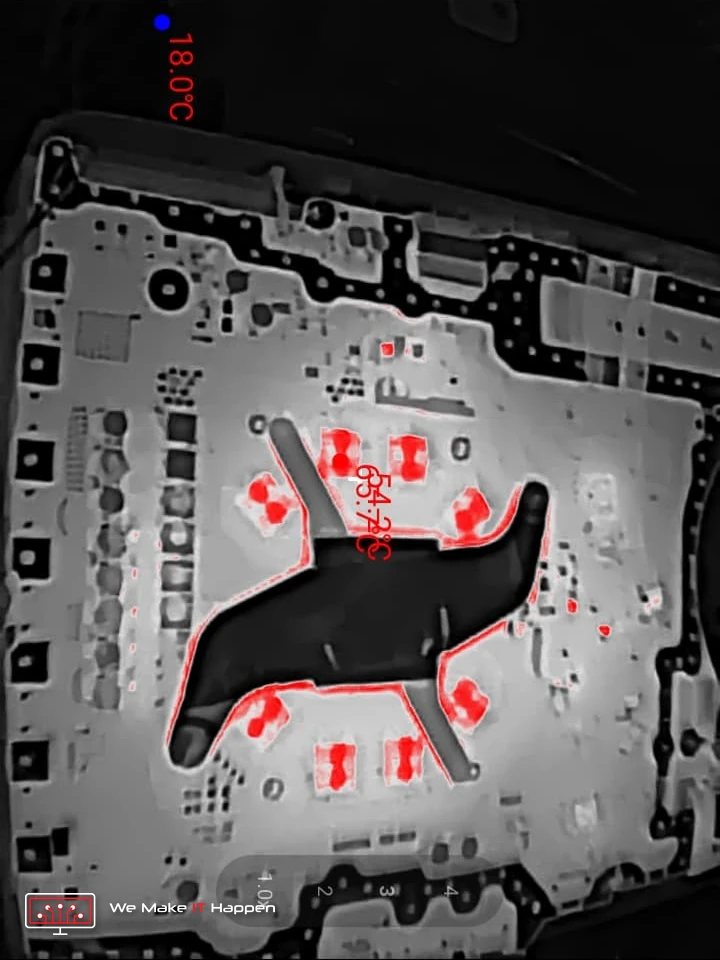
The thermal camera: memory warm, main chip cold
The last test was the thermal camera. With the power on, the memory chips that sit in a ring around the main chip warmed up to between about 54 and 65 °C. So power was reaching the board. The middle of the board, where the main chip sits, stayed dark and cold.
A healthy main chip is the hottest part of a PS5’s board within seconds of switching on. A cold one is not running at all. Together with the error log, that is a dead APU.
The APU is soldered to the motherboard and paired to that one board. It is not sold as a spare part, and a chip taken from another console belongs to its own board. A swap would cost more than another console and nobody could promise it would work. So we do not sell it as a repair.
What most likely wore this PS5 out
Nobody can say for certain what kills a chip. This is our opinion, from what we saw inside:
- The liquid metal had moved. With dry areas on the chip, parts of it ran much hotter than they should. This is a known weak point of the PS5.
- Heavy dust in the fan and the fins. The hot air could not get out, so the whole board ran hot for a long time.
- Sudden power loss. The log records an unexpected power loss at the same moments as the failed starts.
About eleven hours, and then we stopped
A new HDMI port with a deep clean and liquid metal is normally about four hours of careful work. On this console we spent about eleven, over several days: the port, the clean and the liquid metal first, then the error log, the microscope and the thermal camera. Everything pointed at the same chip.
At that point the honest thing is to stop and say it plainly: this PS5 cannot be fixed. It went back together deep cleaned, with a new HDMI port and fresh liquid metal, and with a full written report of what we found. The lesson for every owner: “no picture” is not always “just” the HDMI port. That is why we check the whole console, and why we say before we start that it can turn out to be something bigger.
- Have it deep cleaned, and the liquid metal checked, about every two years. Sooner if it lives on the floor or in a cabinet.
- Give it clear air all around. Not shut in a cupboard, and not pushed against a wall.
- Do not move or knock it while it is hot. Let it cool down first.
- Never pull the plug while it is on. Switch it off properly or use Rest Mode.
- Use a socket with surge protection.
PS5 white light and no picture: your questions
My PS5 shows a white light but no picture. Is it the HDMI port?
Often it is, and a port can be replaced. But the same symptom also comes from a fault on the motherboard or a dead main chip. On this PS5 a new port changed nothing. Only the console’s error log and a thermal camera showed the real fault.
What does “APU Not Responding” (C0020303) mean on a PS5?
It is the console’s own note in its error log that the main chip, the processor and graphics in one, did not answer when the console tried to start. If the log shows it on every start, weeks apart, the main chip has failed.
Can a dead PS5 main chip be replaced?
Not in a way we would sell. The chip is paired to its own motherboard and is not sold as a spare part. A swap would cost more than another console, with no promise that it works.
How can I stop my PS5 from overheating?
Have it deep cleaned and the liquid metal checked about every two years, give it clear air all around, and never pull the plug while it is running.
Is your PS5 showing a white light, a blue light or no picture? See our PS5 HDMI port repair and deep clean page and our motherboard repair page. Read about another dead PS5 that a different shop called an HDMI fault, and about a PS5 that went pop and that we did manage to fix. Book online or call us on 07497 925760. Every repair is tested before collection and comes with our workshop warranty. We work by appointment in Cambridge and Dagenham.