
“It is only four years old and it looks brand new – why is it so slow?” That is how an Acer Predator Helios 300 arrived at our Cambridge workshop this week. From the outside the gaming laptop looked immaculate. In use it was a different story: games lagging and stuttering, the fans screaming, the whole machine freezing for seconds at a time. The owner asked for a deep clean because “that is what everyone recommends”. What we found inside explains every one of those symptoms, and the before-and-after numbers show exactly what a proper laptop deep clean and thermal paste replacement does.
The symptoms: slow, freezing and lagging in games
This is the classic overheating gaming laptop. Nothing is broken, so Windows does not show an error. Instead the laptop quietly protects itself: when the processor and graphics chip get too hot they slow themselves down (thermal throttling), and the game lags, stutters or freezes. The fans run flat out, the keyboard gets hot, and after a while the owner assumes the laptop is simply “getting old”.
We never guess with cooling problems. Before touching anything we ran a combined stress test (processor at 100% plus the graphics chip under load) and logged every sensor with HWiNFO. The result: the Intel Core i7-9750H sat at 92 °C and was heat-throttling for 96% of the test, crawling at 2.33 GHz – below its own 2.6 GHz base speed. The GeForce GTX 1660 Ti ran at 91 °C with its hot spot pinned at 101 °C against an 87 °C limit. On top of that the laptop had only 8 GB of memory, 90% full while gaming, so Windows was constantly paging to the drive. No wonder it felt broken.
What we found inside
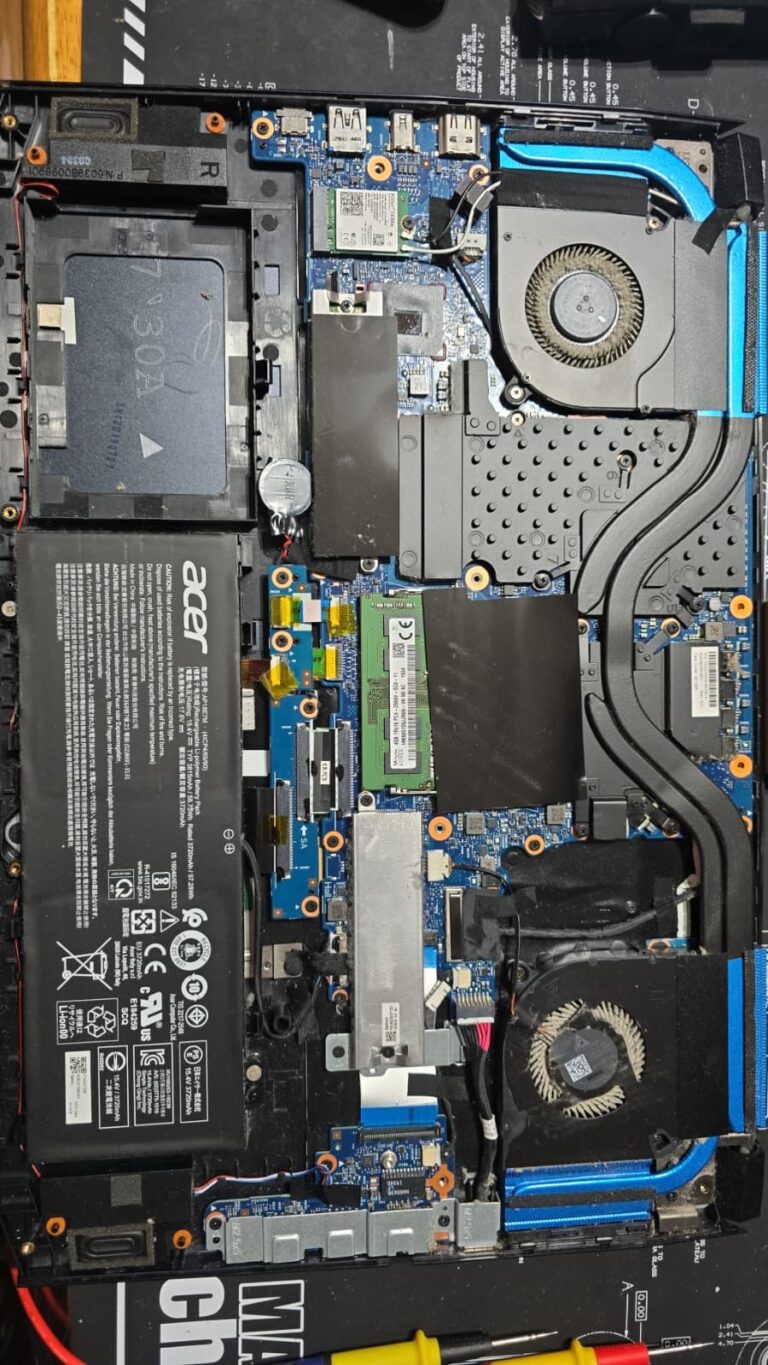
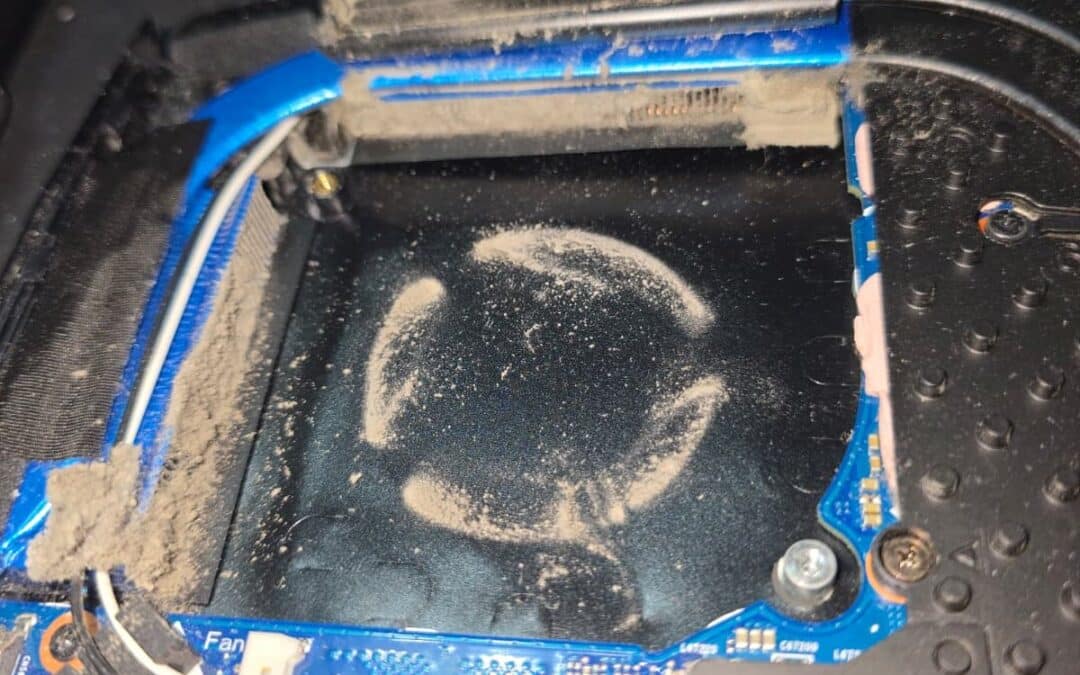
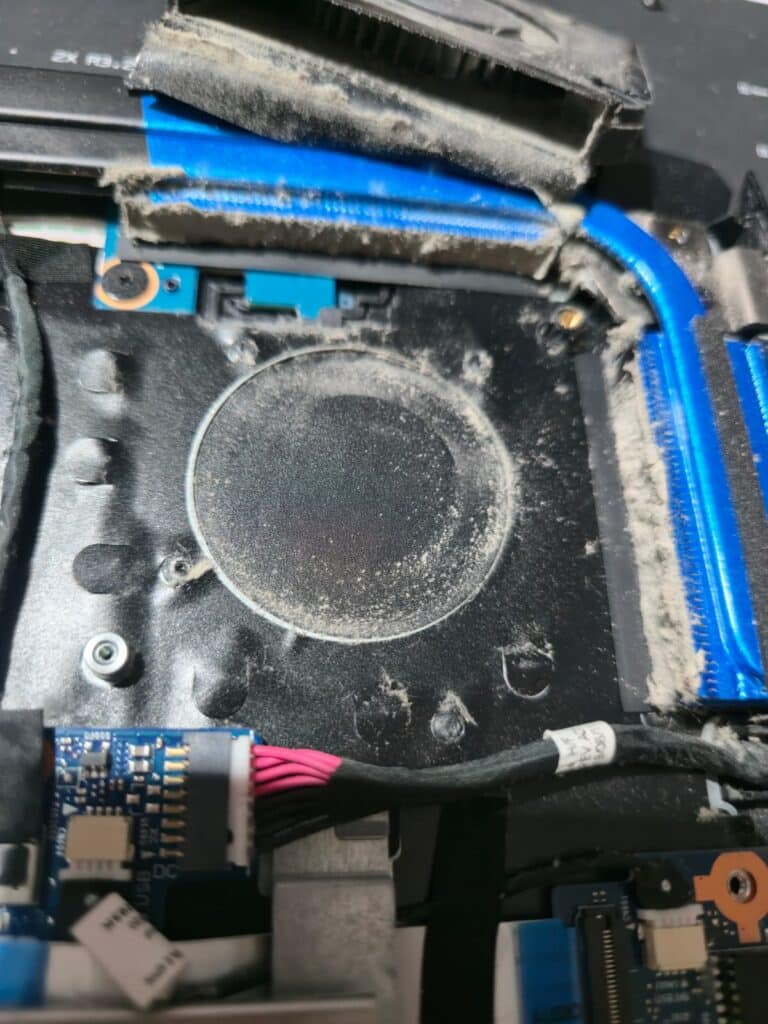
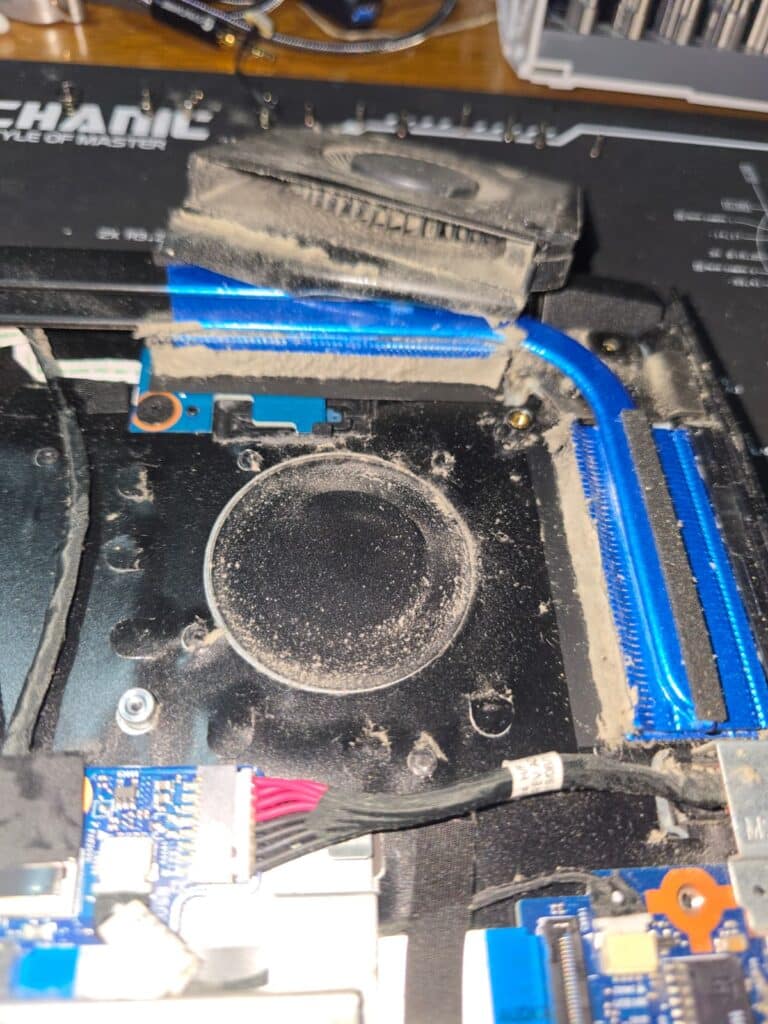
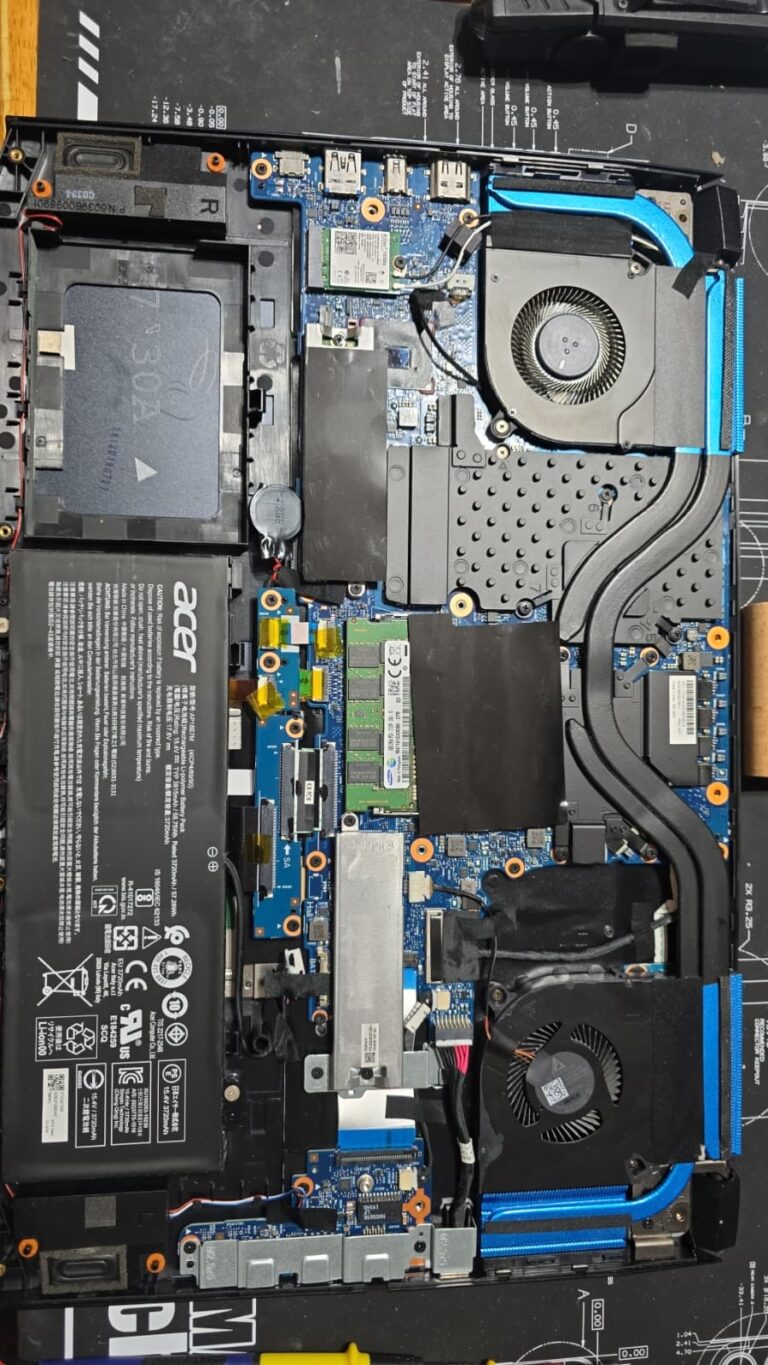
A gaming laptop breathes through its base. Two fans pull air in and push it through thin metal fin stacks on the heat pipes. On this machine those fin stacks were felted solid with a mat of grey dust several millimetres deep – a carpet along every fin. The fans themselves spun freely with no bearing noise; they simply had nothing to push the air through.
The previous thermal paste job had gone wrong
Dust was only half of it. Someone had re-pasted this laptop before, and it had not gone well. The processor showed only thin, dry grey traces where full coverage should be; the graphics chip carried dried, cracked, crusty paste; and pink thermal putty – the material that should sit on the memory and power components – was smeared around the chips and displaced from where it belonged.
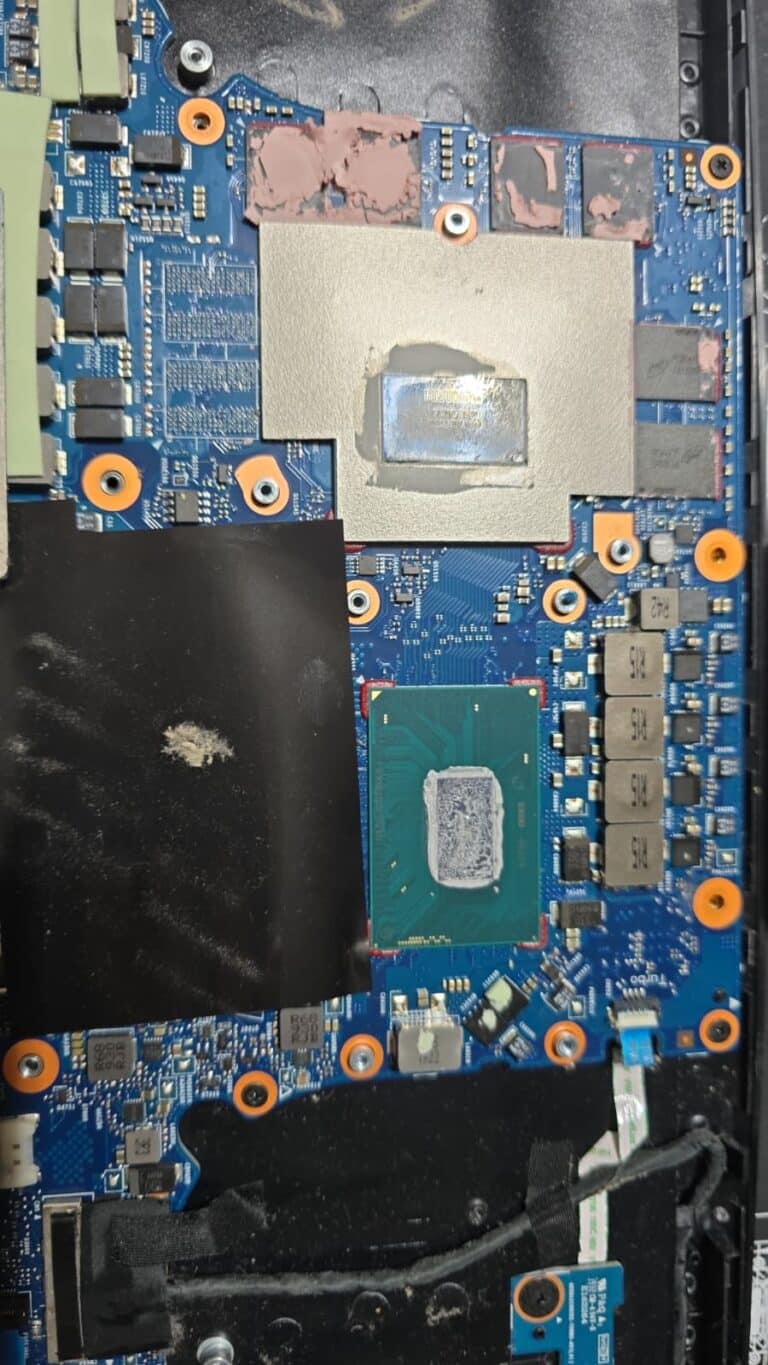
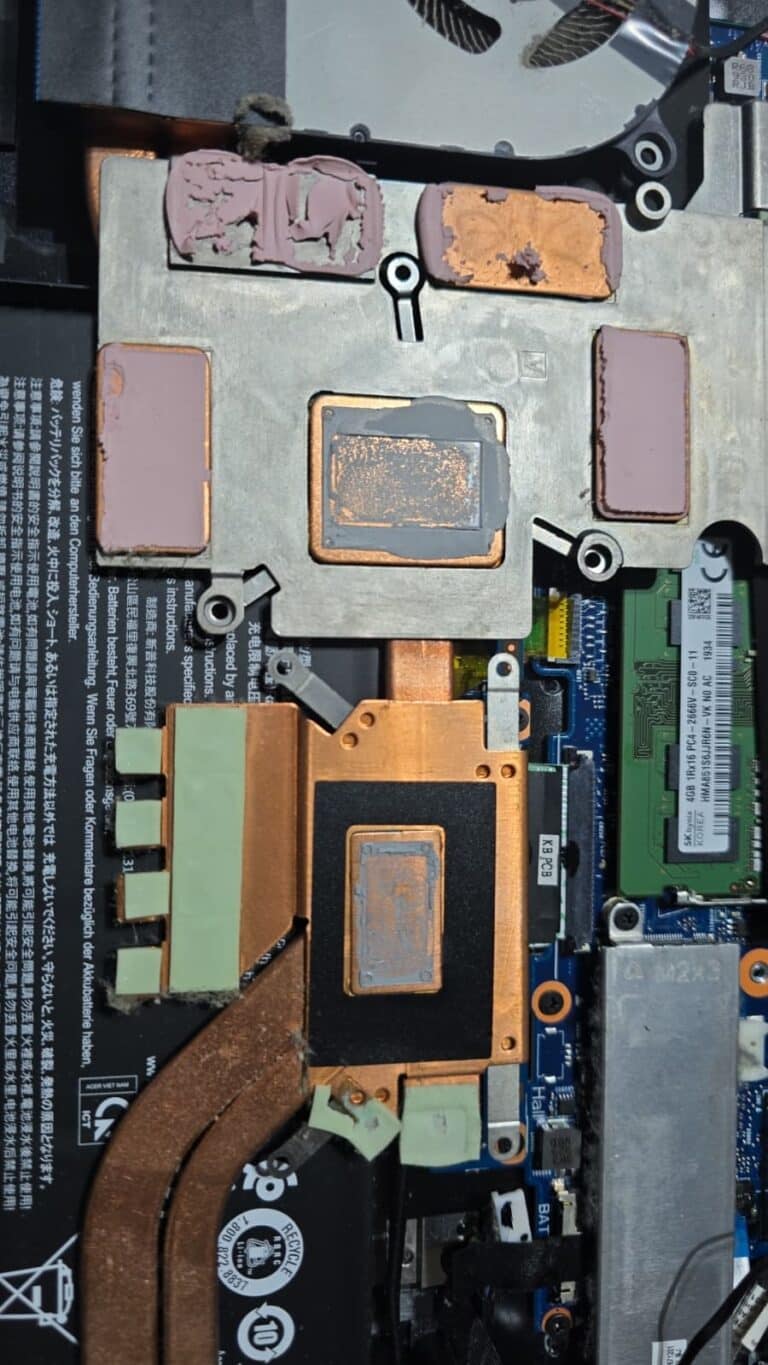
Thermal paste works by filling microscopic gaps between the chip and the metal heatsink. Thin, dried traces leave real air gaps, and air insulates. Displaced putty makes it worse. The heat simply never left the chips – which is why the processor could not even use its full 45 W power allowance: it was too hot to get past 28 W.
The deep clean, fresh thermal paste and new thermal putty
This is what a proper gaming laptop deep clean involves, and why it is not a ten-minute job with a can of compressed air:
- Full strip-down. Both fans out, heatsink and heat pipe assembly off, fin stacks, intakes and exhausts cleared of every trace of the dust mat.
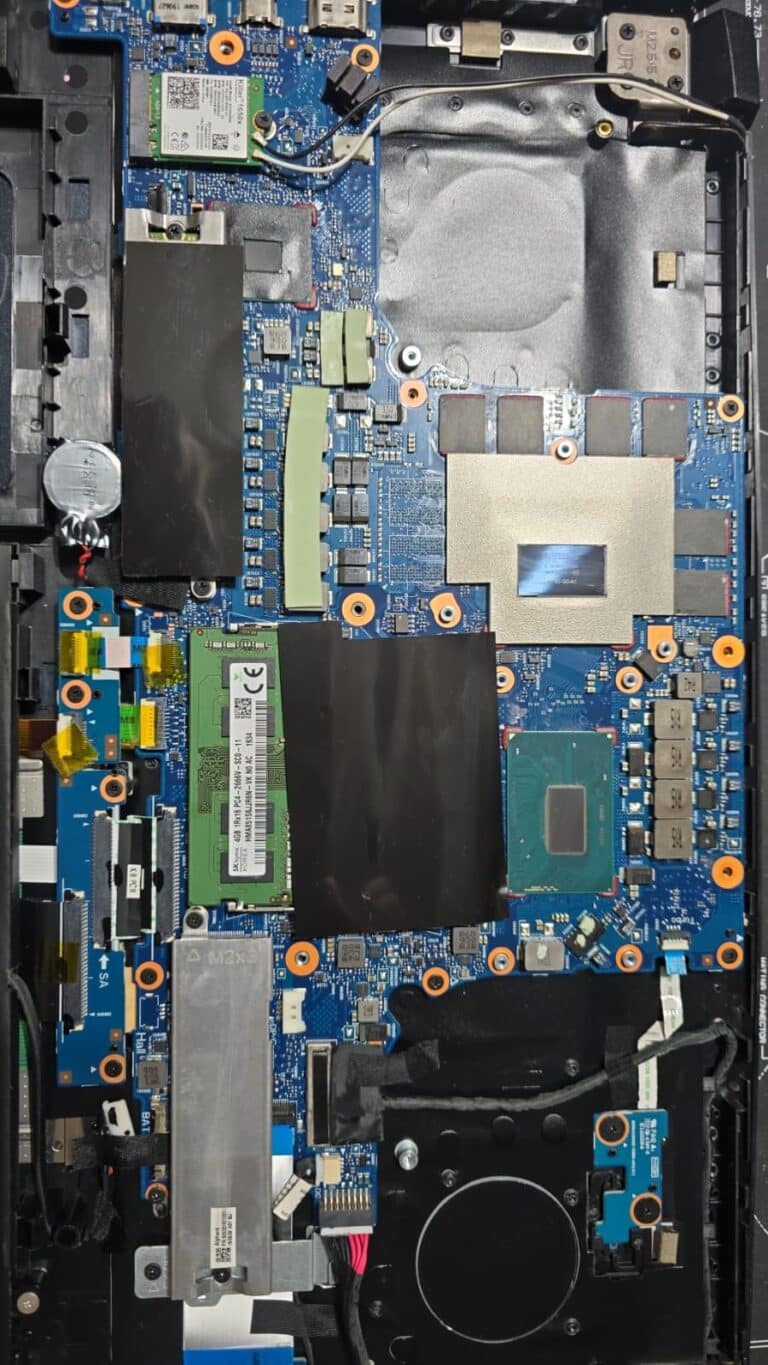
- Old thermal material removed. Both chips and the heatsink cleaned back to bare metal, all old putty removed.
- Fresh premium thermal paste on the processor and graphics chip, and new thermal putty on the memory and power parts around them.
- Storage drive re-seated with proper thermal contact and re-checked under load – twice, because the first re-check showed the NVMe drive still running too hot.
- The same stress test again, logged and compared with the “before” run. Four logged runs in total.
Doubling the RAM while it was open
With the laptop already stripped down, upgrading the memory costs very little extra work, so we offered it and the owner said yes. The two original 4 GB modules came out and a matched pair of 8 GB DDR4-2666 modules went in – 8 GB became 16 GB, running in dual channel at full speed. During our test the memory went from 90% full to about 55%, which takes away the paging stutter on top of the heat problem. If your laptop is being opened for a deep clean anyway, this is the moment to ask about a RAM or SSD upgrade.
The numbers: before and after
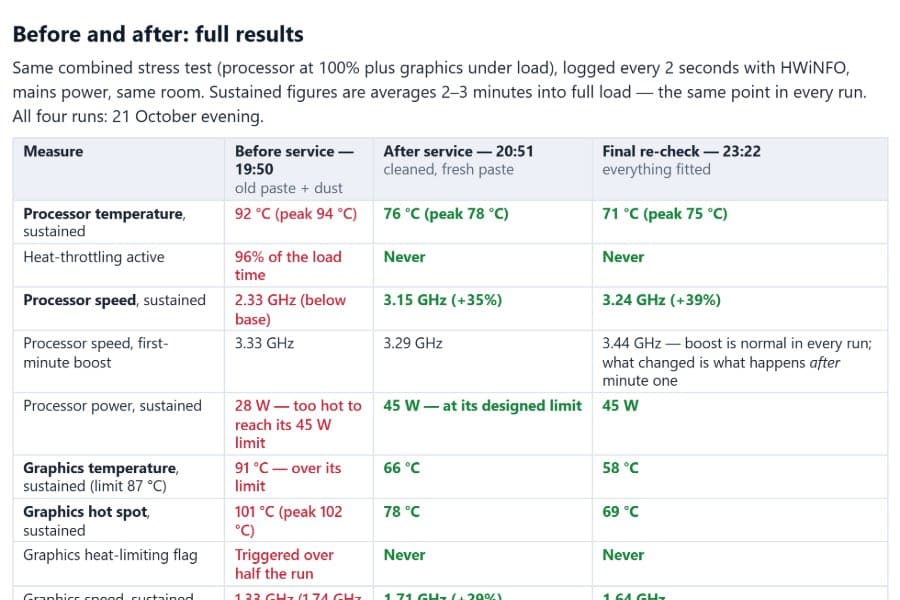
- Processor at sustained full load: 92 °C before, 76 °C after (71 °C at the final re-check).
- Heat throttling: active 96% of the time before – never after.
- Sustained processor speed: 2.33 GHz before (below base speed), 3.15 GHz after – about 35% more performance, permanently.
- Graphics chip: 91 °C and over its limit before, 66 °C after; hot spot 101 °C before, 78 °C after.
- Memory: 8 GB at 90% full before, 16 GB at about 55% after.
- Hardware error log: zero errors in every run.
Honest note: brief spikes to 90-100 °C in the first seconds of a heavy task are still normal for this chip – it boosts to its temperature limit by design. What matters is where it settles. Before, it never settled; now it settles at 71-76 °C. You can read the whole report, with the sensor graphs, in the “Test reports” section of our thermal paste and deep clean page.
Why dust and dried paste make a gaming laptop freeze and lag
Every processor has a speed it can hold at a safe temperature. When the cooling fails, the chip drops below that speed to survive – and no Windows setting, driver update or “gaming mode” can fix it, because the problem is physical. Dust blocks the airflow, dried paste blocks the heat path from the chip to the heatsink, and the two faults multiply each other. The result is a laptop that looks perfect and performs like a machine ten years older. Cleaning without re-pasting, or re-pasting without cleaning, only fixes half of it, which is why we always do both together.
Signs your gaming laptop needs a deep clean
- Games that used to run smoothly now lag, stutter or freeze after a few minutes.
- Fans that run loud and never calm down, even on the desktop.
- A hot keyboard, hot underside, or only weak, warm air from the vents.
- Sudden shutdowns or restarts under load.
- Benchmark or in-game frame rates far below what the same model achieved when new.
- It has never been opened and is more than two years old – or it was “cleaned” somewhere and never got better.
Gaming laptop deep clean in Cambridge and Dagenham
We strip down, deep clean and re-paste gaming laptops every week – Acer Predator, ASUS ROG, MSI, Lenovo Legion, HP Omen, Dell G-series and Alienware among them – including liquid-metal models, which need special handling. Every job gets the same treatment this Predator had: logged temperatures before and after, fresh premium paste and pads or putty, and our workshop warranty on the work. If you are already opening the laptop, we can double the RAM or fit a faster SSD at the same time.
Book a deep clean WhatsApp us a photo of your laptop See more deep clean jobs
Questions we get asked
How often should a gaming laptop be deep cleaned?
Every 12 months for most people, every 6 months with pets, carpets or a dusty room. Thermal paste on gaming laptops typically needs replacing after two to three years.
Can I just blow the dust out with compressed air?
Through the vents you remove a little loose dust and push the rest deeper into the fin stack. The felted mat on this Predator could only be removed with the fans and heatsink off – and the dried paste underneath needed replacing anyway.
Will a deep clean make my laptop faster?
If it is throttling from heat, yes – this one gained about 35% sustained processor speed. If it is slow for another reason (a failing drive, too little memory, malware) a clean will not fix that, which is why we test before and after instead of guessing.
How long does it take?
A full strip-down, clean, re-paste and before-and-after testing is normally a same-day or next-day job, depending on how many laptops are in the queue. We will tell you when you book.
Do you do this for desktop gaming PCs too?
Yes – deep cleans, new thermal paste, cooler and fan upgrades for desktop PCs, with the same logged testing. See the desktop section on our thermal paste page.